
For every part of your club / Coaches & conveners
FOR COACHES & CONVENERS
Sports Club OS for coaches and conveners
Draws, ladders, scores, timetables and rolls, done on a phone, so you spend club night on court instead of at the noticeboard.
WHO THIS PAGE IS FOR
Coaches and conveners
COACHES
Head coaches, club coaches and coaching businesses
Your sessions and the roll, waitlists, wet days, terms and the courts your classes use.
What coaches can do ↓CONVENERS
Members who run the club’s competitions
Ladders, leagues and tournaments, scoring from a phone, the clubhouse TV, results and ratings.
What conveners can do ↓FOR COACHES
What coaches can do
A coach signs in with their own login and sees their own sessions. A lead coach sees their team’s.
SESSIONS AND ROLLS
Your sessions and the roll on your phone
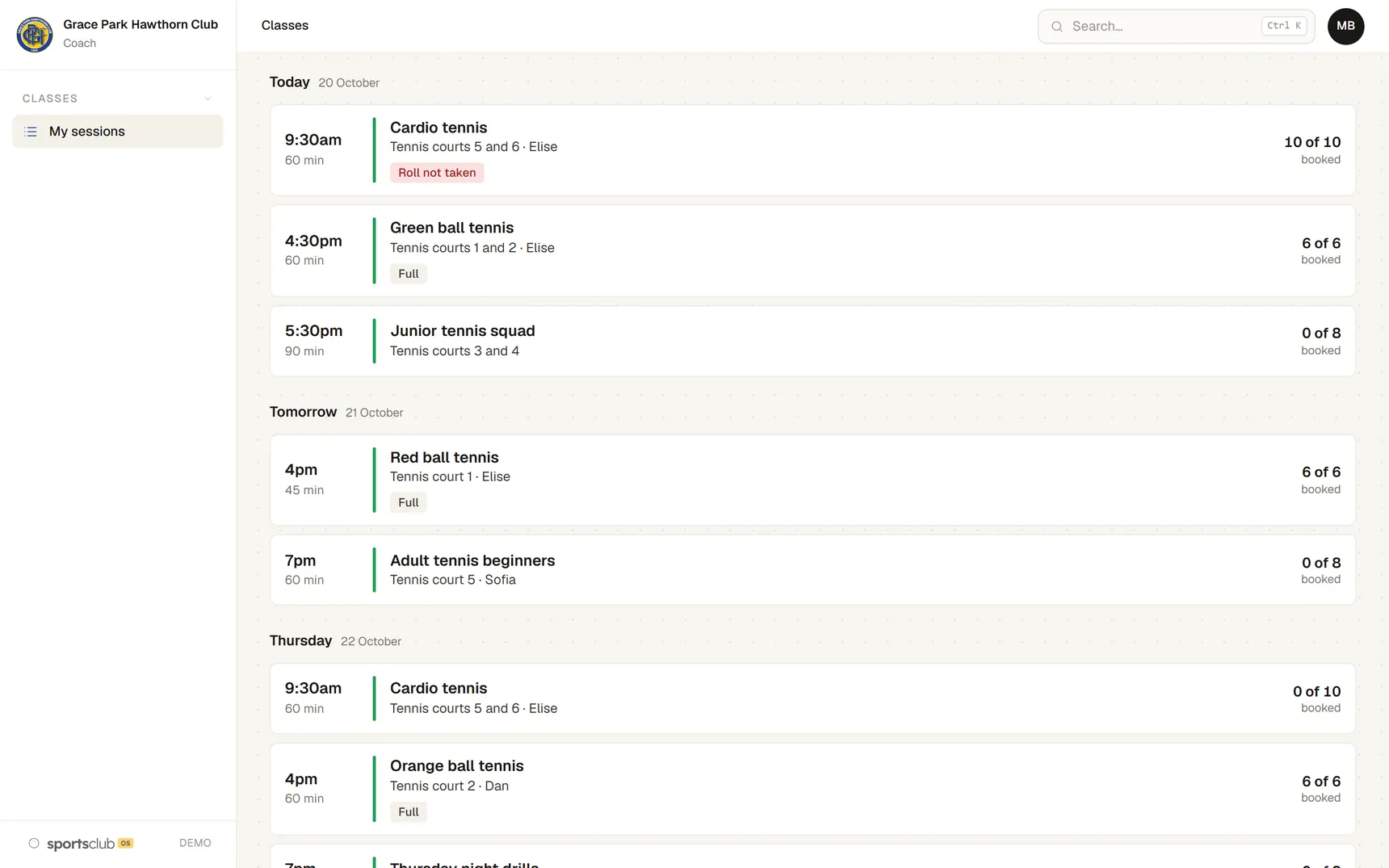
My sessions shows today and the rest of the week, with how many are booked and anything that needs doing, such as a roll not taken. Press a session to open its roll.
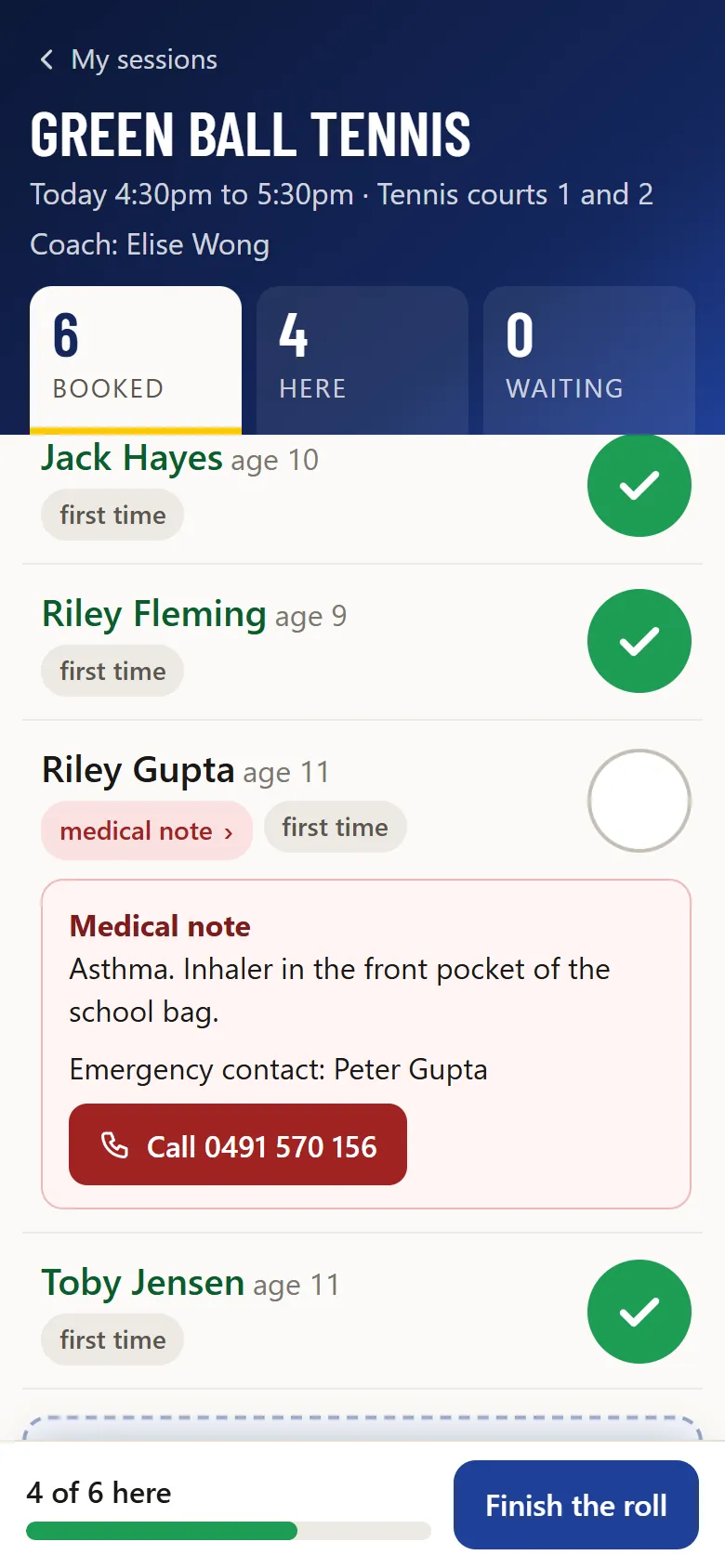
- One tick a person.The roll is made for a phone beside the court, with each child’s age and tags such as first time or not paid.
- Medical notes one press away.A medical note opens under the name, with the emergency contact and a button to ring them.
- Someone turned up?Add a member who isn’t booked, found by name or member number.
- Message everyone booked.The message goes through Sports Club OS. The coach never sees anyone’s email address.
WAITLISTS
Full classes and waitlists
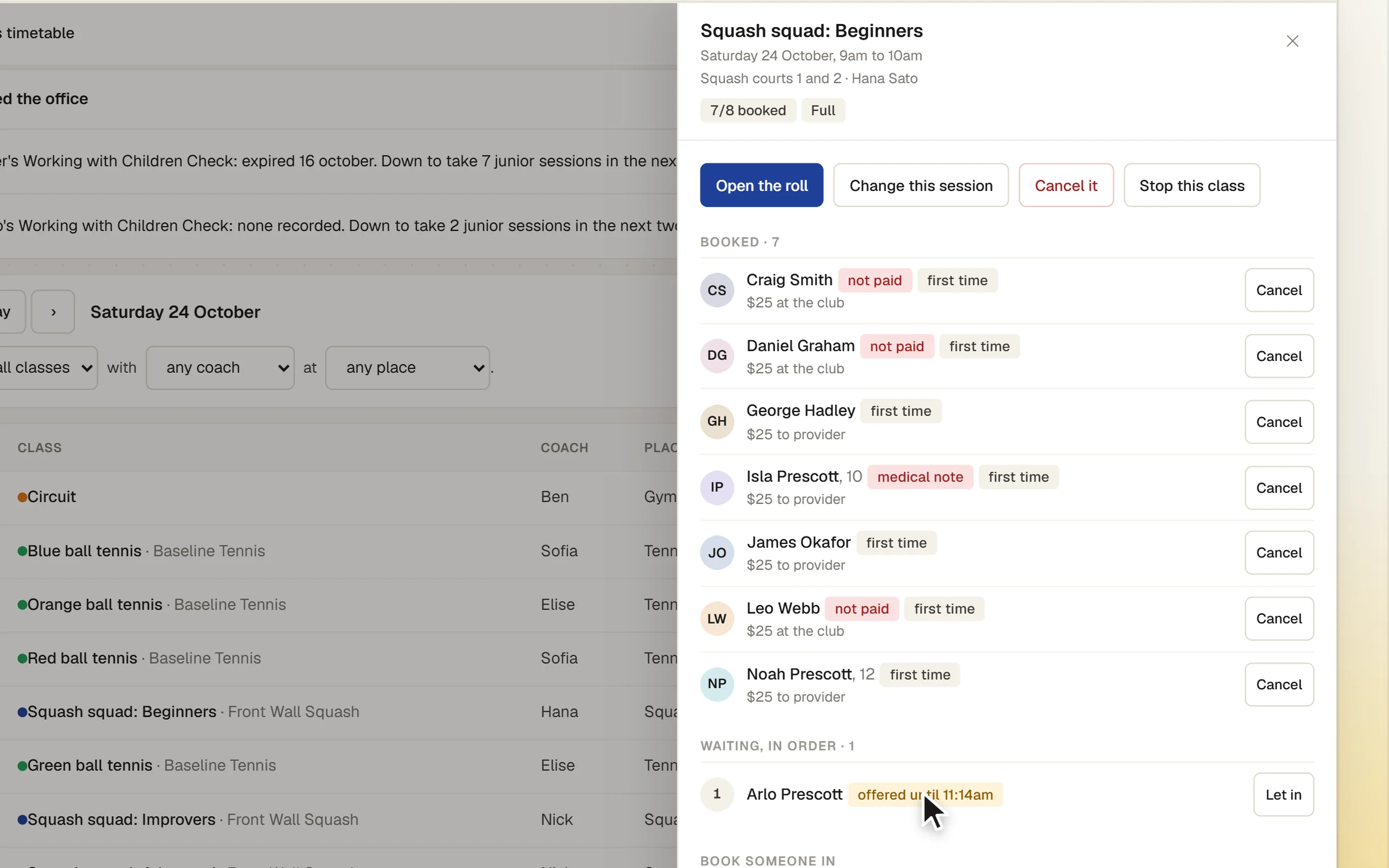
When a class is full, people join its waitlist. When a place comes up, the club chooses what happens: offer it to the next person and hold it for them, or put them straight in.
- Offers run out on time.An offer says when it ends. If it isn’t taken, it goes to the next person.
- Close to the start, first in.Shortly before a session, offers stop and the first to book gets the place.
- Short of the minimum.A session below its minimum is flagged to the coach and the office, with a time to decide. Nothing is cancelled automatically.
WET DAYS
When the weather turns
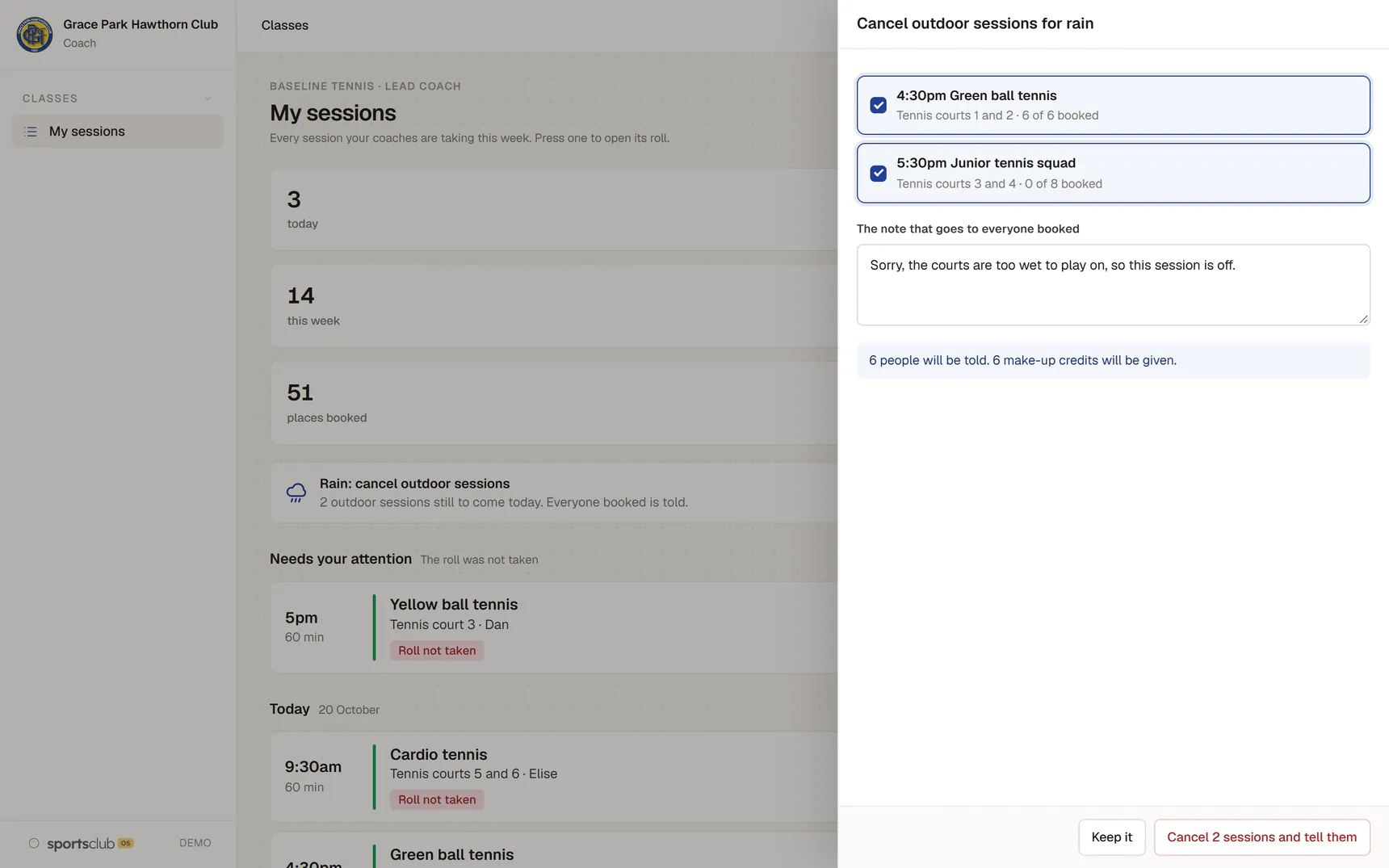
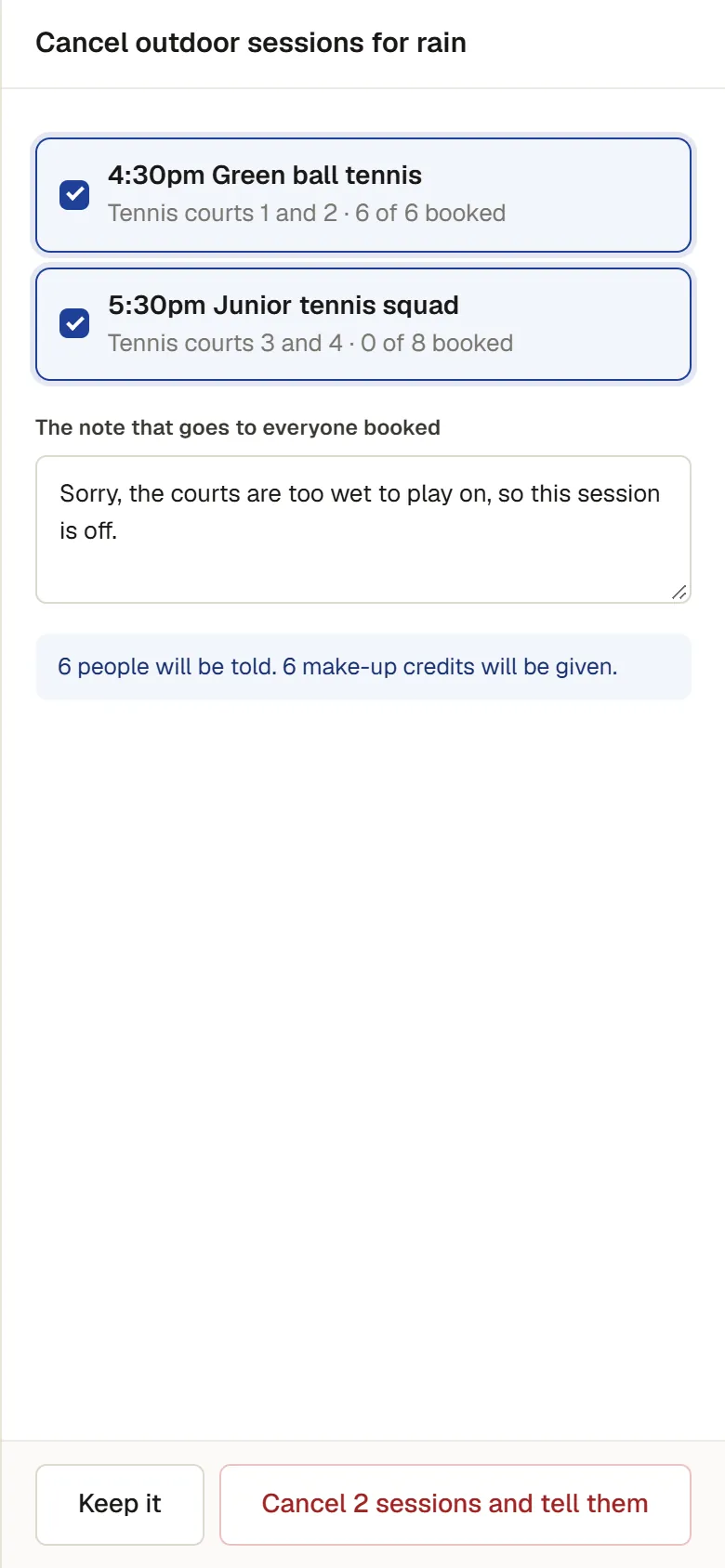
“Rain: cancel outdoor sessions” lists every outdoor session still to come today. The coach checks the list, edits the note and cancels them together.
- Everyone booked is told.The note goes to everyone on those sessions.
- Passes and make-ups sorted out.Before anything is cancelled, the box says how many people will be told and what they get back: pass sessions returned or make-up credits.
- Cover.When another coach takes a session, it shows who is covering for whom everywhere, the TV included.
TERMS
Terms, make-ups and moving up
Term groups are enrolled for the whole term, with the fee worked out for a late start and a family discount for brothers and sisters.
- Next term, current students first.Re-enrolment holds each child’s place in their group until a date.
- Copy a term.Every group again in the new term.
- Make-up credits.A credit can be used only on a session it is valid for, with a place free.
- Ready to move up.The coach moves a child up a stage, with a note the parent sees.

COURTS
Courts held for classes
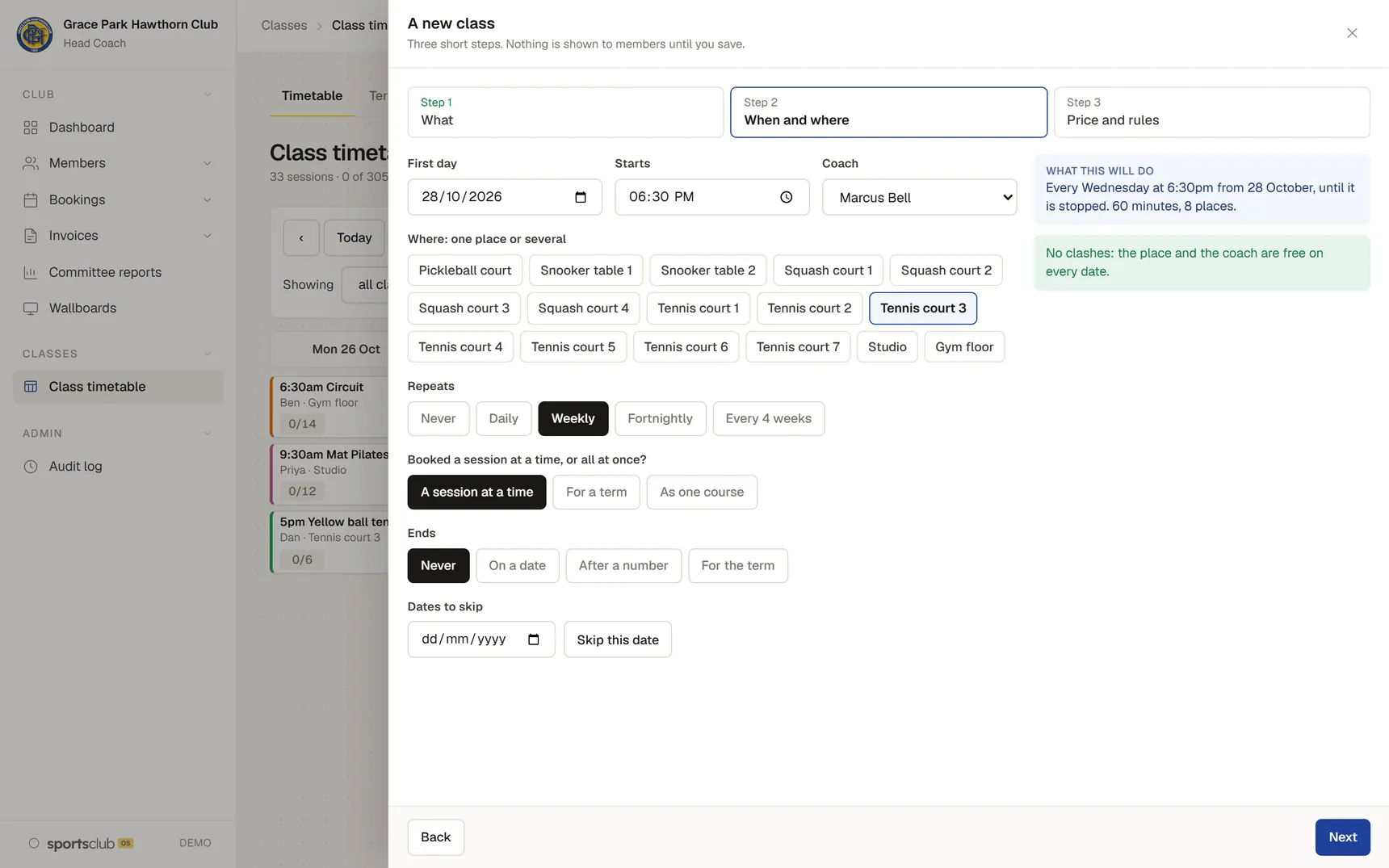
A class on a court holds that court, so members can’t book it. Clashes with the place and the coach are checked on every date before the class is saved.
- Clashes shown before saving.Including members’ bookings already on the court.
- Alerts on the timetable.A court that couldn’t be held is flagged on the office timetable.
PRIVACY
What a coach can see
A coach sees their own sessions and, for the people on them, a name, a child’s age, whether they have paid, pass sessions left, any medical note and the emergency contact.
- Not the member database.No addresses, email addresses, phone numbers, dates of birth, membership types or invoices.
- Coaching businesses.A coach from an outside business sees amounts only if their business collects the fees.
FOR CONVENERS
What conveners can do
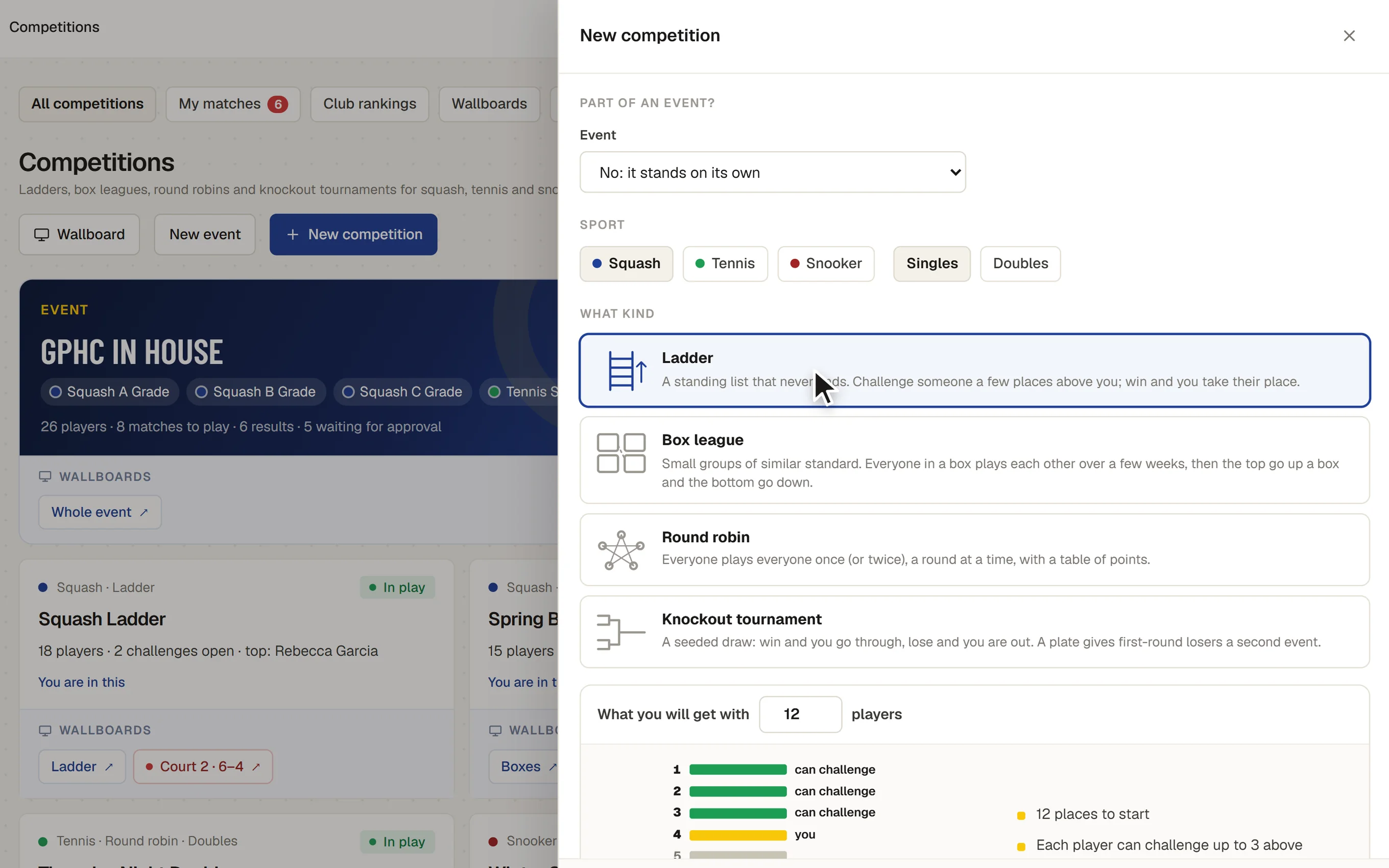
Conveners are members who run competitions for the club. They sign in with their own login.
FORMATS
Every format, for each sport
Ladders, box leagues, round robins and knockout draws with a plate, with scoring for squash, tennis, padel, pickleball and badminton. The draw, the table and the standings follow from the scores.
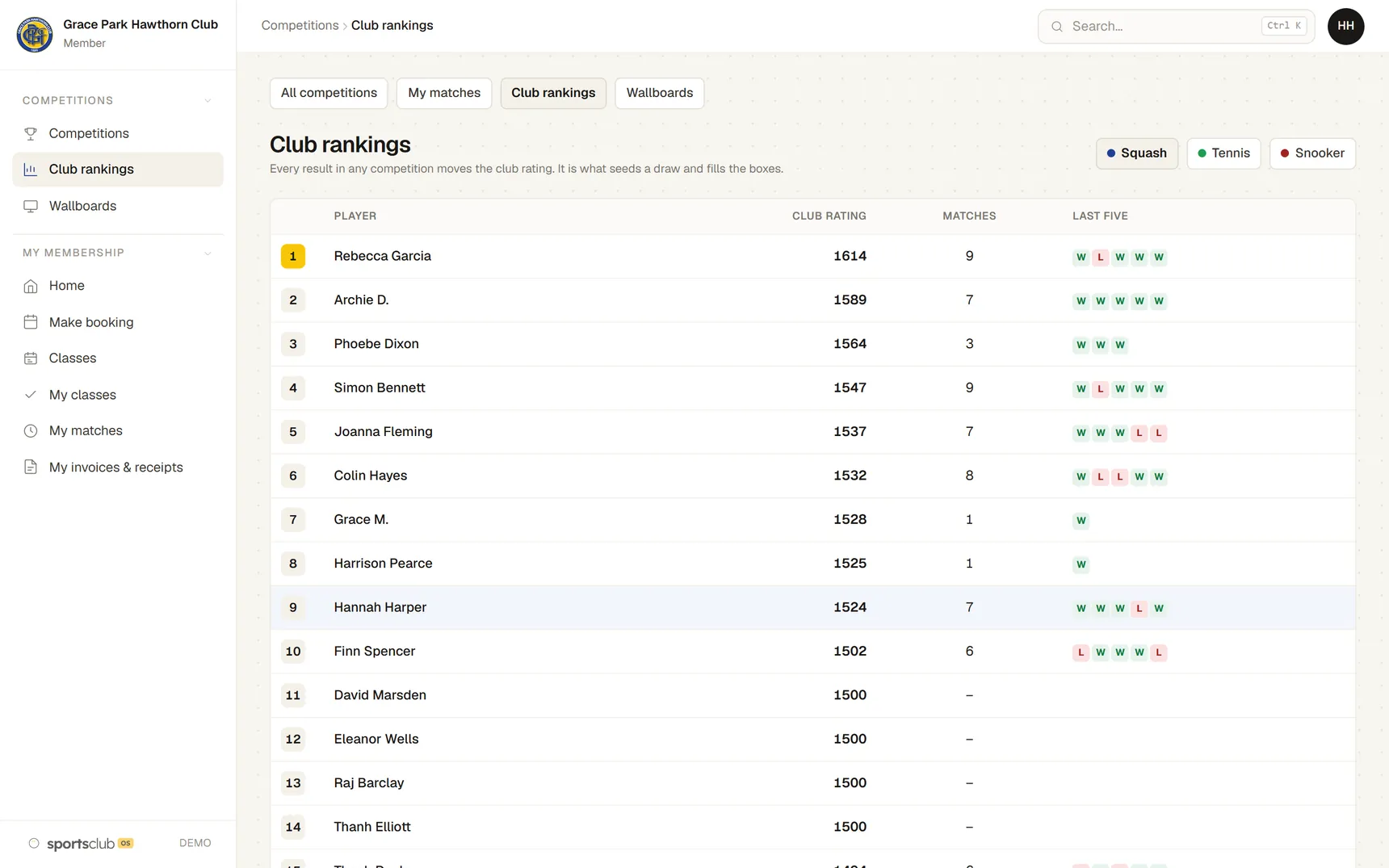
- Seeded from club ratings.Knockout draws are seeded from the club rating.
- The convener sets the times.Each match’s time and court are the convener’s to set.

EVENTS
A tournament with several grades
One event can hold several grades and sports, with entries the organiser approves. Grades that share the courts share one order of play.
- Filled for you.The order of play is filled from a start time, with nobody on two courts at once.
- Then by hand.Drag a match to another court or time.

LIVE SCORING
Scoring from a phone, with the court TV
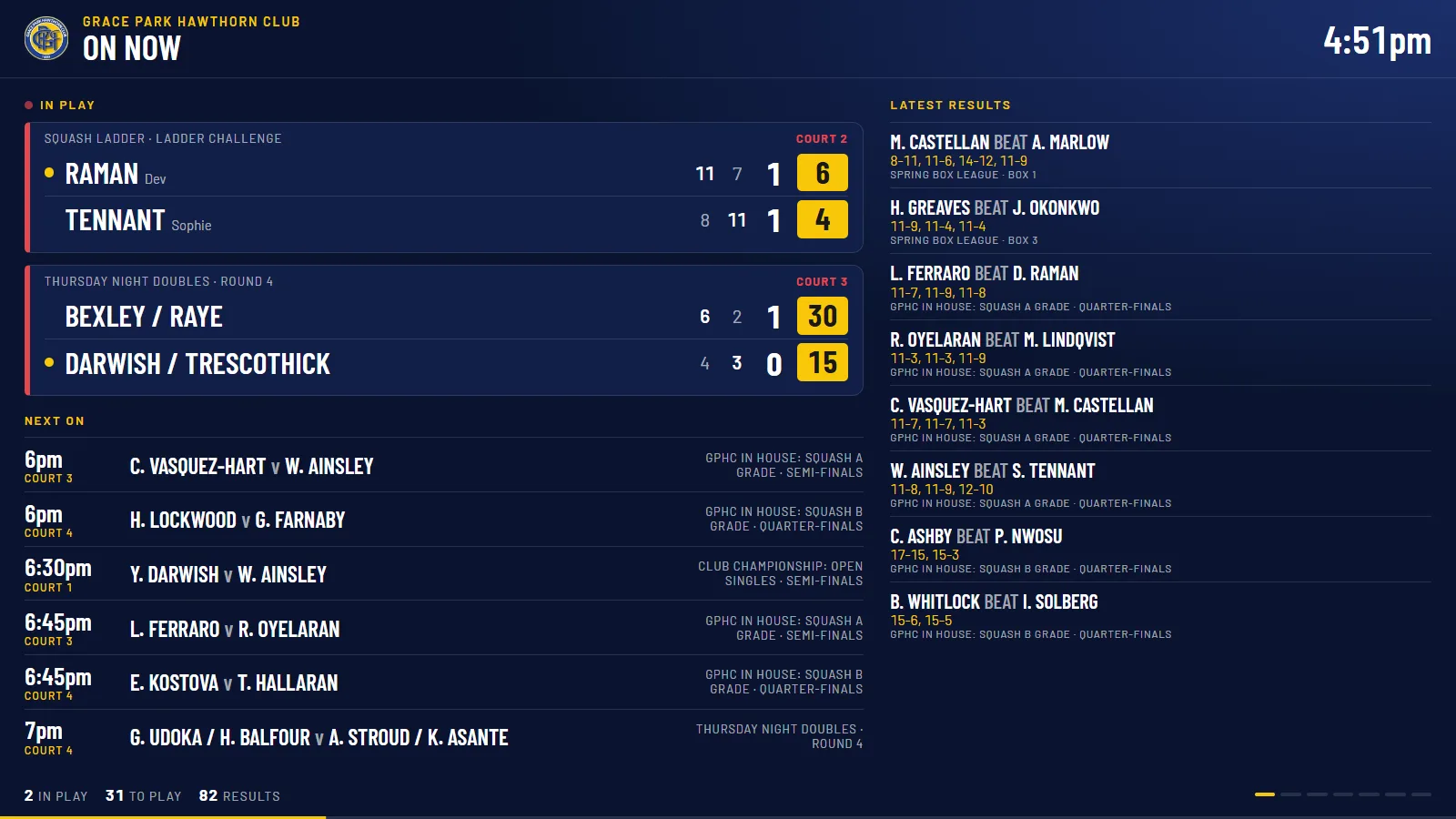
The marker scores on a phone beside the court: the warm-up clock, the toss, then one press a point, with each sport’s own calls, such as lets, strokes and conduct calls in squash. The court’s TV follows every point. The same scorer is free to anyone as the free match scorer.
- Undo.Takes back the last press.
- One phone scores.The first phone to start scoring a match scores it. Every phone that opens it after that, by its code or signed in, watches live.

CLUBHOUSE TV
Draws and wallboards on the clubhouse TV
Any draw, table or court can go on a TV. Preview a board as the TV will show it, then put it on a TV in one press, in light or dark.
- Live scores in the draw.Each match on court shows its score in its box, and a changed score flashes gold.
- No sign-in on the TV.A TV opens its own link and shows names and scores only.

PRIVACY
Juniors’ names and what a convener sees
Adults are shown in full. Anyone under 18 is shown by first name and initial, on the lists and on the TVs.
- Players, not the member database.A convener sees names, member numbers and club ratings, not addresses, invoices or membership types.
- Contact details only by choice.A player’s mobile and email go only to someone drawn against them in a match not yet played, and only if they switch sharing on.
RESULTS
Results and ratings
Any member can enter the result of a match that is ready. It counts at once, and the ladder, table or draw moves on.
- Corrections.The players and the convener can correct a score. Every change is recorded, with the score before it.
- A club rating for each sport.Worked out again after every result.
- A results file for rating services.The club’s results in a file to send on. SquashLevels and UTR are not connected.
DASHBOARD
A convener’s own dashboard
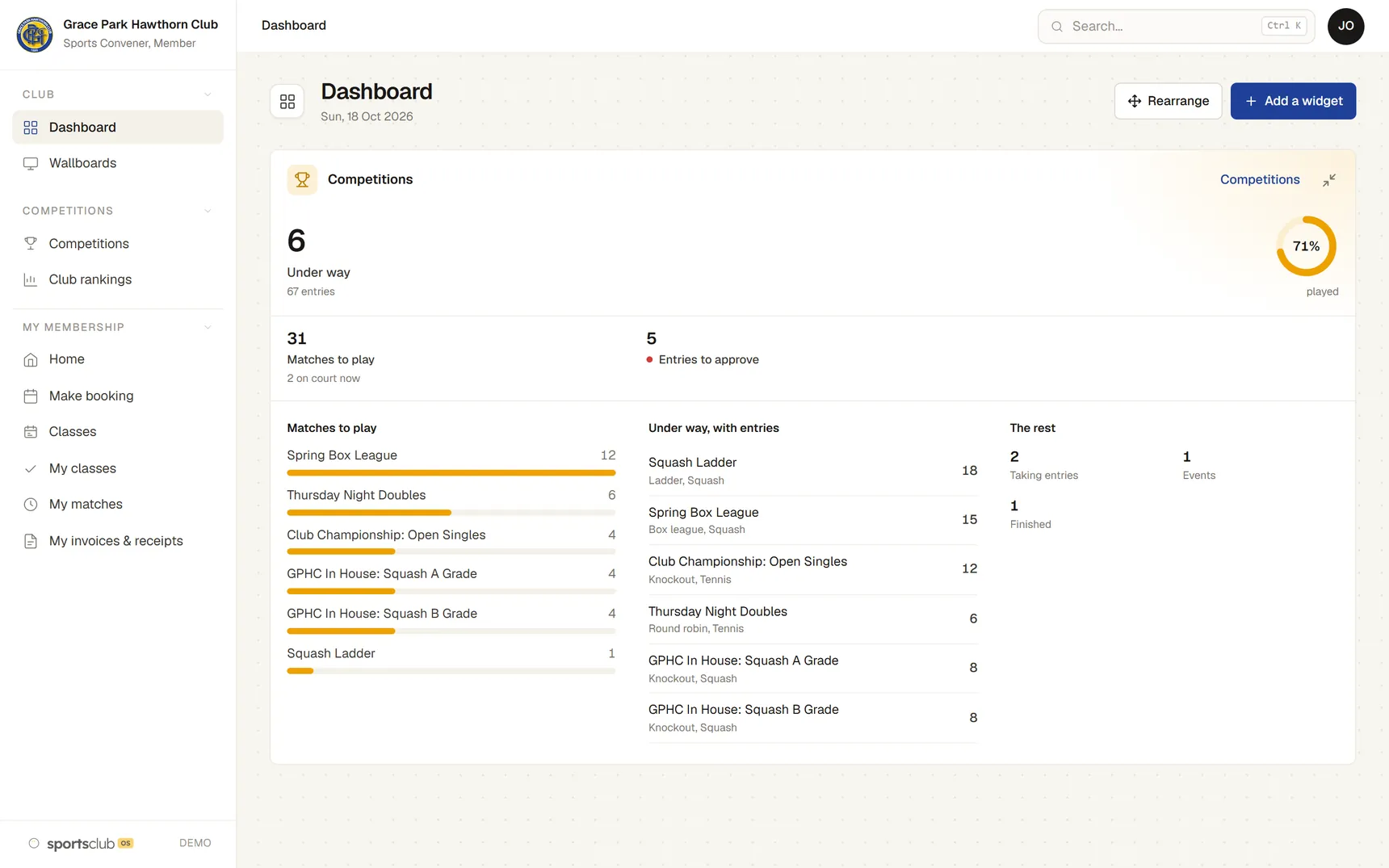
A convener has a Dashboard with a Competitions widget: what is under way, matches to play, matches on court now and entries to approve. It counts matches and names nobody.
- Slide shows for the club’s TVs.Conveners can also make the slide shows that run on the clubhouse screens.
- Reports on competitions.A convener can build reports from competition figures only.
FREE TO START
Run your next competition with the free tool
The competitions tool is free for any club, whatever system the rest of the club uses.
COMMON QUESTIONS
What coaches and conveners usually ask
What does it cost?
Three prices, by the size of the club’s membership.
PricingWho built it?
A member of a club like yours.
Our storyIs the data safe?
Kept in Australia, on Amazon Web Services in Sydney, and each person sees only their part.
Trust CentreWhat isn’t built yet?
Card payment, texts to class members, and links to SquashLevels and UTR.
QuestionsBOOK A WALKTHROUGH
Get a personalised walkthrough and demo
Bring your committee to a walkthrough.