Club manager and office
Members, bookings, invoices and renewals, closures, classes at the desk, member emails and the Dashboard. Sending member emails is the Administrator’s by default.

For every part of your club / Staff & managers
FOR STAFF & MANAGERS
The roster, the till, bookings, functions, invoices and member emails, with each person seeing only what their role allows.
STARTING ROLES
There is one menu for everyone. Its sections appear according to what each person’s roles allow. These are the starting roles, and the club changes what each may do on its Roles & permissions page.
Members, bookings, invoices and renewals, closures, classes at the desk, member emails and the Dashboard. Sending member emails is the Administrator’s by default.
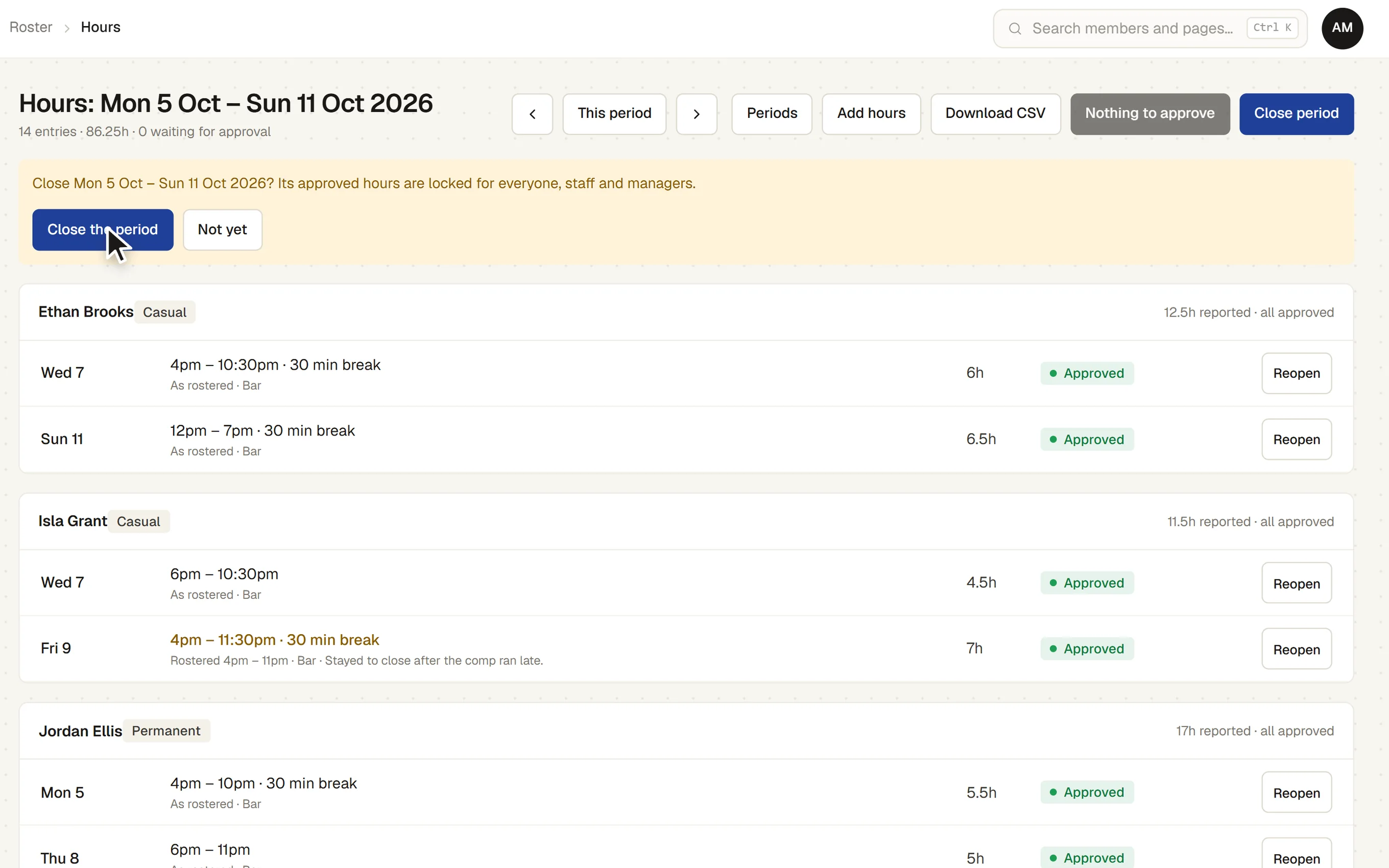
Builds and publishes the weekly roster, handles open shifts and time off, approves hours and closes each period, and sees functions and their function sheets. At the till: voids, refunds, overrides, every sale, and signing off each cash-up.
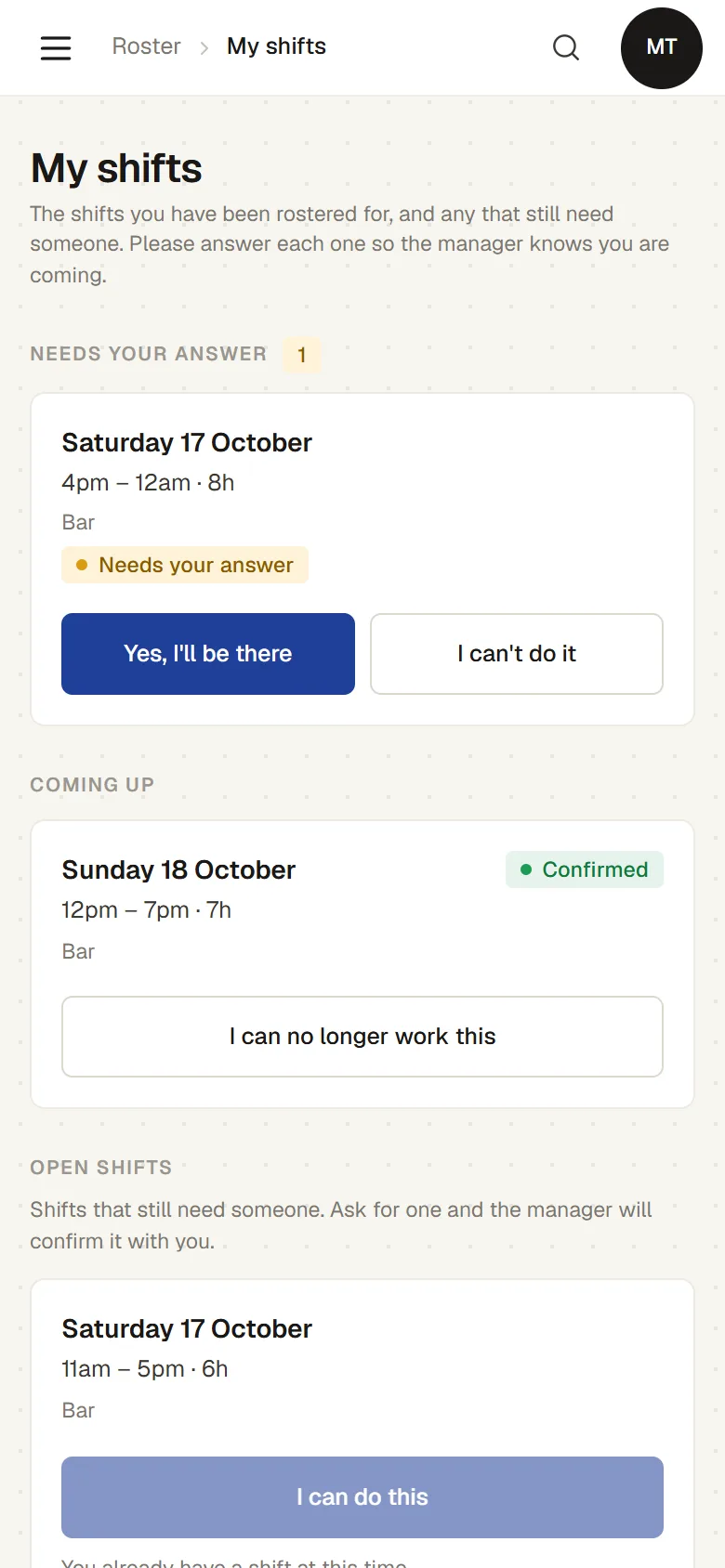
Their own shifts, availability, dates off and hours, on a phone, and the till for the bar and the front desk. Nothing about invoices, and members only as far as the till needs.
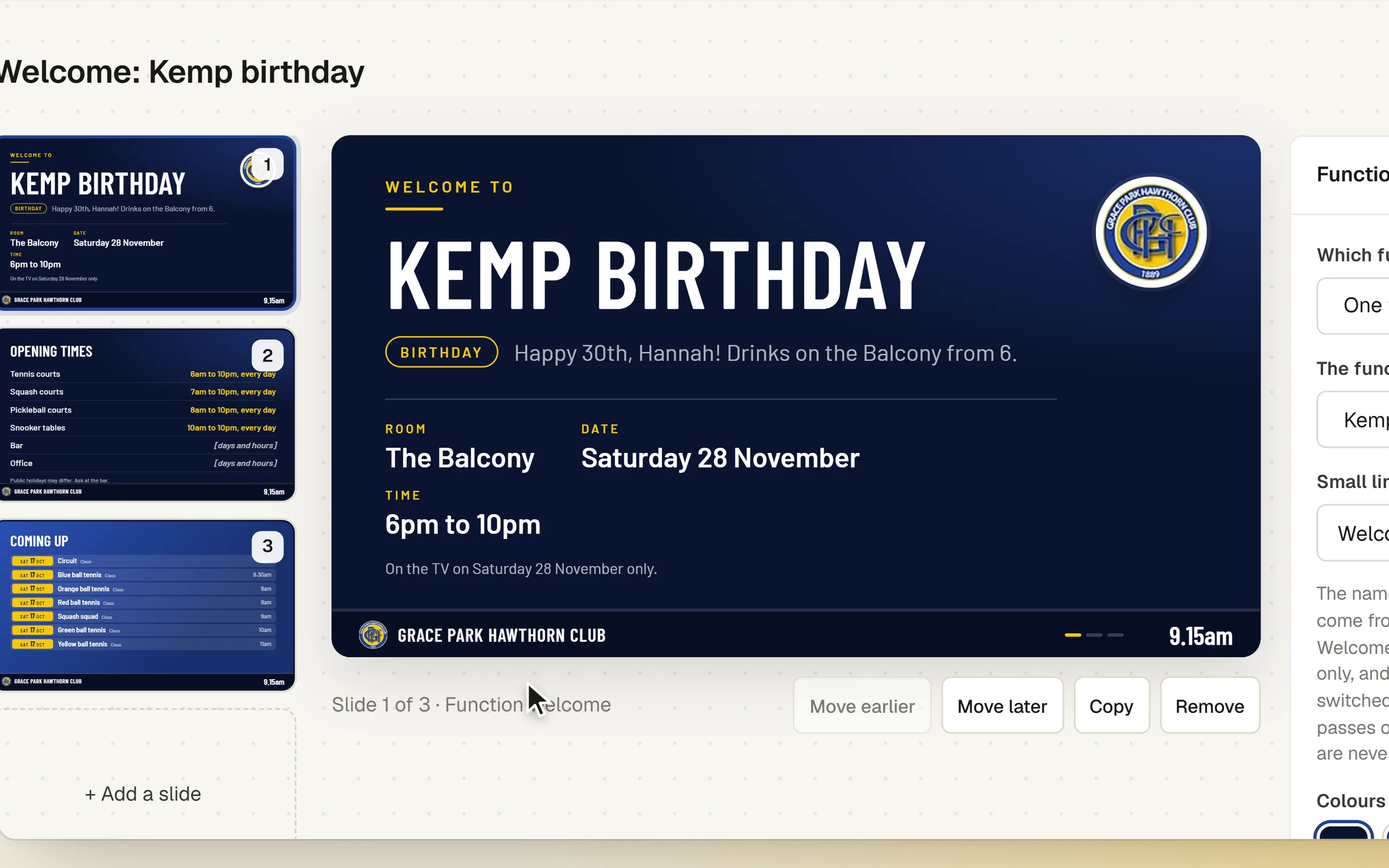
Enquiries, quotes, holds, deposits and function sheets, the functions settings, and the club’s TVs, including a welcome screen for each function.
THE WEEKLY ROSTER
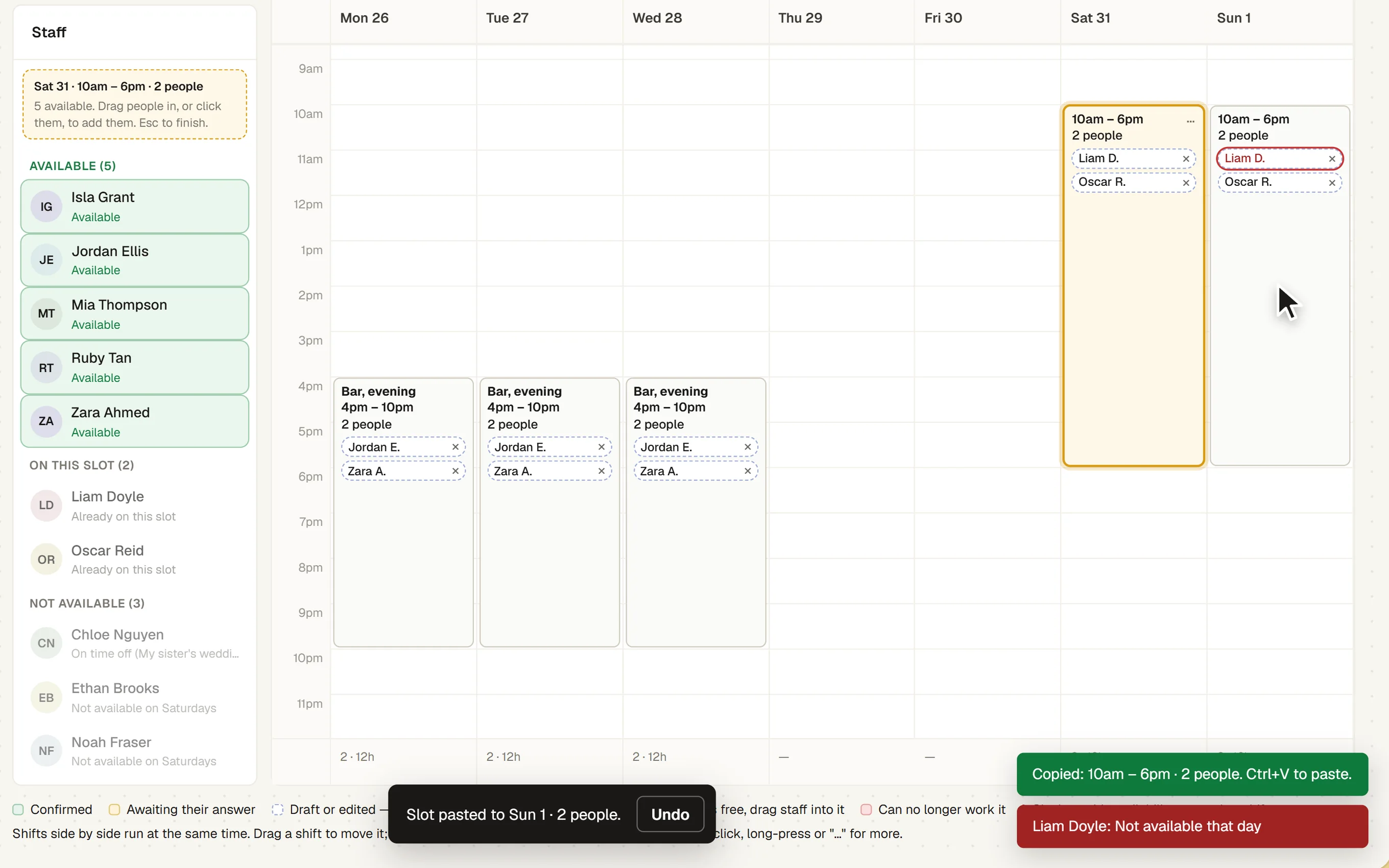
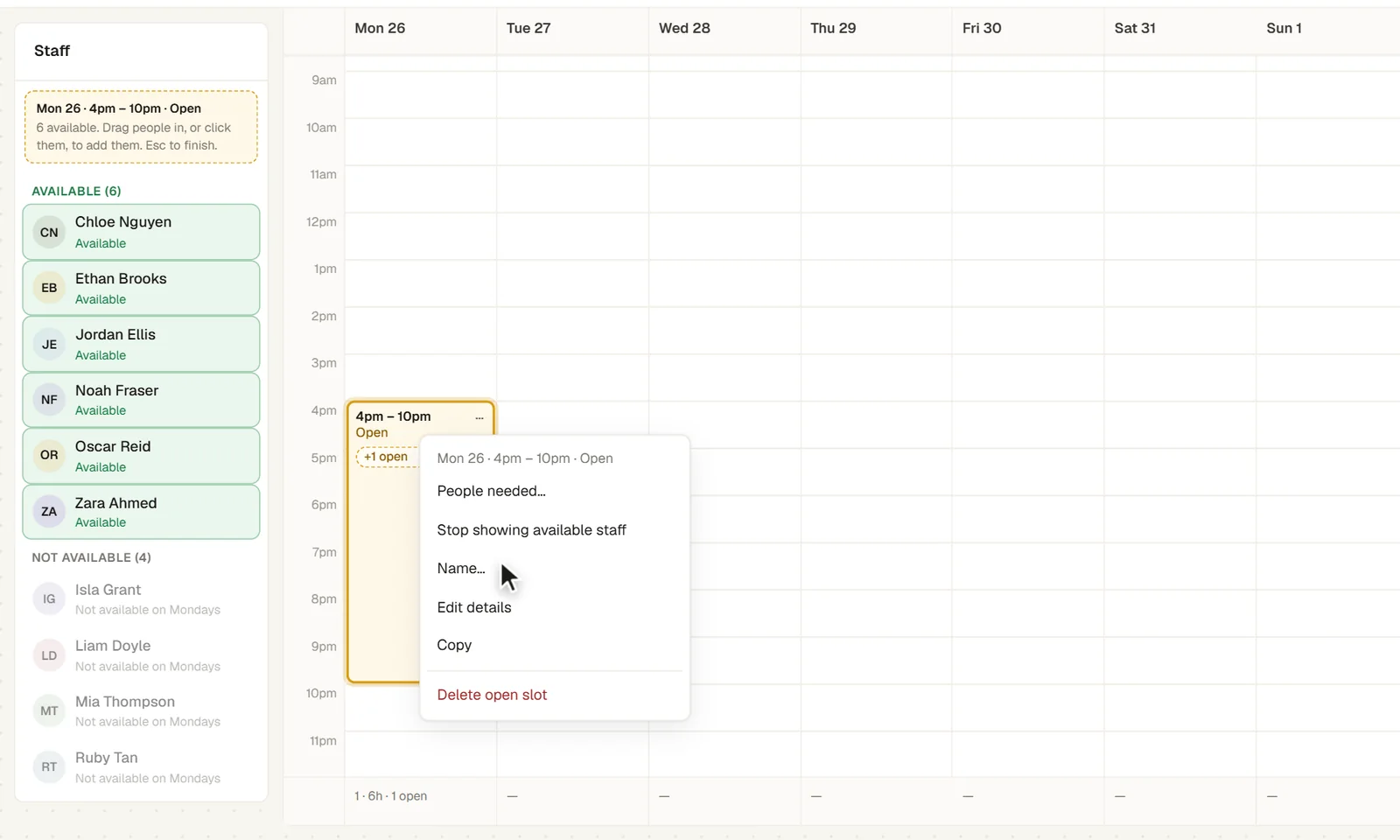
The roster is a week of days from 6am to midnight. Drag a person onto a day for a three-hour shift and stretch its edges, or drag down an empty part of a day to make an open slot in 15-minute steps.
PUBLISHING
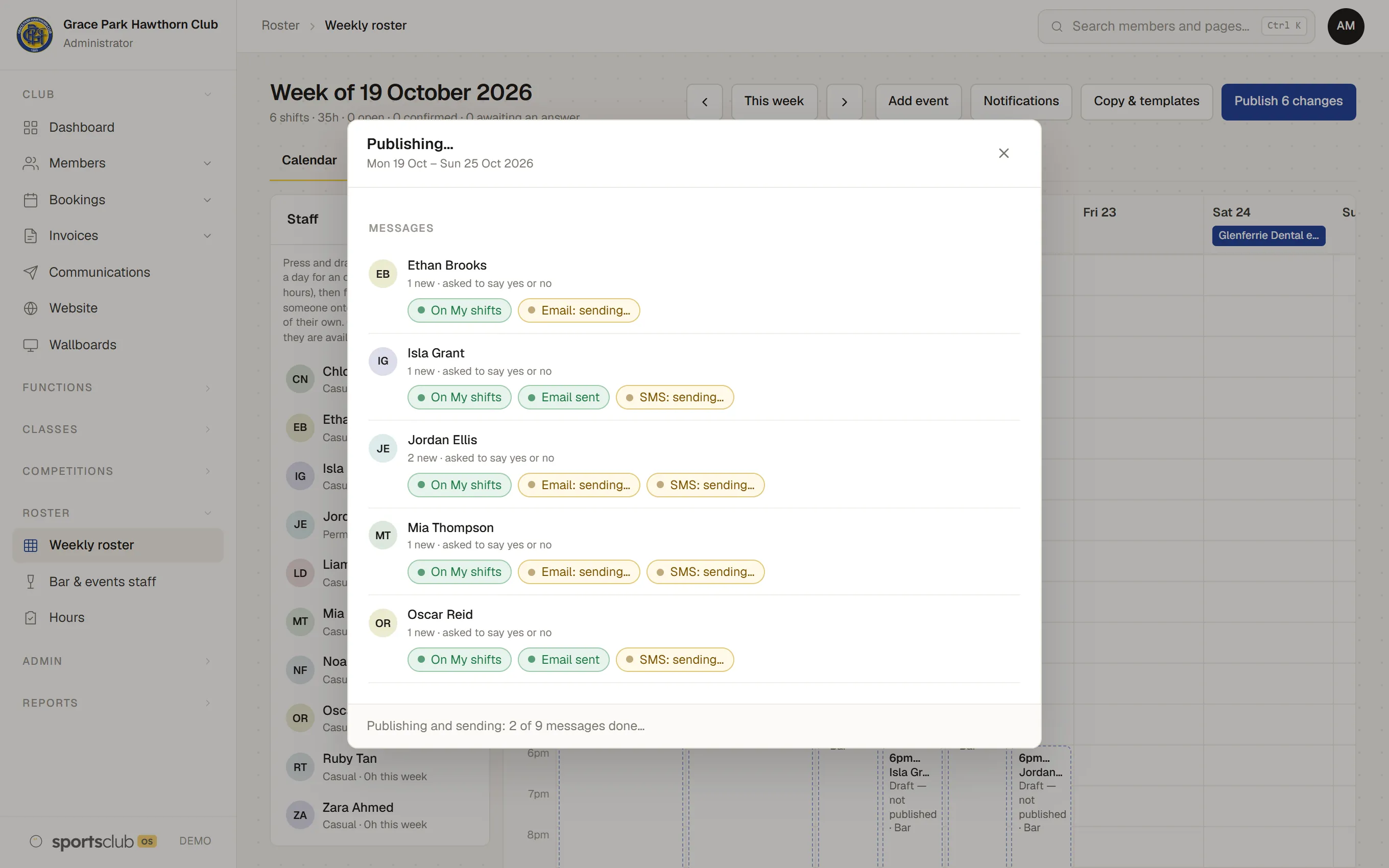
Before anything is sent, the Publish window lists each person’s new, changed and cancelled shifts and how each will be told: on My shifts, and by email and text as they chose. Each person gets one message for the week.
CHANGING THE ROSTER
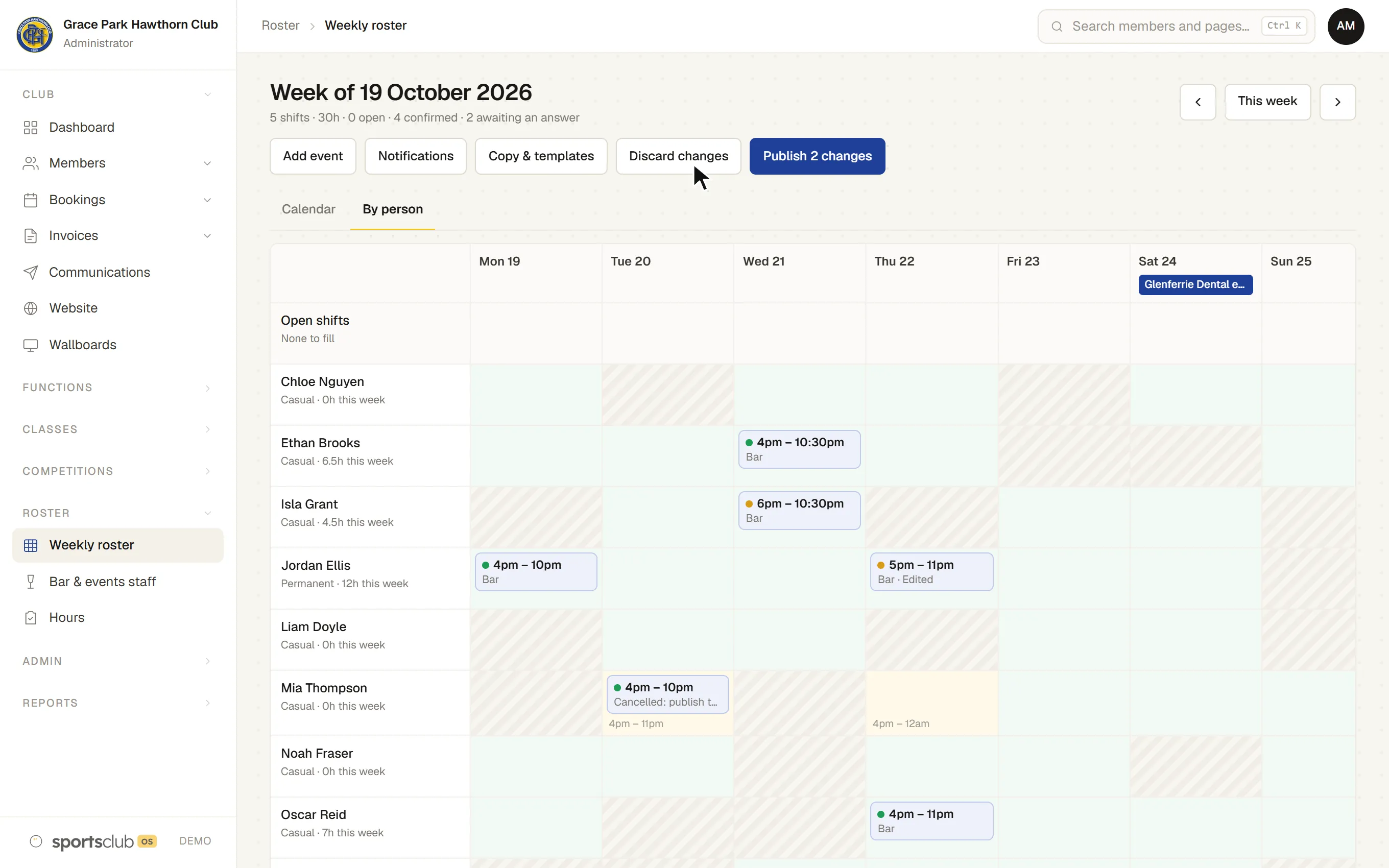
Editing a published shift tells nobody until the week is published again, so a manager can make several changes and send them together.
FOR THE STAFF THEMSELVES
Staff open My shifts on their phone. No app to download.
HOURS WORKED
Staff report their hours against the rostered shift, and whoever approves hours sees both side by side. Periods are weekly or fortnightly.
Connections to payroll apps are under development. Pay rates, awards and certificates are not part of Sports Club OS.
FUNCTIONS AND EVENTS
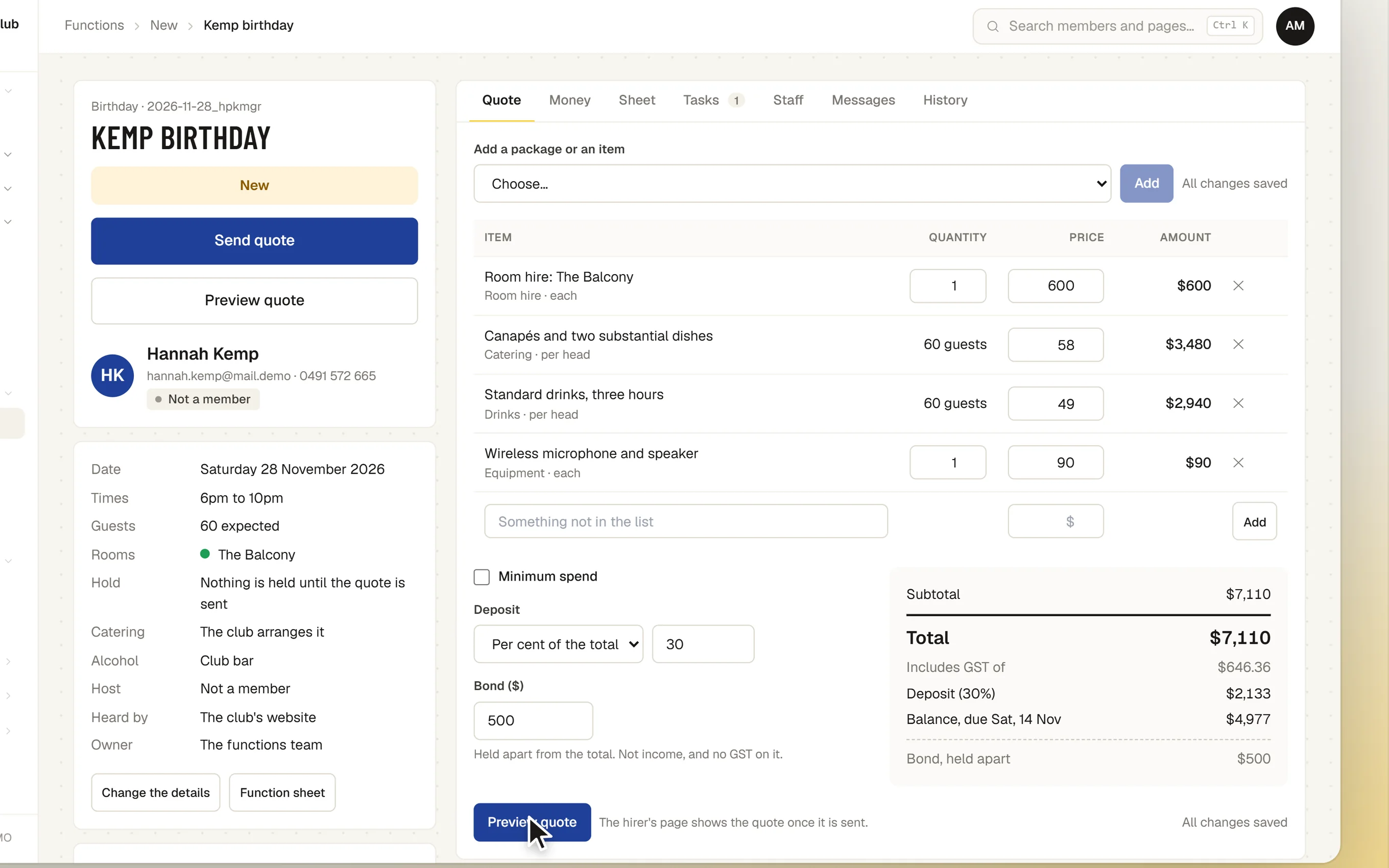
An enquiry from the functions page on the club’s website, where each room shows its Free or Ask us days, becomes a quote built from the club’s rooms, items and packages. The quote tab saves as you go, and Preview quote shows it exactly as the hirer will see it.
THE TILL
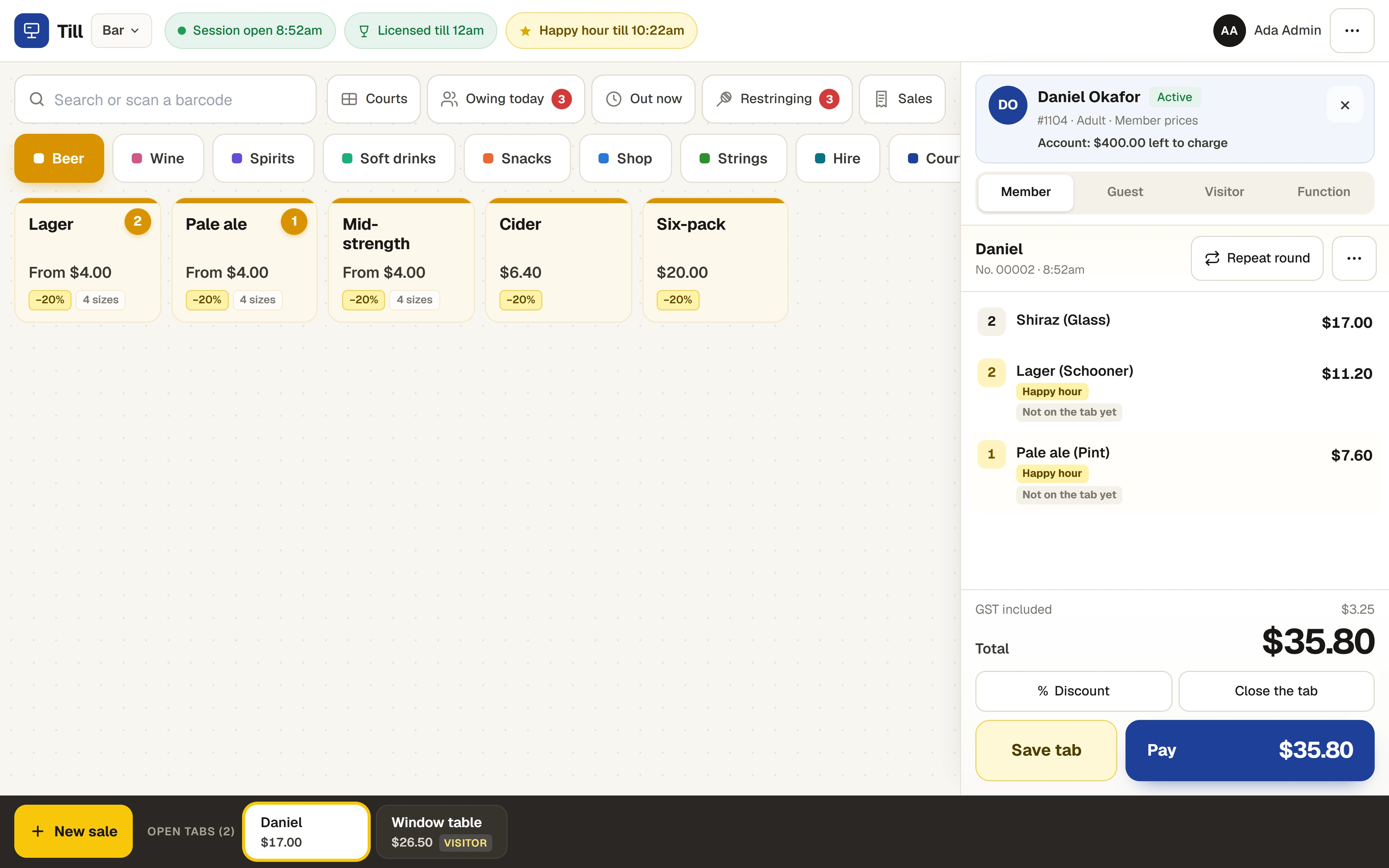
The till runs in the browser on a tablet and knows the club’s members. Find a member and their member prices apply; leave it as a visitor and the standard prices do.
CASH-UP
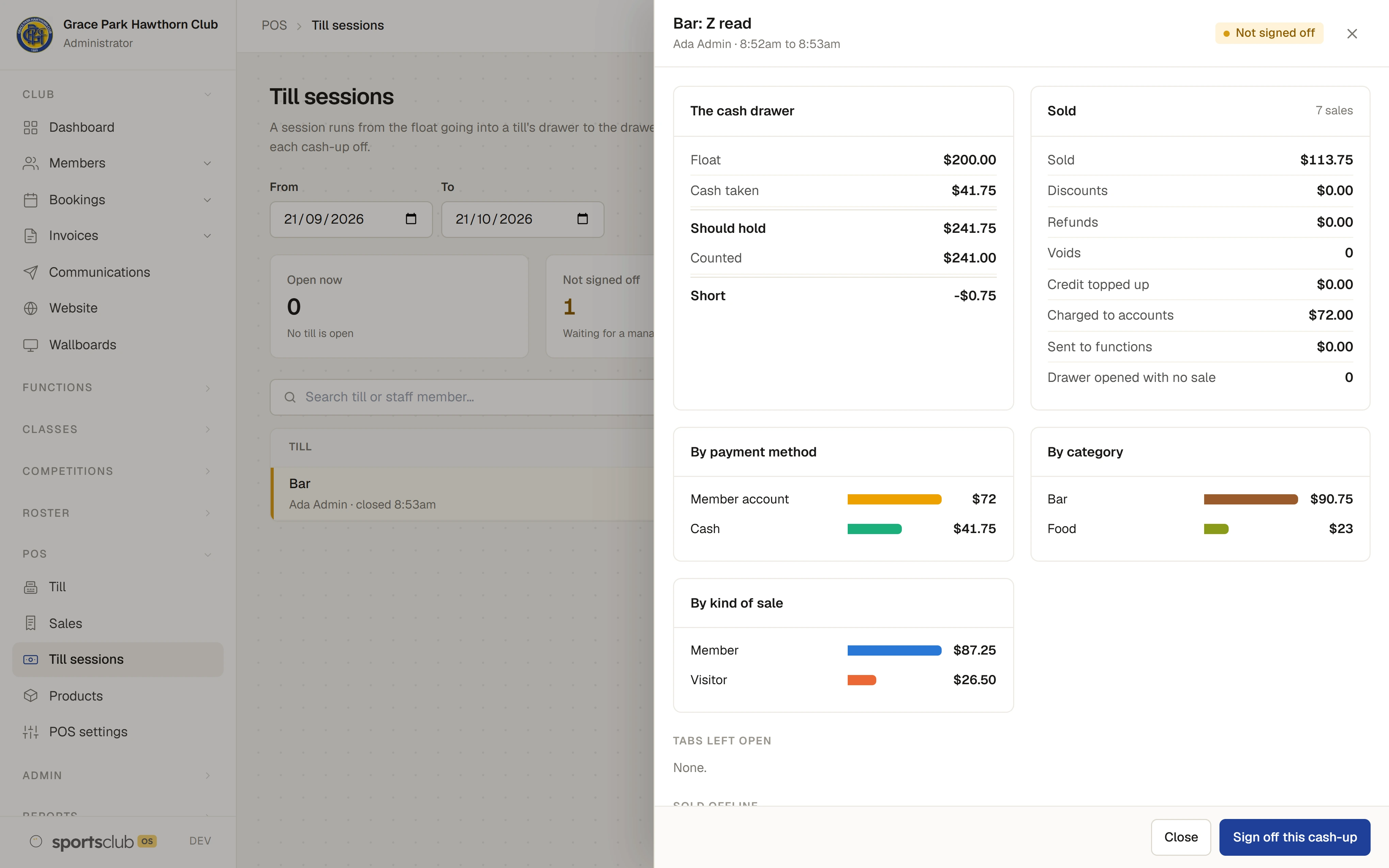
Closing a session asks for the count first and only then shows what the drawer should hold. A manager signs each cash-up off on Till sessions.
BOOKINGS
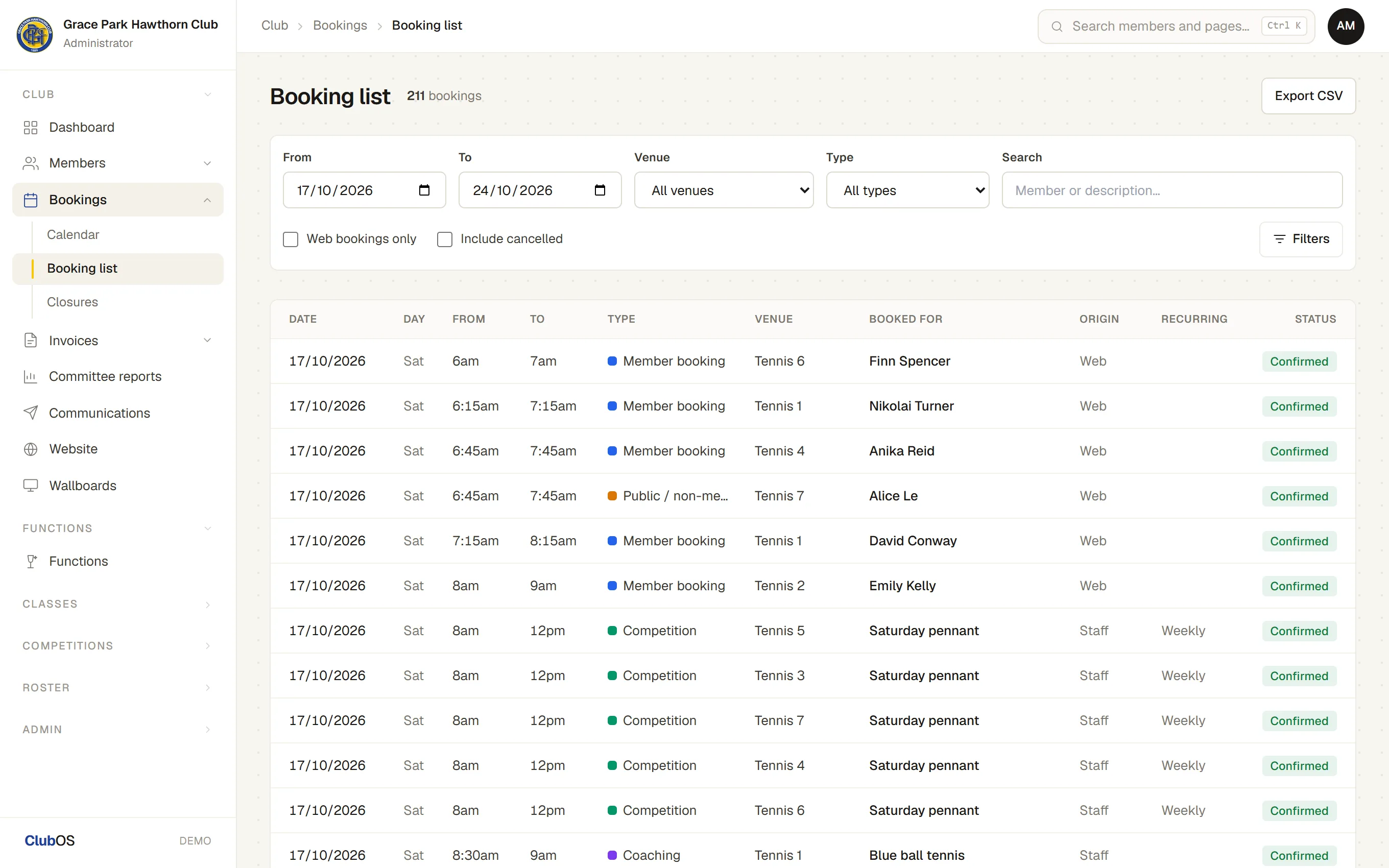
The office sees the bookings calendar for each sport, a Booking list it can filter and export, and closures. Two bookings can never hold the same court at the same time.
INVOICES
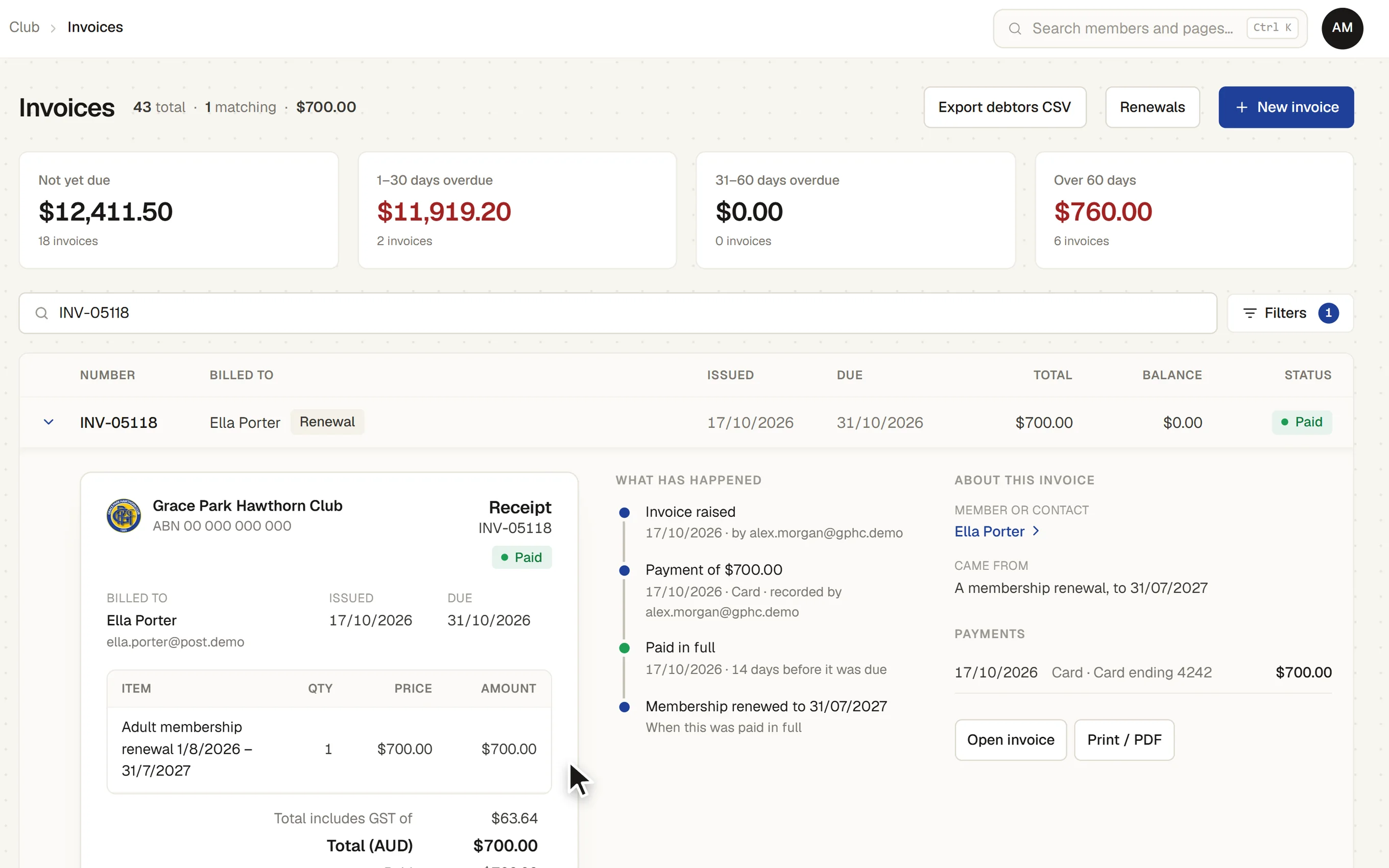
Open an invoice under its row to see it as it prints, what has happened to it and its payments. The Unpaid invoices page shows what is owing, not yet due, due today and overdue, each a button that narrows the list.
Sending invoice reminders, card payments, automatic charging of monthly membership and direct debit are not available yet. The reminder schedule can be set now.
MEMBER EMAILS
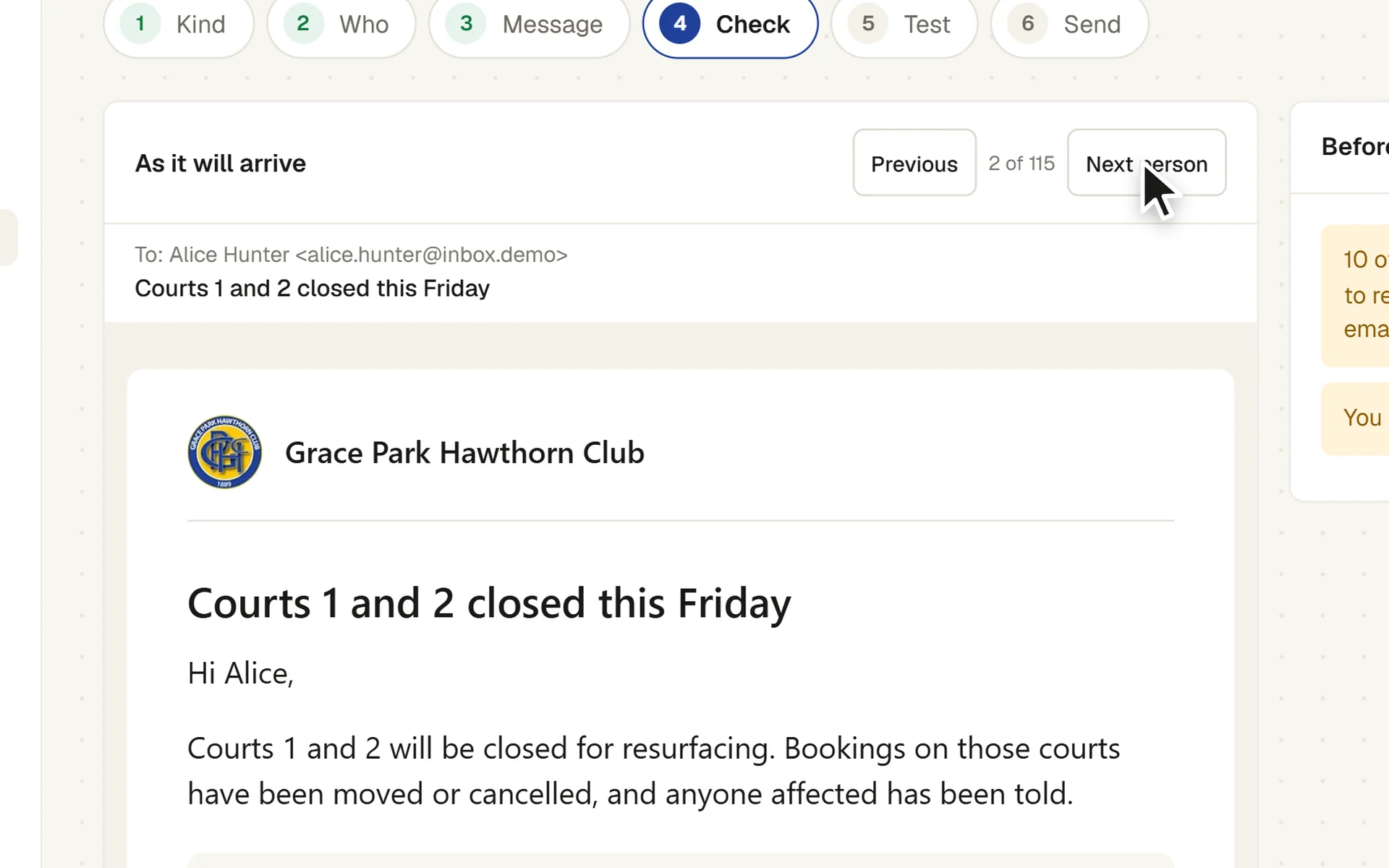
A message is written in six steps: what kind it is, who gets it, the message, a check, a test and the send. Start from a template, a message sent before, or a sentence for the AI to draft from. The AI that drafts is sent no member data.
Sending member emails is the Administrator’s by default.
DASHBOARD AND TV SCREENS
Each person sets up their own Dashboard of widgets for the parts of the club they may see, opens a widget out for more, and finds any page or member with Ctrl+K.
FREE TO PRINT
BOOK A WALKTHROUGH
Book a walkthrough and bring the jobs that take your office the longest.