
The club system / Point of Sale
POINT OF SALE · FULL DETAILS
Everything about the point of sale
One till for the bar and reception, on a tablet and built into the member list: tabs, member accounts, prepaid credit, court time, hire, a function’s bar tab, licence rules and a cash-up the manager signs off.
THE FULL WALKTHROUGH
Every part of Point of Sale, start to finish
A longer, slower walkthrough of Point of Sale is being made. Until it is here, the short demo shows each part working.
What it is
Point of Sale is one till for the bar, the pro shop and the front desk. It runs in the browser on a tablet, and because it is part of the club system it already knows your members: their prices, their household and what they owe.
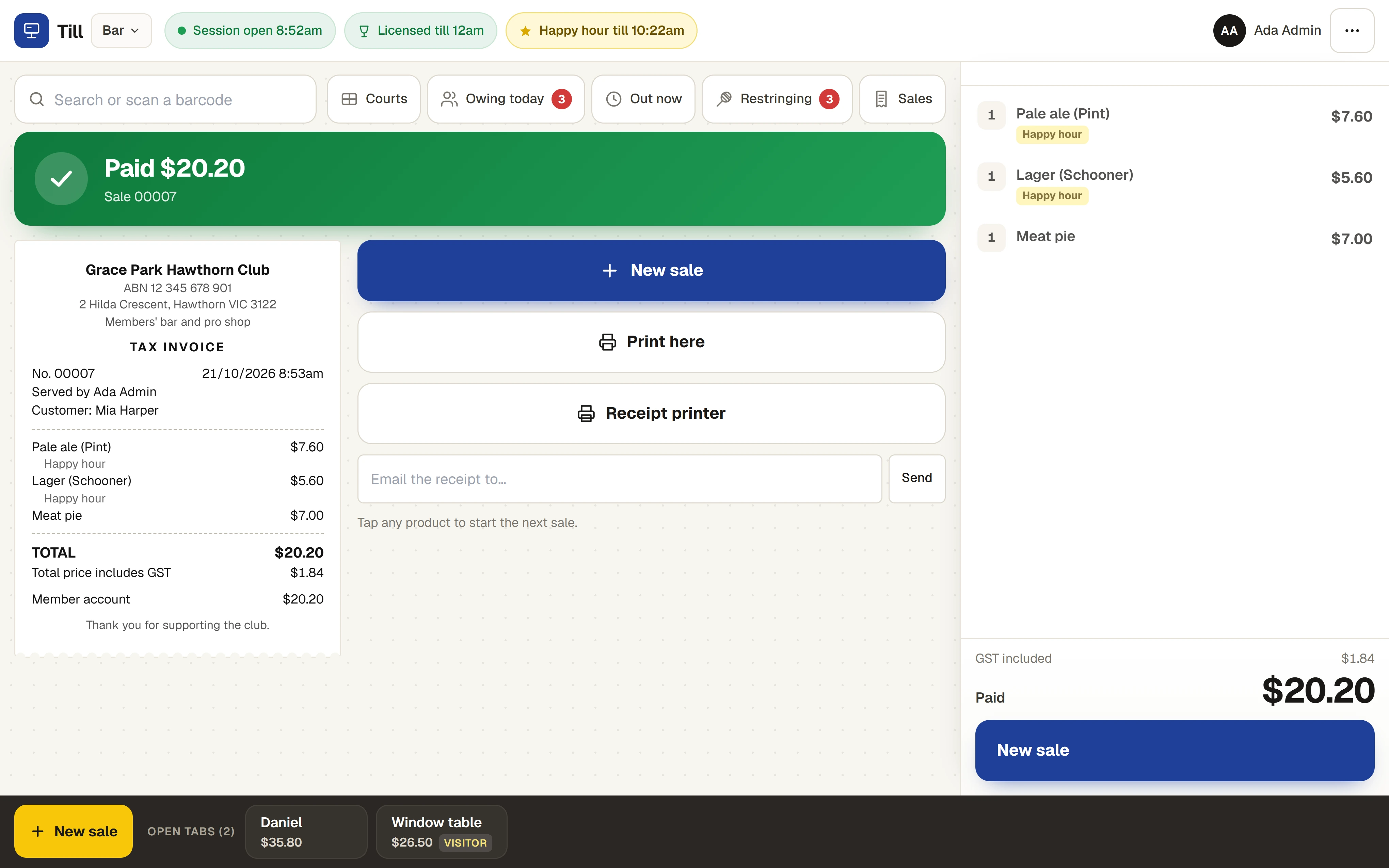
Everything sold goes into the club’s own records. A court sold at the desk is a real booking, a charge to an account lands on the household’s monthly invoice, and a function’s bar tab goes onto the function’s invoice.
Everything it does
- Product buttons
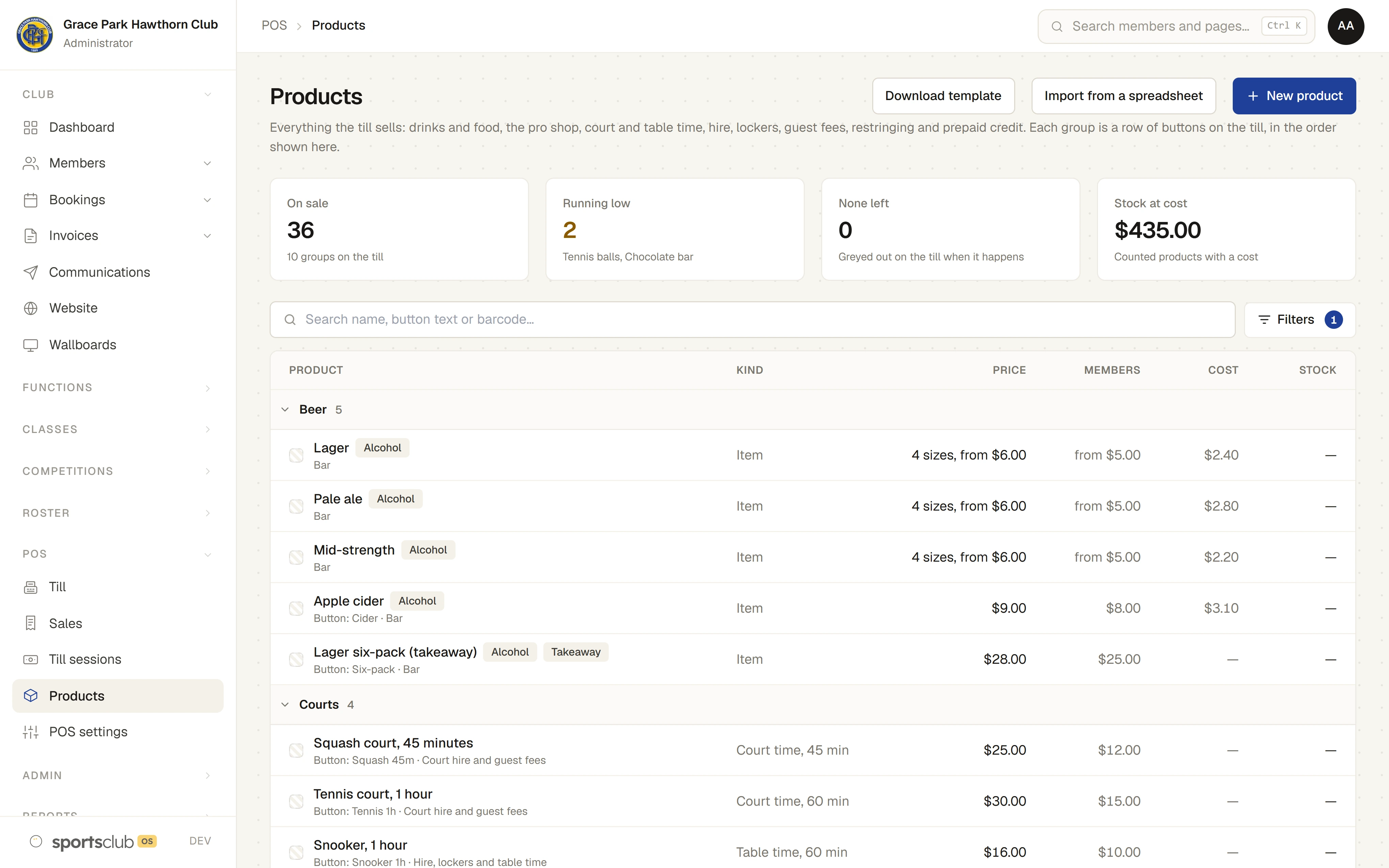
- Products in groups, with sizes such as pot, schooner and pint, add-ons such as a mixer, one-off items with a price typed in, and barcode scanning.
- Member and visitor prices
- Find a member by name, number or card, and the till uses their member prices. A visitor, or a member’s guest, pays the standard prices.
- Happy hours
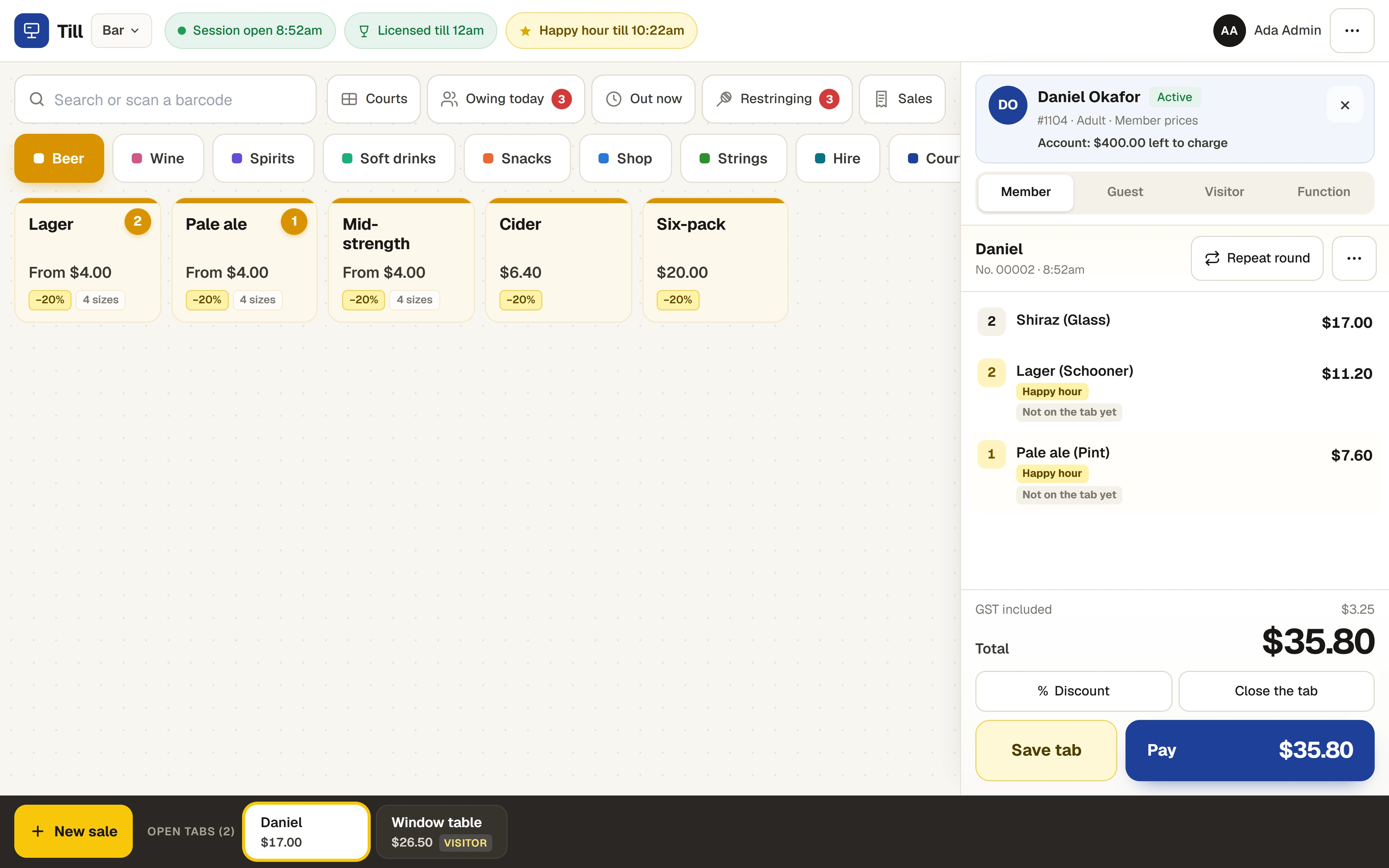
- Set by day, time and product group. The price changes by itself and the line shows it.
- Tabs
- Open a tab under a name, add rounds to it through the night, repeat the last round, split a sale, merge tabs or move lines from one tab to another.
- Charge to a member’s account
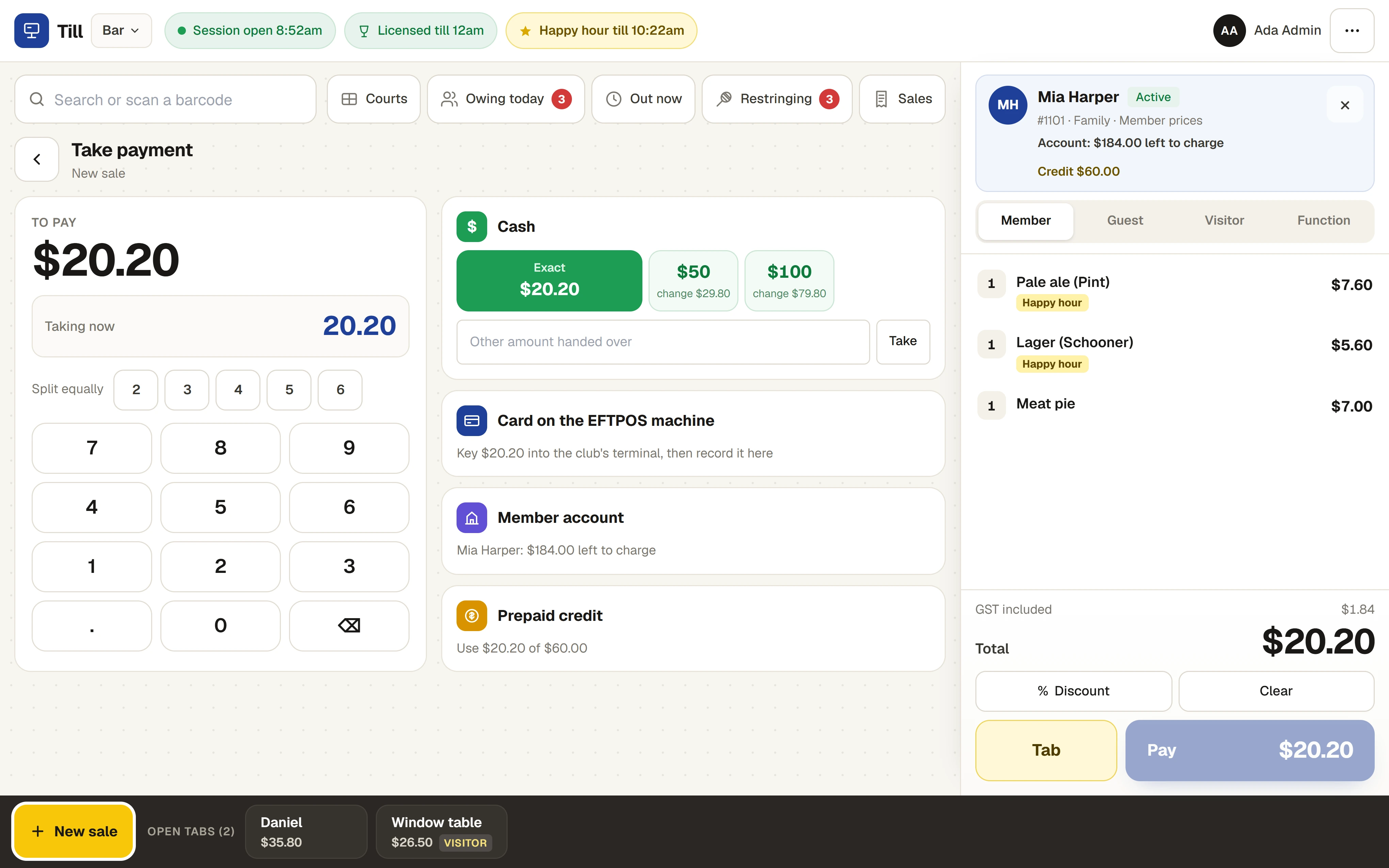
- A sale charged to a member’s account becomes a line on one invoice for the household each month, with a limit for each household. Going over the limit needs a manager.
- Prepaid credit
- A household tops up its credit with cash or on the EFTPOS machine, and spends it at the till. Credit is held for the household and never counted as income.
- Court and table time at the desk
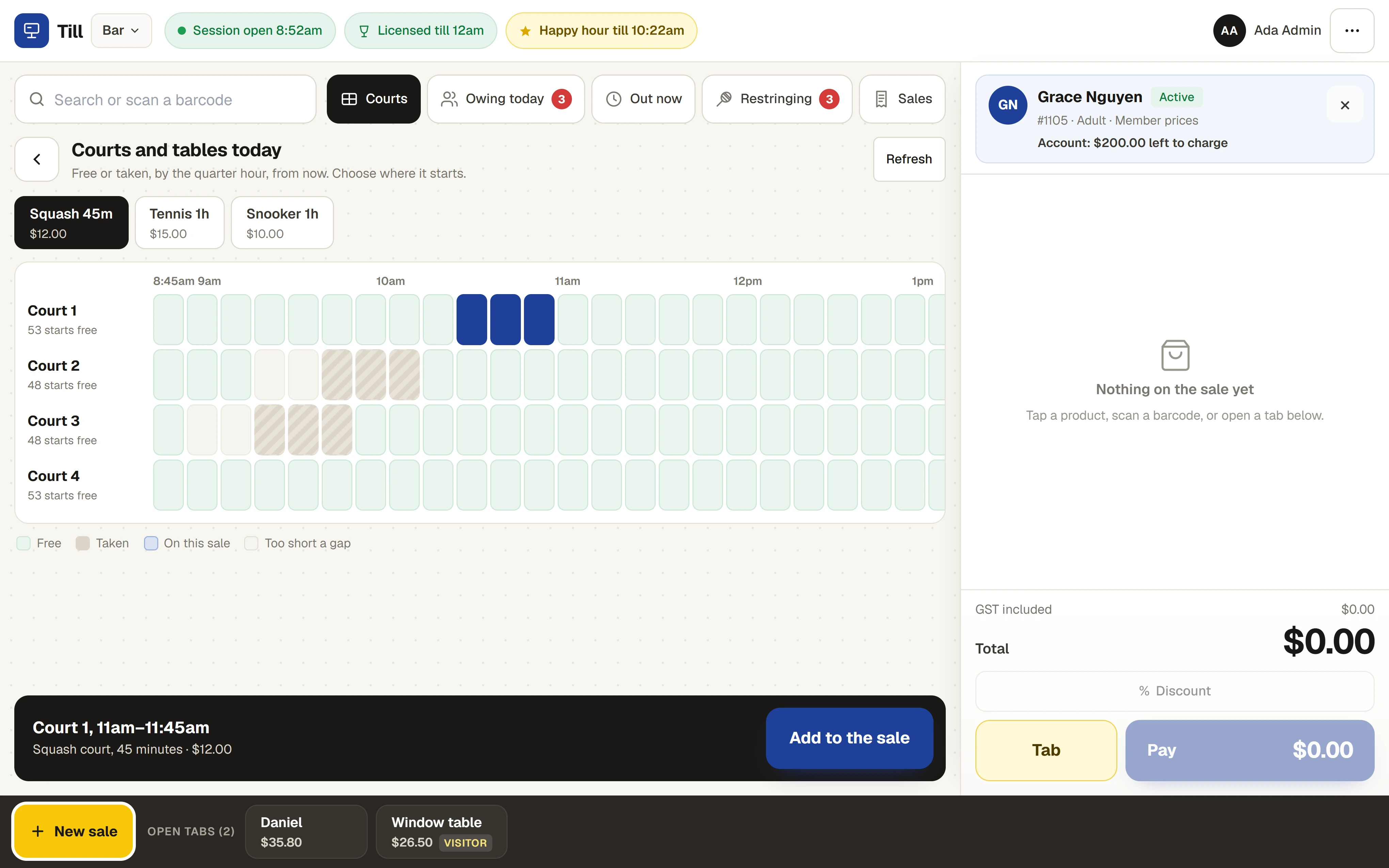
- Sell a walk-in squash or tennis court, or a snooker table for a fixed time. It makes a real booking on the court calendar, so nobody can book the same court twice.
- Guest fees
- Guest fees owing on today’s bookings are listed at the till, sold as a line, and marked paid on the booking.
- Equipment hire and restringing
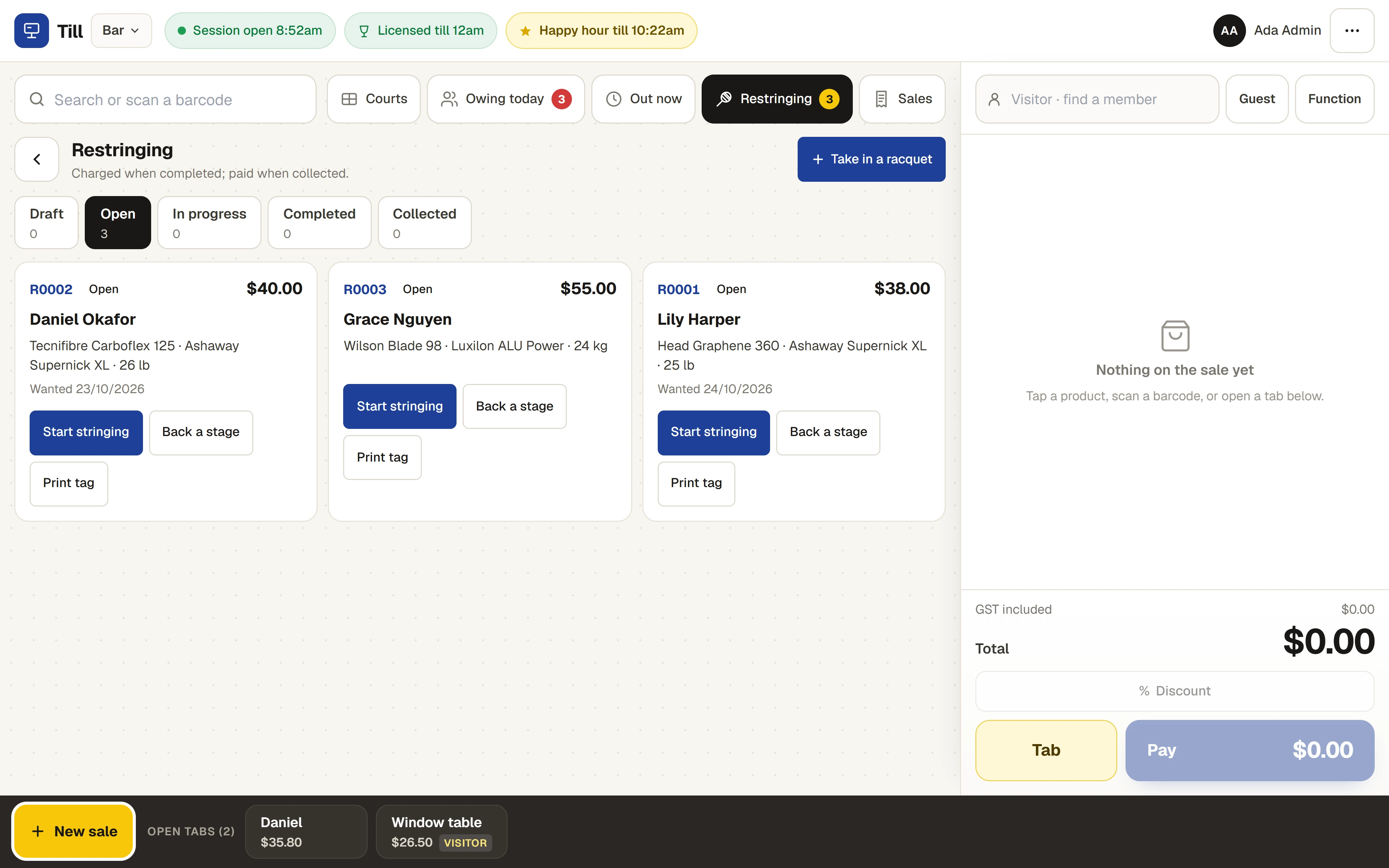
- Hire out a racquet or a ball machine to a named person and mark it back. Restringing jobs move through stages, are charged when completed, and the customer is emailed when the racquet is ready.
- A function’s bar tab
- A sale to a function that is on today goes onto that function’s invoice, with a cap for the tab, instead of being paid at the till.
- Licence rules
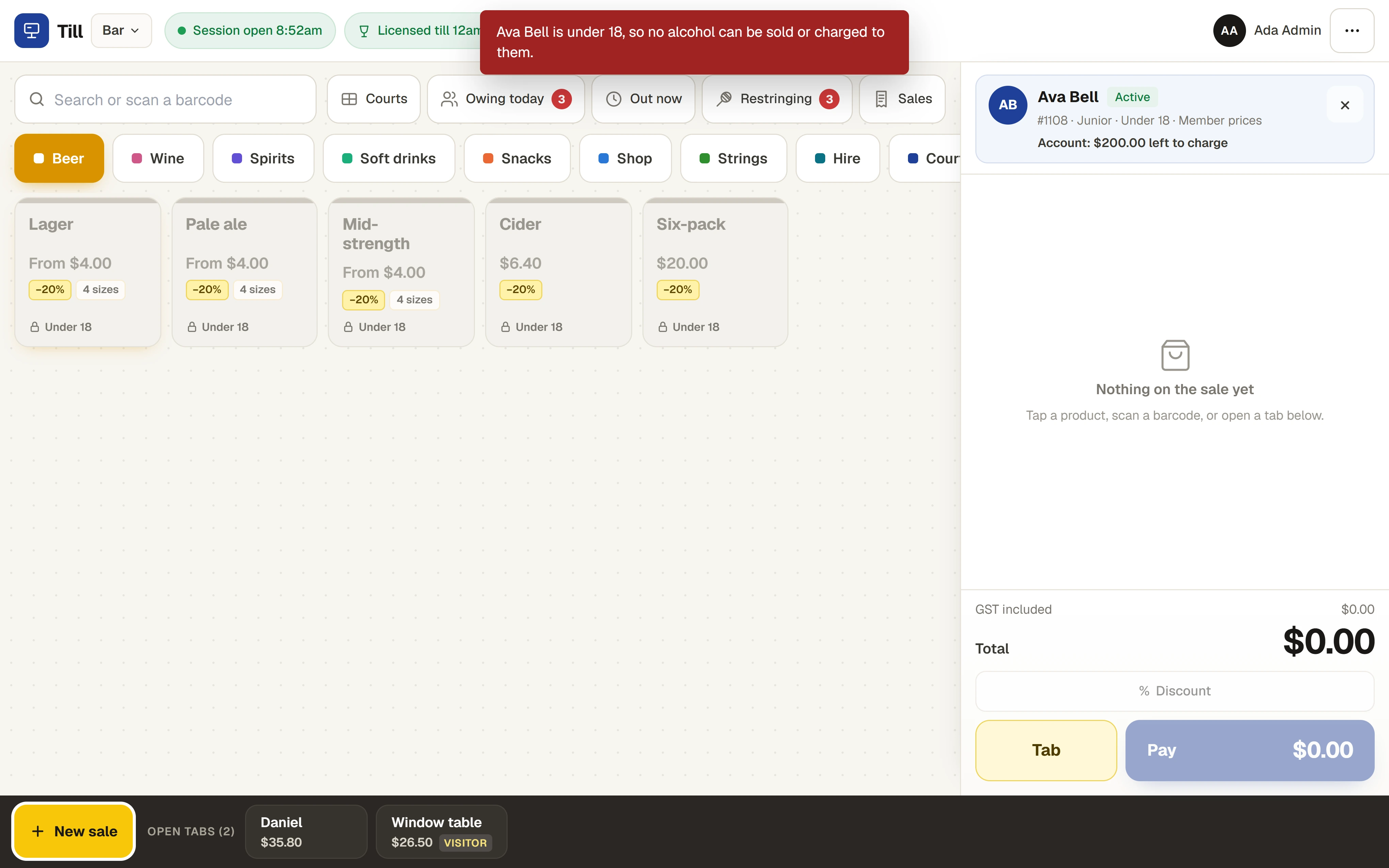
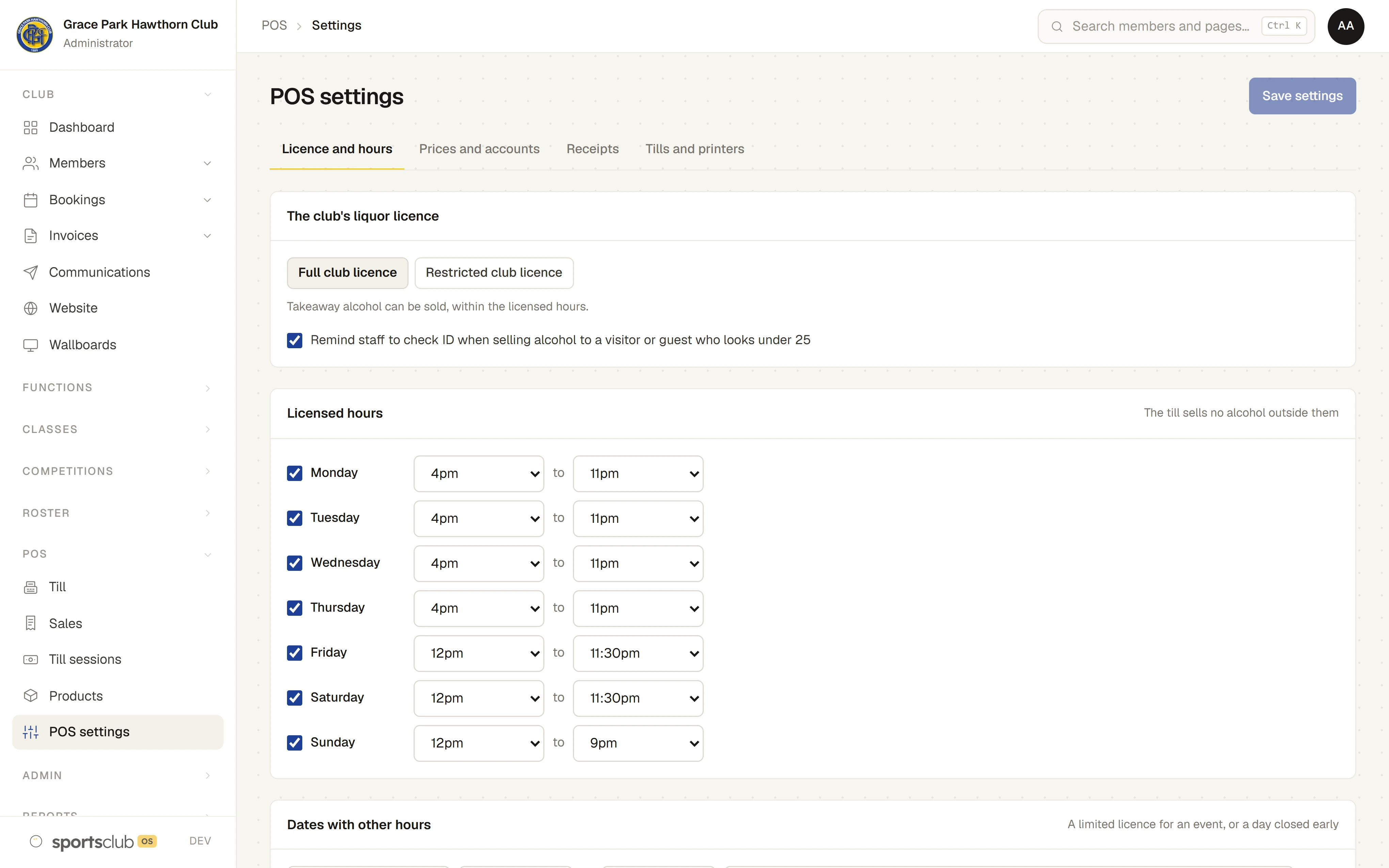
- Licensed hours for each day, with no alcohol sold outside them. No alcohol is sold to a member known to be under 18, and the till prompts staff to check ID for visitors and guests who look under 25.
- Till sessions and cash-up
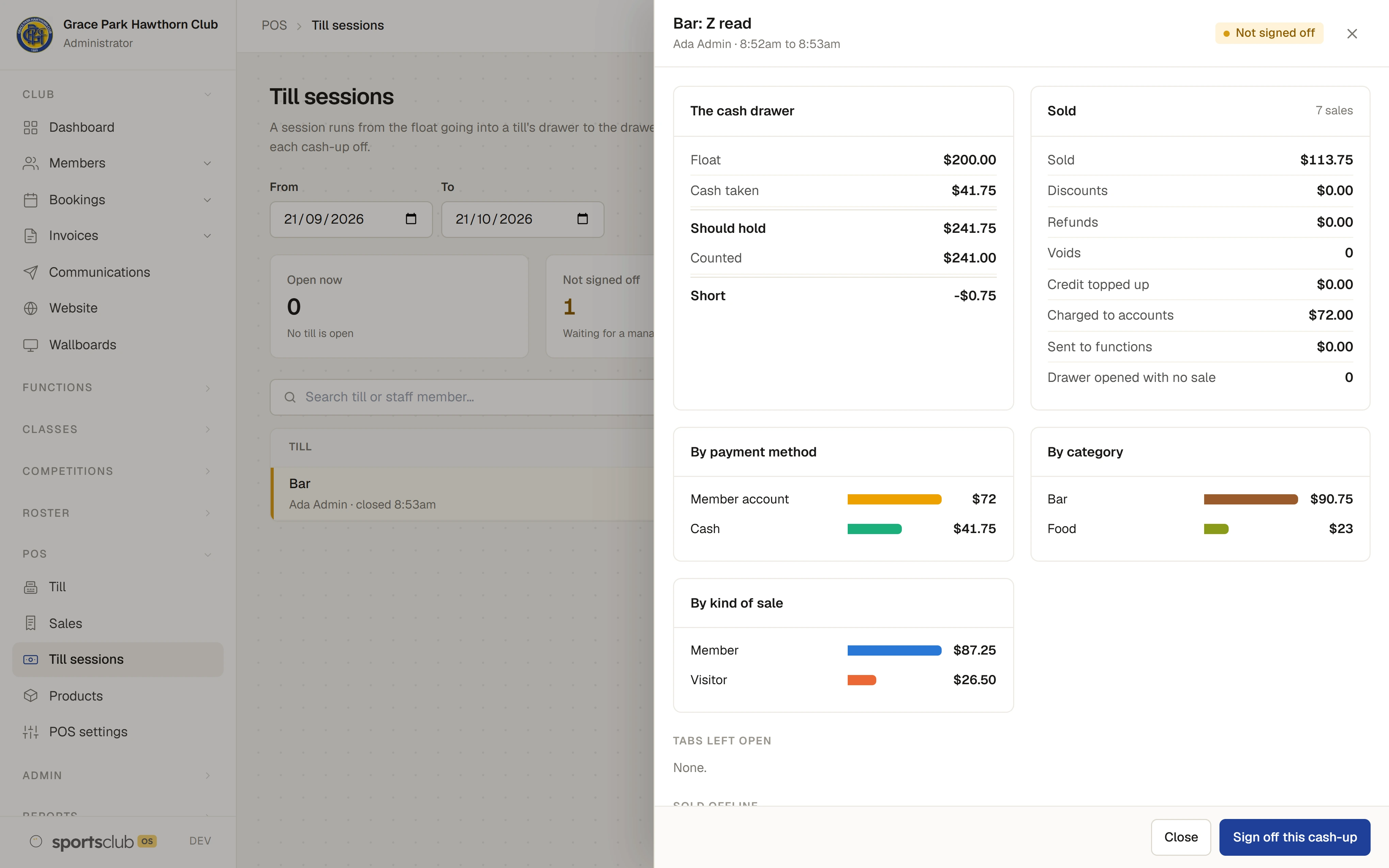
- A session starts with a float. Cash in, cash out and no-sale drawer opens are recorded with reasons. Closing asks for the count first and only then shows what the drawer should hold. The manager signs it off.
- Stock
- Stock counts down as items sell, with a warning when it runs low and a history of every change for each product.
- Import your products
- Bring the product list across from a spreadsheet, with a template to start from.
- Receipts
- A tax invoice on the screen after each sale. Print it from the tablet’s browser, or email it to the customer.
- Keeps selling without the internet
- If the connection drops, the till keeps taking cash, EFTPOS, account, credit and tab sales, and sends them when it is back. Court bookings, guest fees, hire and top-ups need the connection.
- Staff changeover by PIN
- Staff on a shared tablet switch in with a short PIN of their own, so every sale is recorded against the person who made it.
- Sales and till sessions
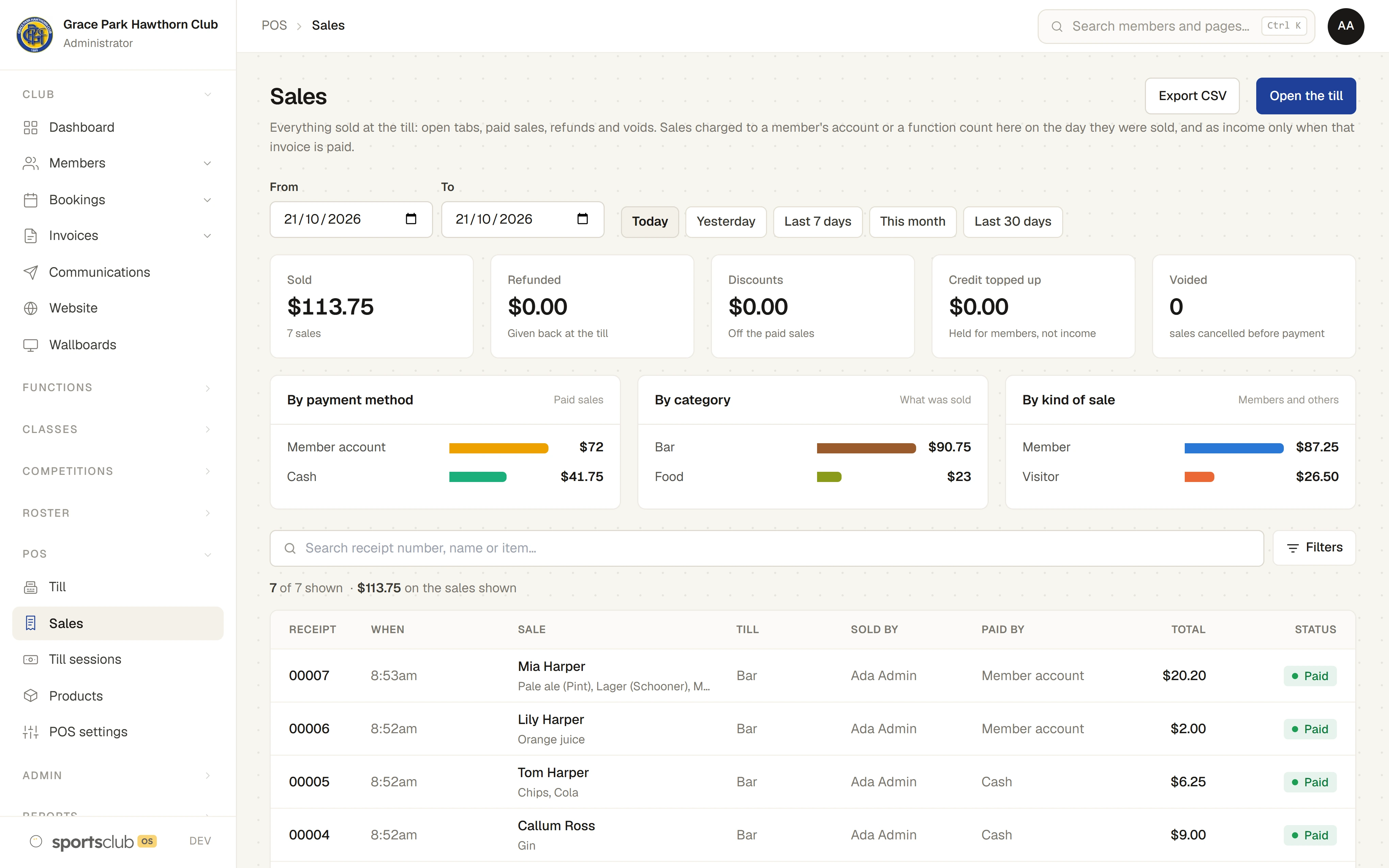
- Every sale, refund and void on one page, with totals by payment method, category and kind of sale. Every cash-up on another.
- The Dashboard
- A Bar and shop widget shows the day’s takings for anyone who may see sales.
- A member’s own purchases
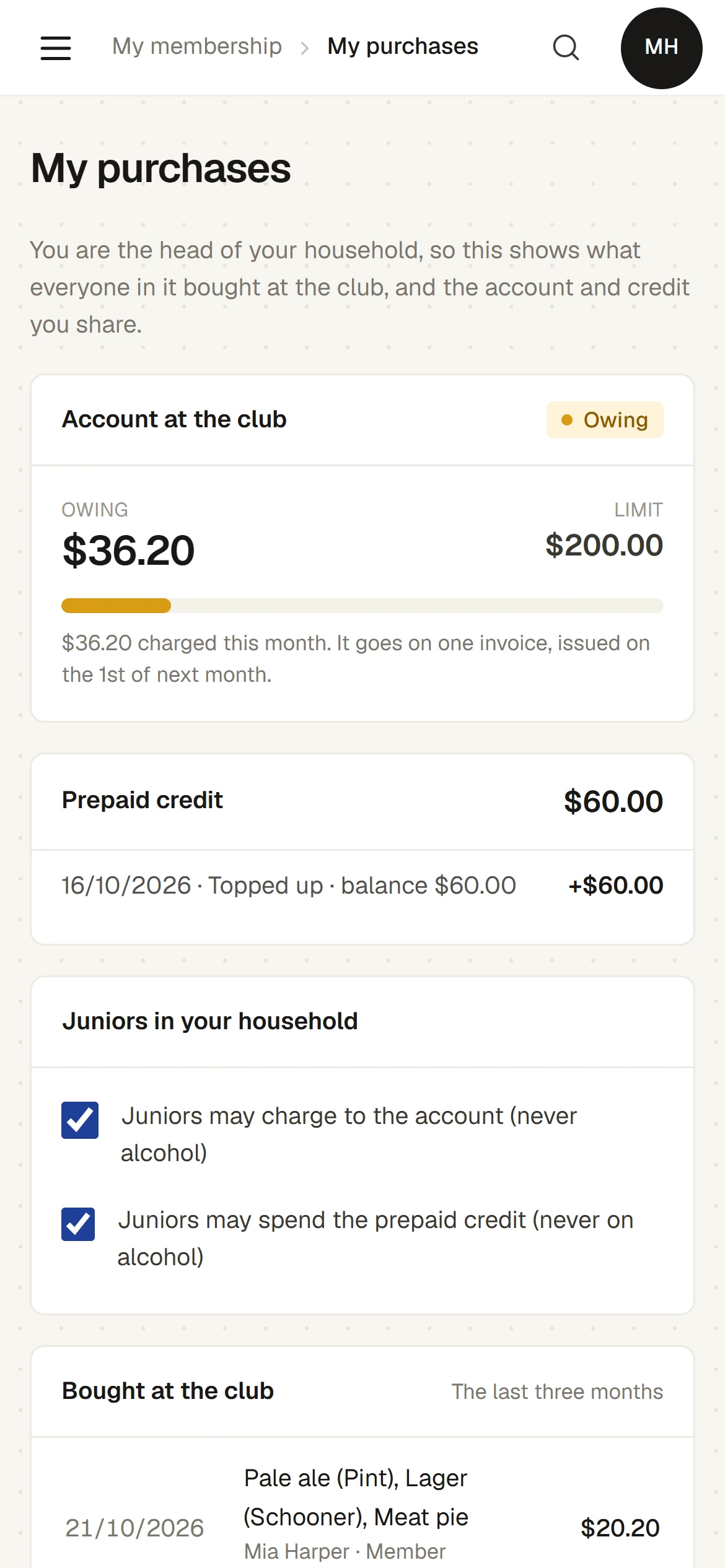
- A member sees what their household bought at the club, the account and the credit. The head of the household decides whether juniors may charge to the account or spend the credit.
How it works
- Open a session. Count the float into the drawer and start selling.
- Sell. Find the member, or leave it as a visitor. Tap the products, or open a tab for the table.
- Take payment. Cash, the club’s EFTPOS machine recorded on the till, the member’s account, prepaid credit, or a function’s tab.
- Close the session. Count the drawer first. The till then shows what it should hold, and any difference.
- The manager signs off. On Till sessions, with the whole day’s figures beside the count.
The screens
Real screens from Sports Club OS, on an invented club.
Settings and options
- Products and prices
- Groups, sizes, add-ons, member prices, cost and stock for each product, and the spreadsheet import.
- Licensed hours
- The club’s licence type, the hours for each day, and dates with other hours such as an event.
- Happy hours
- Days, times, which groups or products, and how much off.
- Accounts and credit
- The club’s account limit, the limit a household has been given, and when the till warns that an account is near it.
- Receipts
- The words at the top and bottom of each receipt.
- Tills and printers
- Each till, and whether it uses PIN changeover.
Who can do what
| Who | What they can do |
|---|---|
| Bar Staff, Casual Staff and Head Coach | Use the till and charge to a member’s account. |
| Bar Manager | Also voids, refunds and gives overrides, sees every sale and till session, signs off cash-ups, and runs products, prices, stock, tills and settings. |
| Administrator | Everything. |
| Reporting | Sees sales and till sessions, read only. |
| Members | See their own household’s purchases, account charges and credit. The head of the household decides whether juniors may charge. A member’s purchases are private to the member and to the people who see sales, not to everyone who sees members. |
These are the starting roles. The club can change what each role may do on its Roles & permissions page, give a person several roles, and take a role away when they step down. The server checks every request against those roles, so a hidden button is never the only protection.
What gets sent
| To | What |
|---|---|
| The customer | A receipt by email if they ask for one, and an email when their racquet is ready. |
| The household | The monthly invoice with the account charges on it, issued on the 1st of the next month. |
Questions
Does it have a card terminal?
No. Card payments are taken on the club’s own EFTPOS machine, and the till records that the payment was made. Online card payment is being built.
Can it print to a receipt printer?
Receipts print from the tablet’s browser, or can be emailed.
What happens if the internet drops?
The till keeps selling cash, EFTPOS, account, credit and tab sales, keeps them on the tablet, and sends them when the connection returns. Court bookings, guest fees, hire and top-ups need the connection. A session cannot close while anything is still waiting to be sent.
Can members see what they bought?
Yes, on their own page: what their household bought, the account and the credit. Only the head of the household sees the whole household, and nobody sees another household’s. Other staff who can see members cannot see what a member bought unless they can also see sales.
Does it have a snooker clock?
Not today. Table time is sold as a fixed length, such as one hour.
How is an account charge paid?
It goes on one invoice for the household each month, issued on the 1st of the next month, and is paid like any other invoice.
Does it connect to Xero?
Not yet. It is being built.
On its way
Card payment through the till, and a Xero connection.
Works with
 Sport Booking Management
 Functions and Events
 Membership Management
 Staff and Volunteers
BOOK A WALKTHROUGH
Get a personalised walkthrough and demo
Book a walkthrough and bring the jobs that take your office the longest.