
The club system / Staff and Volunteers
STAFF AND VOLUNTEERS · FULL DETAILS
Everything about staff and volunteers
Staff records, availability, the weekly roster, publishing, answers by text, open shifts, reminders and the hours people worked.
THE FULL WALKTHROUGH
Every part of Staff and Volunteers, start to finish
A longer, slower look at the real pages, in chapters. Press a chapter to jump to it.
What it is
Staff and Volunteers is the roster for the bar, the office and events, built around when people can work, answered from a link in an email or a text, and finished with the hours they worked.
Staff do not need to be members. Each person sees their own shifts and hours, and nobody else’s.
Everything it does
- Staff records
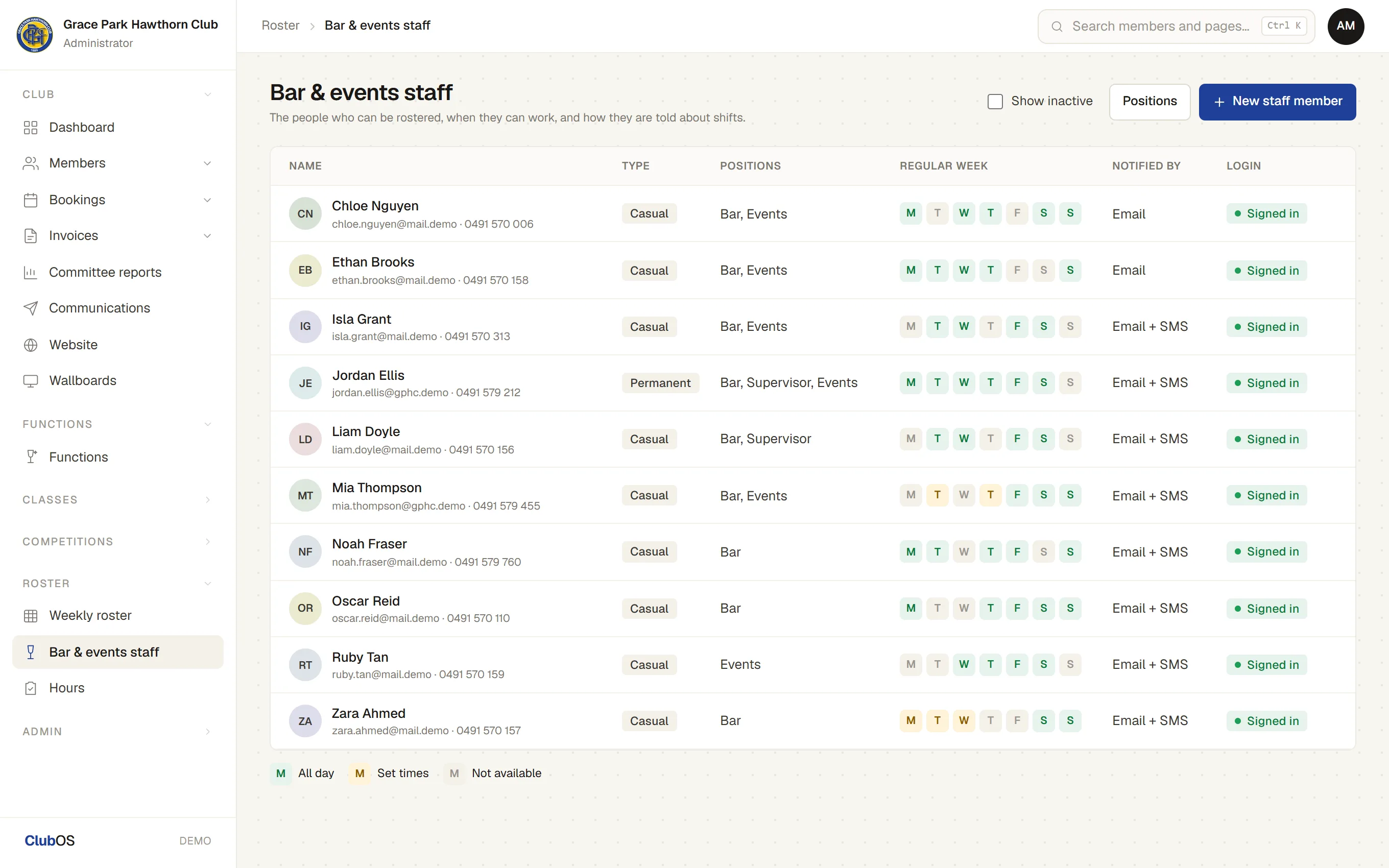
- Positions each person can work, casual or permanent, notes, and whether they hear by email, text or both. Invite them to their own login.
- Availability
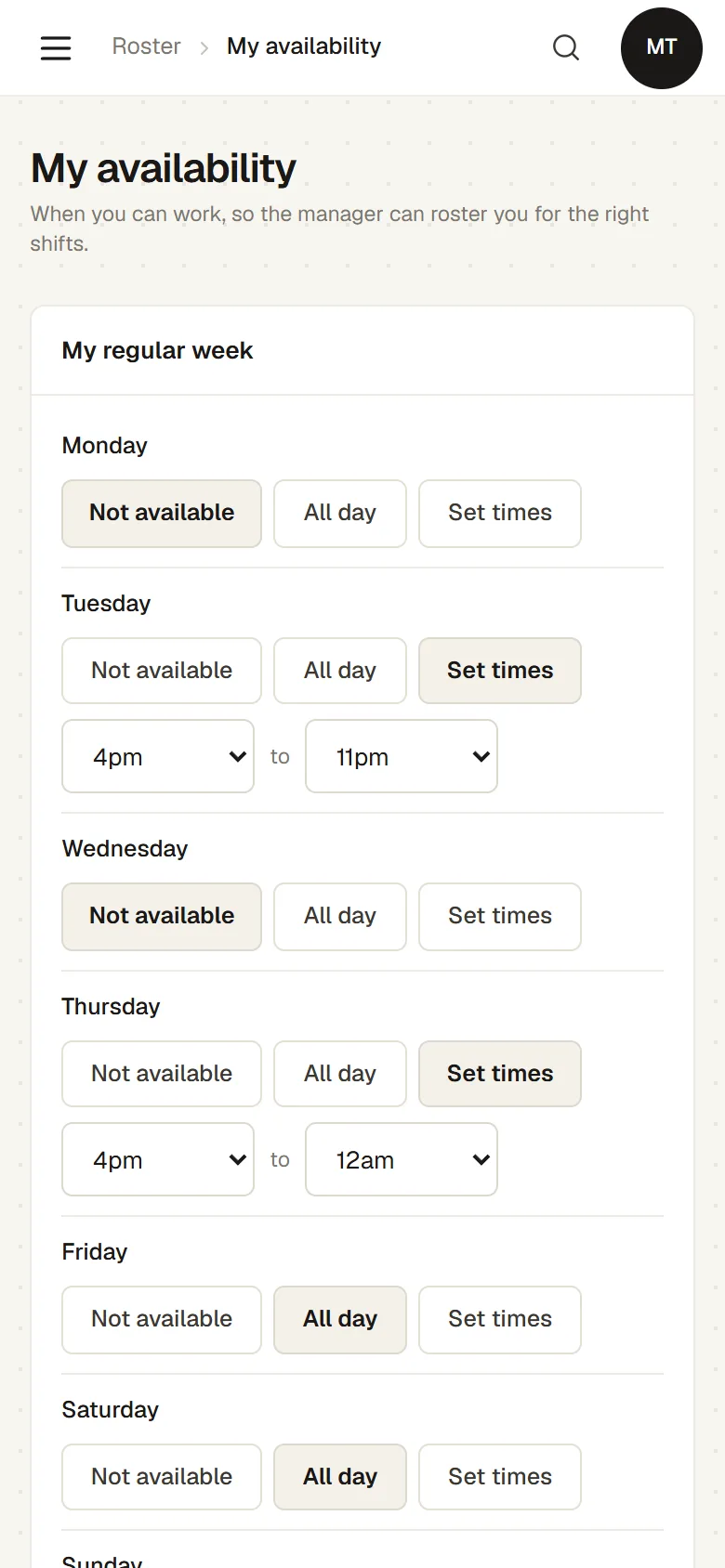
- Each person sets their usual week and the dates they cannot work. Casuals’ dates off apply at once; permanent staff ask, and the manager approves.
- The weekly roster
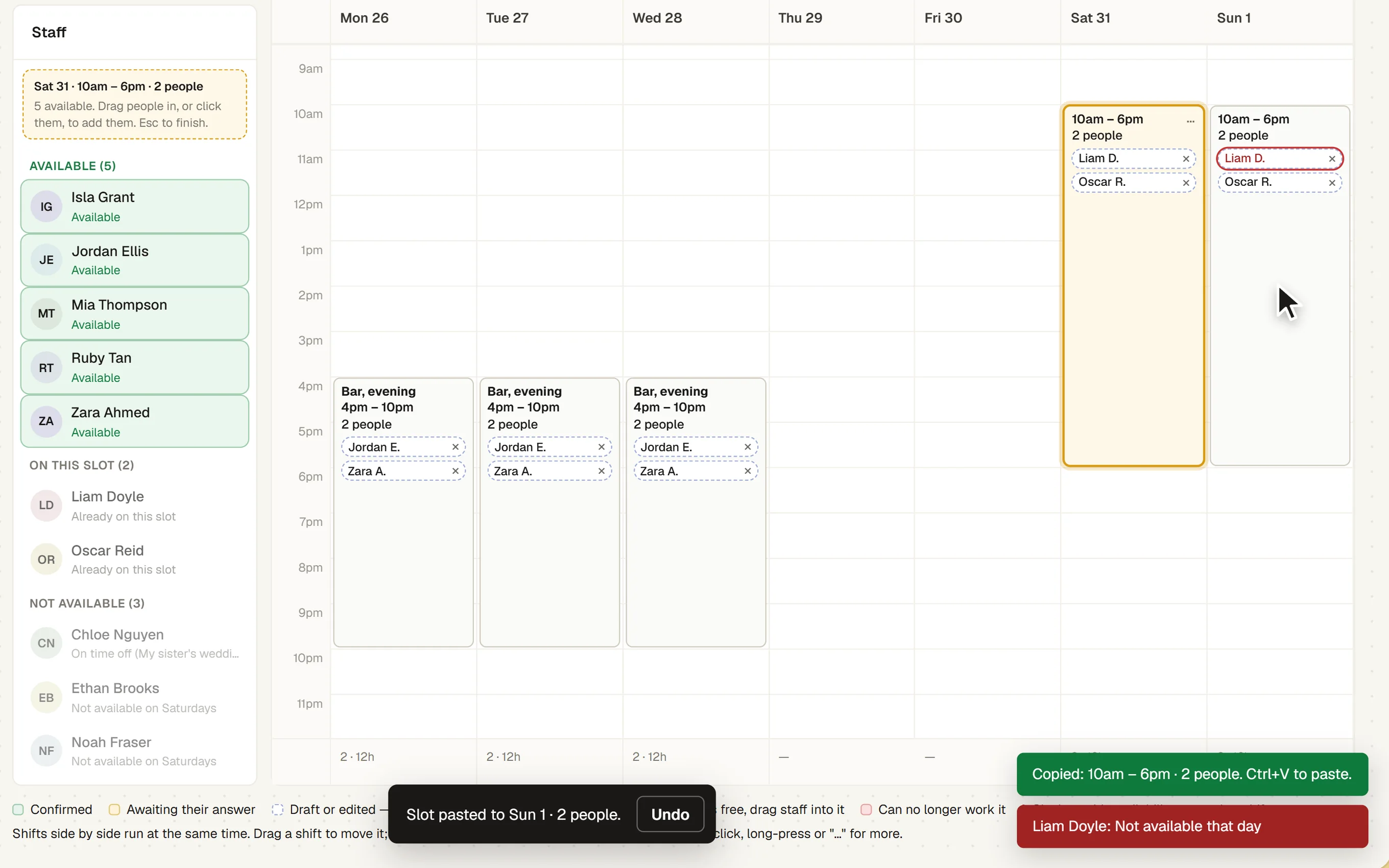
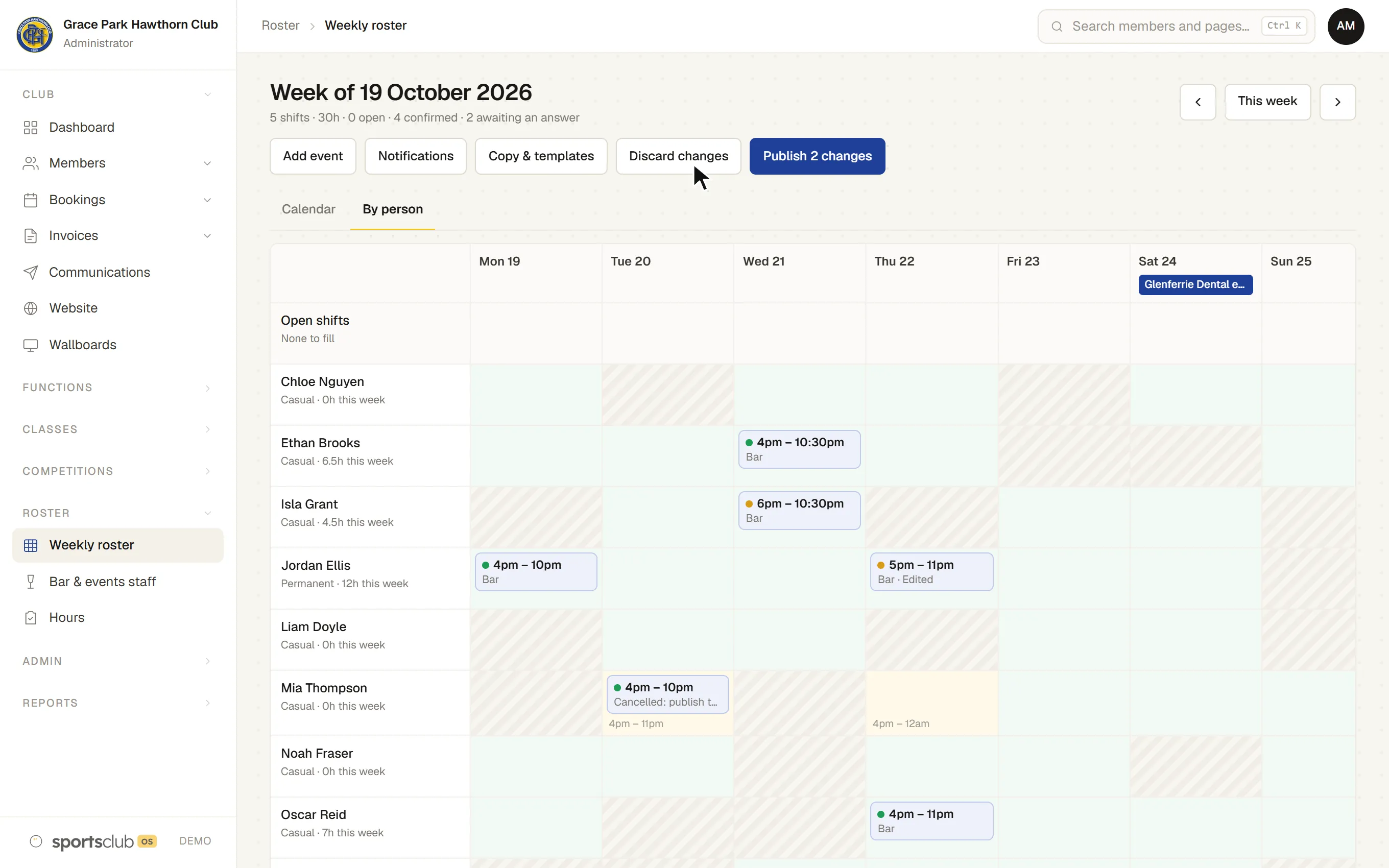
- A calendar from 6am to midnight. Drag a person onto a day and stretch the shift to its times. Overlapping shifts sit side by side, and a by-person view shows who is doing what.
- Slots for several people
- Drag down an empty part of a day to make an open slot, then drop people on it. A slot holds as many people as it needs and shows how many places are still open. Take someone off with a press, and their place stays open.
- Who can work it
- Pick a slot and the staff list sorts itself into available, on this slot and not available, with the reason, such as time off or another shift.
- Copy, paste and names
- Copy a slot and paste it day by day to fill the week, and give a slot or shift a name, such as “Saturday bar opening”, which leads it in every message.
- Fair shares
- How many hours each person has been rostered lately, so shifts can be shared out fairly.
- Events and templates
- Mark events on the roster, copy last week, and save a week as a template to use again.
- Functions on the roster
- A confirmed function puts an open slot on the roster for its date and times, named after it, with the number of staff it needs. Fill it like any other slot. If the function’s times change, the slot follows.
- Publishing
- Nothing reaches staff until the week is published. Before it is, the manager sees each person’s new, changed and cancelled shifts and how each will be told. Then each person gets one message with them all.
- Discard changes
- Put the week, or one day, back to what was last published, without telling anyone. A published shift that is deleted waits, struck through, until the next publish tells the person.
- Days that have passed
- Shifts on a day before today are locked, so the record of who worked stays as it was.
- Yes or no from a link
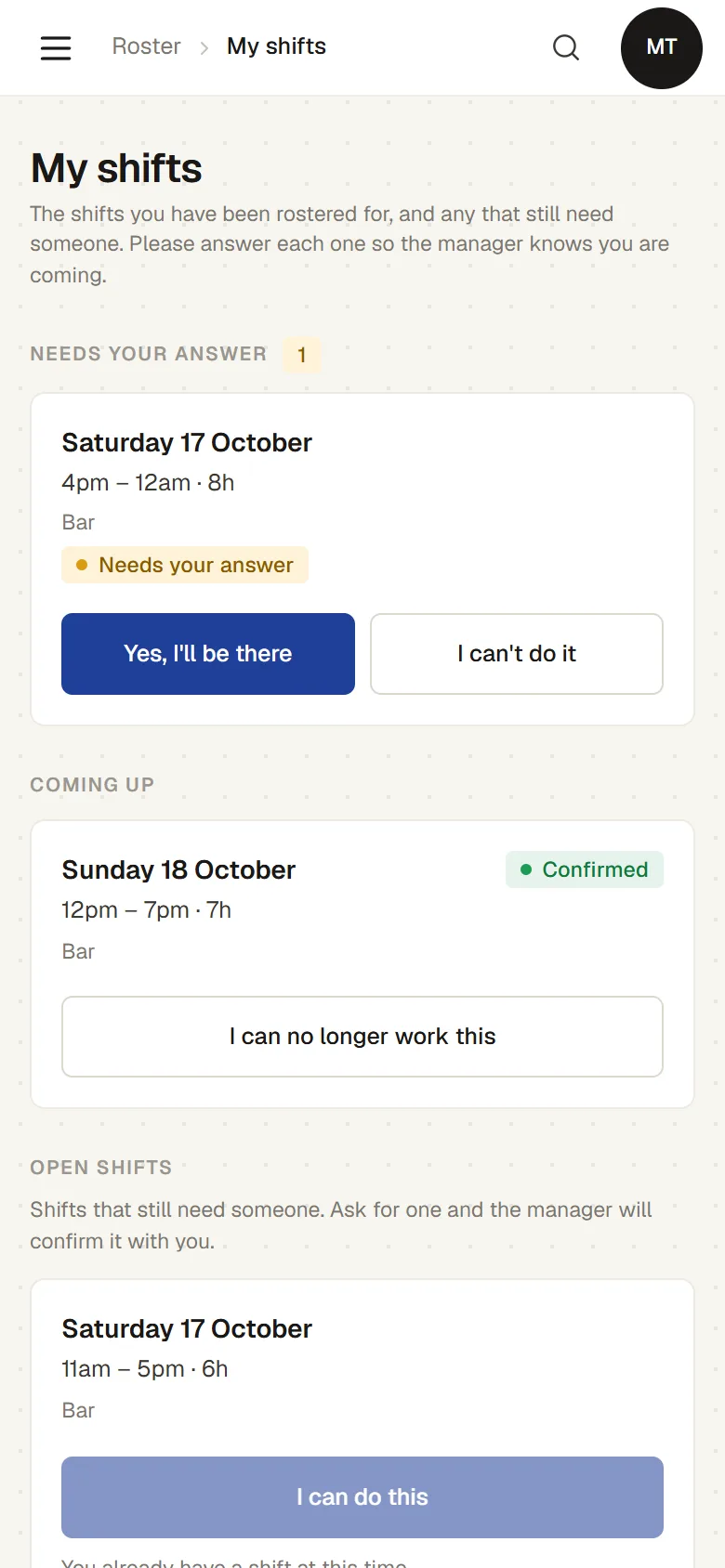
- Each person answers from the link in their email or text, with no sign-in, or on their own page. The manager sees who has confirmed, and when.
- Handing back
- “I can no longer work this” keeps the shift theirs until cover is found, and tells the manager.
- Open shifts
- A shift nobody is on is offered to others who work that position and are free. They ask, and the manager approves, or the first to ask gets it.
- Reminders
- A reminder before each shift, and one for a finished shift with no hours reported, between 8am and 9pm only.
- Hours worked
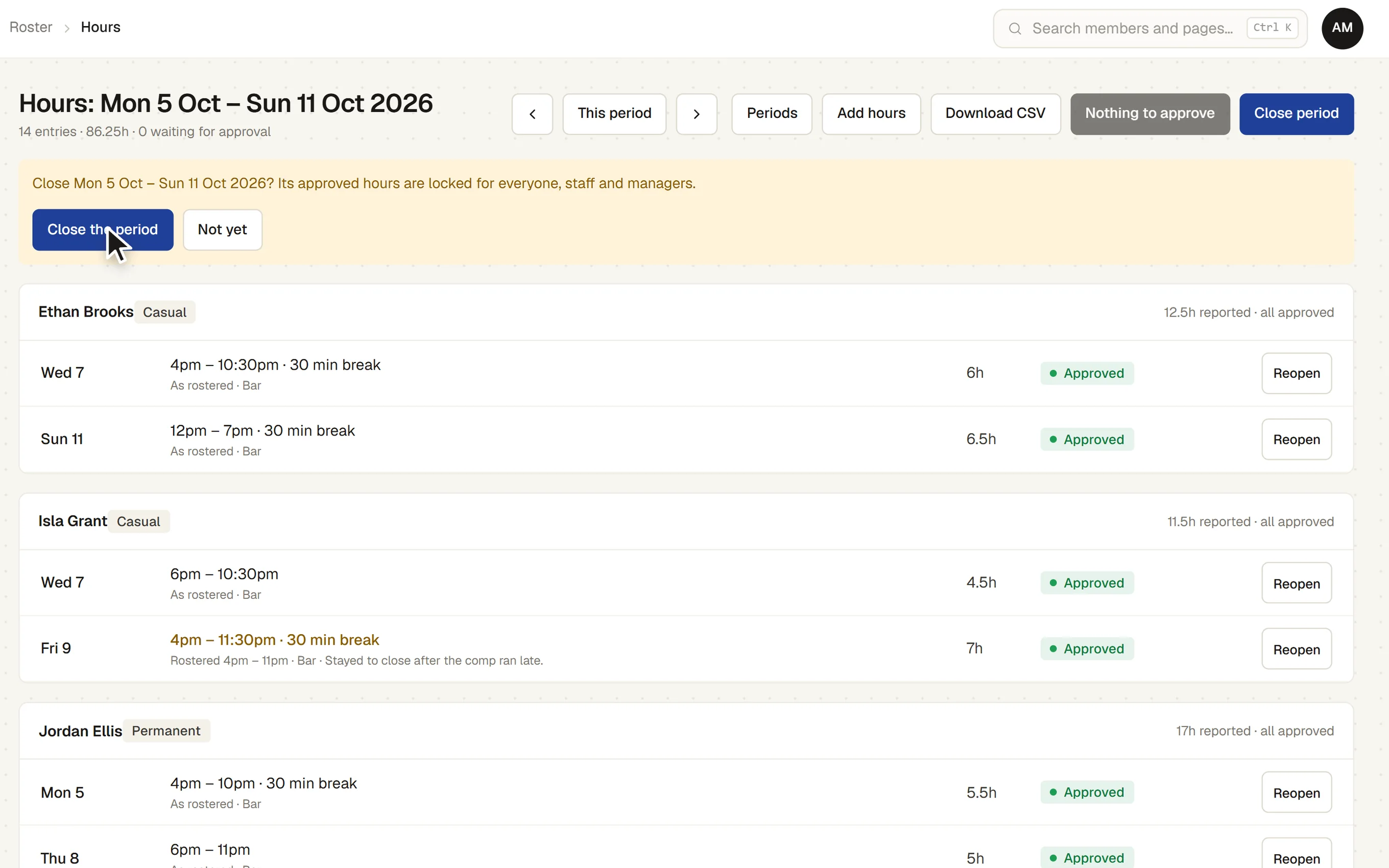
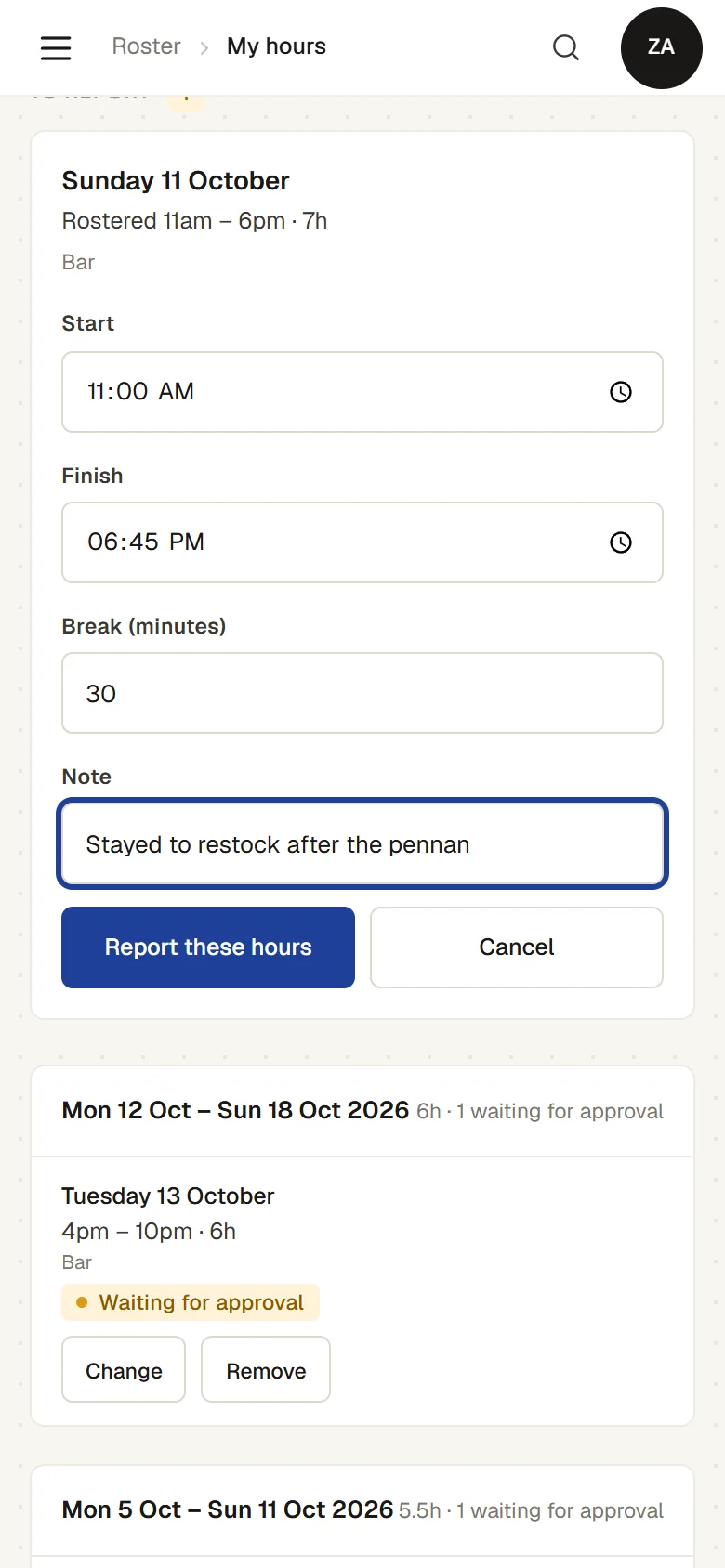
- Staff report their hours as rostered in one tap, or enter what they actually worked and their breaks. The manager approves.
- Pay periods
- Weekly or fortnightly periods that close and lock. Only the latest close can be reopened.
- The hours file
- Approved hours exported as a file for the pay run. No pay rates or dollar amounts are kept.
- Every message logged
- Every email and text the roster sends, or did not send and why, is listed for the manager.
How it works
- Staff say when they can work. Their usual week, and the days they need off.
- The manager builds the week. Drag people onto the days, or start from last week or a template.
- Publish. Each person is told about their shifts by email or text.
- Staff answer. Yes or no from the link. A shift nobody can take is offered to the others.
- After the shift. Staff report their hours, the manager approves, and the period closes for the pay run.
The screens
Real screens from Sports Club OS, on an invented club.
Settings and options
- Positions
- Bar, office, supervisor, events, or whatever your club needs.
- Reminders
- How long before a shift the reminder goes.
- Open shifts
- Whether a request needs the manager’s approval, or the first to ask gets it.
- Pay periods
- Weekly or fortnightly, from a starting date.
- Text wording
- The words of each kind of text message, set by the administrator.
Who can do what
| Who | What they can do |
|---|---|
| Administrator and Bar Manager | Build and publish the roster, manage staff records, approve time off and requests, and approve and close hours. |
| Bar Staff and other staff | Their own shifts, availability, dates off and hours. |
| Approving your own hours | Nobody approves their own hours unless they are an administrator. |
These are the starting roles. The club can change what each role may do on its Roles & permissions page, give a person several roles, and take a role away when they step down. The server checks every request against those roles, so a hidden button is never the only protection.
What gets sent
| To | What |
|---|---|
| Each staff member | Their week when it is published, with any shift cancelled since the last publish; reminders; the answer to a request or to time off. |
| The managers | A “no”, a request for an open shift, “I can no longer work this”, and a time-off request. |
| How | By email, by text, or both, as each person chooses. |
Questions
Do staff need an app?
No. The link in the email or text works on any phone, with no sign-in.
Does it work out pay?
No. It records hours, not pay rates, and exports them for your payroll. A direct link to payroll apps is being built.
Can volunteers use it?
Yes. Anyone can be on the roster, member or not.
What if someone edits a shift after publishing?
Nobody is told until the week is published again, so the manager decides when changes go out.
On its way
A direct link to payroll apps. Today the hours export as a file.
Works with
 Functions and Events
 Communications
BOOK A WALKTHROUGH
Get a personalised walkthrough and demo
Book a walkthrough and bring the jobs that take your office the longest.