
Articles / Website Content Management for Sports Clubs: A Practical Guide
ARTICLES FOR SPORTS CLUBS
Website Content Management for Sports Clubs: A Practical Guide
Website content management is the work of creating, editing, publishing and retiring the pages, news, timetables and notices on your club's site, ideally without anyone needing to write code. For a club, that means a system where a committee member, coach or manager can log in, change a page and have it live in minutes, with clear rules about who can do what. This guide covers what a content management system (CMS) does, how to set up roles and review habits, what accessibility means for an Australian club site, and what to check before you choose a platform.
Published 8 November 2026.

What website content management actually means
A content management system is software that lets users publish, organise, change or remove content, and not only text but also images, video, audio and interactive elements. The person editing works in a friendly editor. The system takes care of the code and storage underneath.
IBM describes a CMS as having two parts: a content management application, where you add and change content, and a content delivery application, which stores it behind the scenes and makes it visible to visitors. The practical effect is that content creators can focus on what the page says rather than on code or database queries.
For a sports club, "content" is wider than a news post. It usually includes:
- Fees, membership options and joining instructions
- Court, pitch or facility availability and booking information
- Fixtures, competitions, ladders and results
- Coaching programs, classes and holiday clinics
- Event and function details
- Committee, staff and contact details
- Policies, forms and newsletters
- Photos and sponsor logos
Most of this changes every season, and some of it changes weekly. That is why a club content management system is judged less on design features and more on how little friction it adds to routine updates.
Why club websites go stale
Most out-of-date club sites are not neglected out of laziness. They fail for three predictable reasons.
One person holds the keys. The volunteer who built the site moves on, and nobody else has the login, or knows which hosting account it lives in.
Updating is a separate job. If changing the fee on the website means editing a page, then also updating a form, then also emailing members, the website is the step that gets skipped.
Nobody owns the review. Without a regular check, last season's coach, an old phone number and a dead link sit on the home page for months.
Every recommendation below is aimed at one of those three problems.
Set up roles, access and approvals
A club does not need a corporate publishing policy, but the principles used by organisations that run large websites translate well to a committee.
Two administrators, not one
Probus Victoria's guide to independent club websites recommends that at least two authorised committee members have administrator access, that usernames and passwords are securely recorded, that access is reviewed whenever committee positions change, and that unnecessary administrator accounts are removed. That last point matters after every AGM. Make "update website access" a line item in your handover checklist, alongside keys, bank signatories and the club email account.
Name an owner for each area
The Australian Catholic University's website publishing policy treats content ownership as a named individual responsibility: if an owner leaves the role, the responsible area nominates a new one. A club can borrow the idea in a lighter form:
| Content area | Typical owner | Reviewed |
|---|---|---|
| Fees and membership options | Treasurer or membership secretary | Before each season and renewal period |
| Fixtures, competitions, results | Competition coordinator | Weekly in season |
| Coaching and classes | Head coach or program manager | Each term |
| Events and functions | Events or social coordinator | Per event |
| Committee and contacts | Secretary | After each AGM |
| Policies and forms | Secretary or president | Annually |
Decide what needs a second pair of eyes
ACU routes pages through a publishing check before they go live. You do not need that for a match report, but it is sensible for anything with legal or financial weight: fee schedules, codes of conduct, child safety statements and privacy notices. A simple rule works: routine content is published by its owner, and policy content is checked by a second committee member first.
Build a review routine
Probus Victoria advises reviewing an independent club website at least once a year. The checks it lists are a good template: committee details, meeting and activity information, contact details, working links, appropriate photographs, and removal of outdated material. A large institution like ACU sets a tighter cycle, requiring content to be reviewed at least every six months.
For a club with seasons, a practical rhythm is:
- Pre-season (once or twice a year): Fees, membership categories, term dates, coaching programs, facility hours, committee list.
- Monthly, 15 minutes: Click every menu item and every button on your phone. Check the booking and join links work.
- After each AGM: Contacts, committee photos, administrator access.
- End of season: Archive results and event pages, remove expired sponsor offers.
One habit saves the most time: avoid publishing facts in many places. If the fee lives in one record and is displayed wherever it is needed, you change it once.
Accessibility and mobile: the baseline for an Australian club site
Most members will read your site on a phone, often in the car park. A site that is hard to read or tap loses sign-ups.
Accessibility is also a legal matter, not only a courtesy. The Australian Human Rights Commission notes that WCAG has been followed in Australia since 1999, that its applicability under the Disability Discrimination Act was upheld, and that the latest version is WCAG 2.2. Federal government guidance sets the bar for agencies at WCAG 2.2 Level AA. Sport Australia's own site aims to meet WCAG 2.1 Level AA.
A club is not a government agency, but these are the reference points. In practice, an editor should help you with:
- Readable text size and strong colour contrast
- Descriptive link text rather than "click here"
- Alt text on images, such as team photos and facility maps
- Headings in a logical order
- Forms and booking buttons that work with a keyboard and screen reader
The federal standard also advises using automated accessibility testing alongside testing with real people, including assistive technologies such as screen readers, keyboard input and voice commands. For a club, asking a member who uses assistive technology to try the join and booking pages is a worthwhile habit.
What a club content management system should handle
A general-purpose CMS is built for publishing pages. A club has more moving parts. Whatever you choose, work through these questions with your committee.
Editing
- Can a volunteer with no technical skills edit a page and preview it before publishing?
- Can you set different permission levels for the secretary, a coach and a casual staff member?
- Can you undo a mistake?
Connection to club operations
- Do memberships, renewals and fees on the site come from the same record your treasurer uses?
- Do court, facility or class availability show live, rather than as a static page someone must update?
- Do competitions, events and functions publish from where they are managed?
Communication
- Can you send the same news to the website and to members in bulk?
- Do member replies land somewhere your team can see, rather than in one person's personal inbox?
Reporting and cost
- Can management see membership, booking and financial figures together?
- Is the pricing fixed and published, including set-up and any data transfer?
Hosting and continuity
- Who handles hosting, security updates and backups?
- What happens to your content, and your data, if you leave?
The HTTP Archive's Web Almanac makes a useful point about any CMS: you have to consider the surrounding ecosystem, including hosting providers, extension developers, agencies and site builders, not only the editor itself. For a volunteer committee, every extra component is another thing to maintain. A fully managed platform reduces that list.
Perspective
We built Sports Club OS because we have seen how club websites actually get run: by whoever has a spare hour, on a phone, between training sessions and the bar roster.
Our view is that a club website should not be a separate project. When membership, bookings, events, rostering and communication live in one place, the website stops being a chore to feed and becomes a window onto what the club is already doing. That is the idea behind our AI-powered editor: it helps clubs manage their website and communications without needing a web developer.
We are also firm believers in the boring parts. Fully managed, so there is nothing to install or patch. Fixed monthly pricing, with no hidden fees or revenue share. Design shaped by feedback from the people who use it, because our team comes from club operations.
If your website, your membership list and your booking page are three different things maintained by three different people, you have found the first thing to fix.
Adam
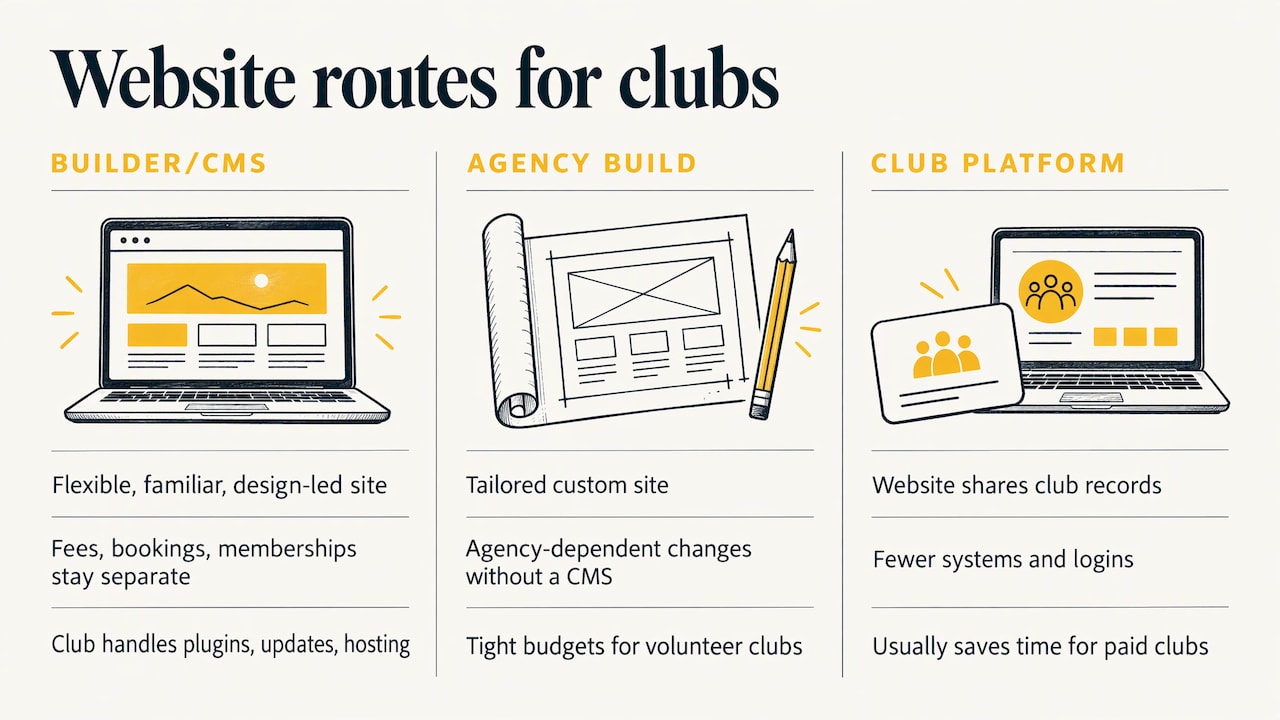
Choosing between a website builder, a general CMS and a club platform
There are three broad routes, and each suits a different club.
A general website builder or CMS. Flexible and familiar, and good for a design-led site. The cost is that fees, bookings and memberships sit elsewhere, so someone re-enters information. You also carry the admin: plugins, updates, hosting, and the handover problem when the volunteer who set it up leaves.
A custom build by an agency. Tailored, but dependent on the agency for changes unless a CMS is included, and budgets for volunteer clubs are tight.
A club operating system with a built-in website editor. The website draws on the same records as memberships, bookings, events and communications. This suits clubs that want fewer systems and one set of logins. It is the route we offer, and for clubs with courts, classes or paid memberships it is usually where the most time is saved.
A useful tiebreaker is to count how many times a single fact, like a new term's coaching price, must be typed. If the answer is more than once, the system is making work for you.
Moving your content without losing a season
Changing platform is easier at a natural break. Before you switch:
- List every page and document on the current site and mark each as keep, rewrite or retire.
- Export member and booking data and check what is accurate.
- Choose a switch date between seasons or competitions, not in the middle of renewals.
- Tell members the date, and what changes for them (new login, new booking link).
- Keep the old site up with a notice for a short period so old links do not dead-end.
Our changing over page walks through how clubs move to us, and the committee handover pack is a handy starting point for recording who holds which logins and responsibilities when your committee changes.
How Sports Club OS handles website content
Sports Club OS is a cloud-based operating system for sports clubs. It covers membership management, event and function scheduling, facility and court booking, staff rostering, financial reporting, point of sale, classes and coaching, competitions and leagues, bulk communications and a member inbox, along with club website editing through an AI-powered editor. It works across devices and is fully managed, so there is no installation.
To see how the pieces connect, start with our sports club management software overview, or look at membership and renewals and court booking. Committees can read what it means for them on our page for committees.
Pricing is published on our pricing page:
| Plan | Per month | Per year |
|---|---|---|
| CLUB | $215 AUD | $2,580 AUD |
| CLUB PLUS | $500 AUD | $6,000 AUD |
| LARGE CLUB | $1,075 AUD | $12,900 AUD |
There is also a one-off set-up and data transfer fee of $1,430 AUD.
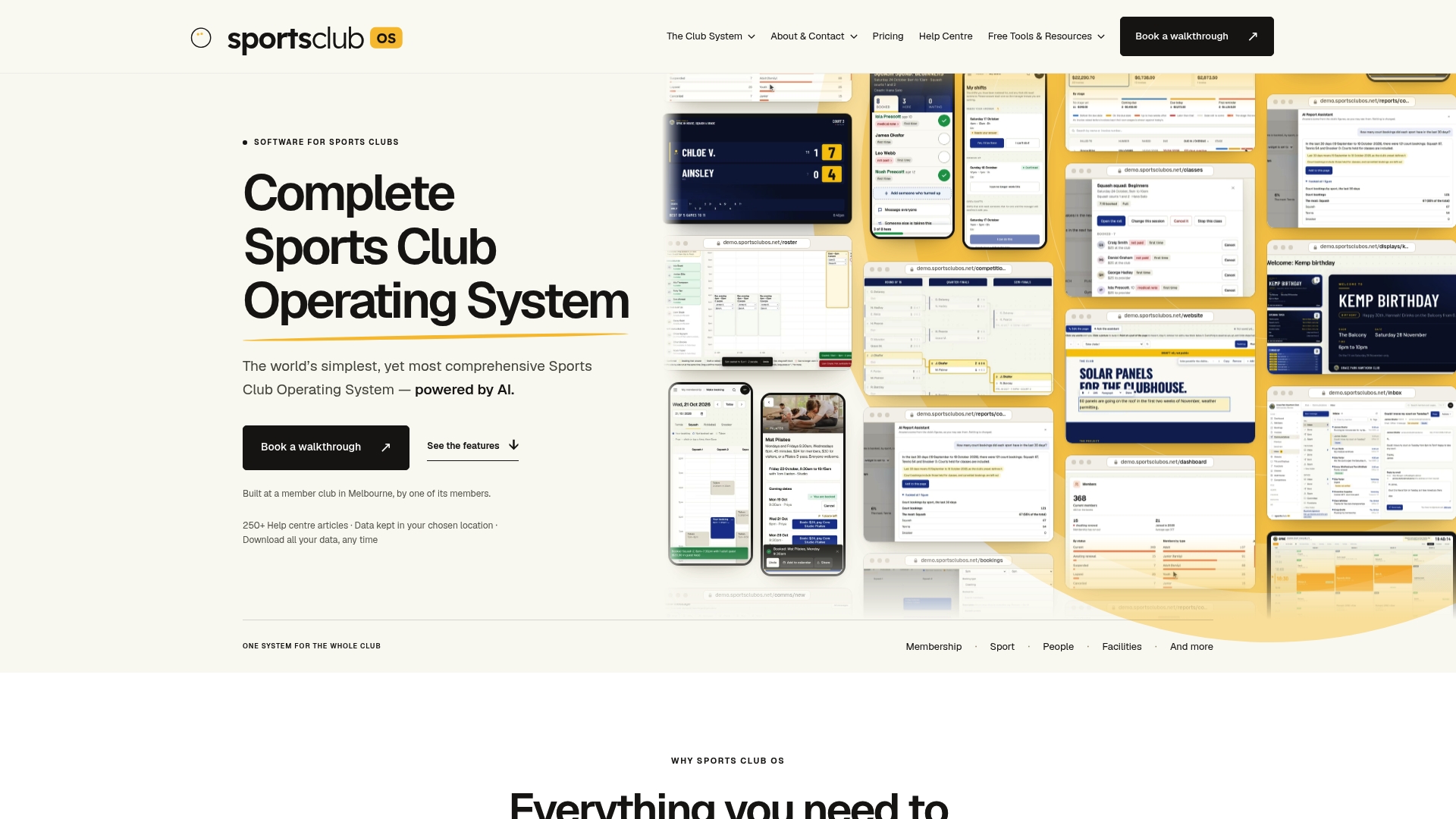
If you want to see your own website, memberships and bookings working together, book a walkthrough from the Sports Club OS site.
Your first 30 days
Whether or not you change systems, these steps improve a club website quickly.
- Week 1: Find out who has administrator access and where the logins are recorded. Make sure at least two people can get in.
- Week 2: Run the phone check: every menu item, every button, every form. Fix or remove anything broken.
- Week 3: Assign an owner to each content area using the table above, and agree what needs a second check.
- Week 4: Diarise the pre-season review, the post-AGM access review and the monthly 15-minute check.
These habits cost almost nothing and make any platform easier to run.
Sources
- CMS - Glossary, MDN Web Docs
- What is a Content Management System (CMS)? IBM
- Planning an Independent Website for Probus Clubs, Probus Victoria
- Website Publishing Policy, Australian Catholic University
- CMS | 2019 | The Web Almanac, HTTP Archive
- Standards and guidelines for digital accessibility, Australian Human Rights Commission
- Web Content Management standard, Australian Government Architecture
- Web content management standard (accessibility testing), Australian Government Architecture
- Web Accessibility, Sport Australia
What is a content management system for a sports club?
It is software that lets committee members and staff create, edit and publish website content without coding. A club-focused system goes further by connecting the website to memberships, bookings, events and communications, so details are not entered in several places.
Who should be able to edit the club website?
At least two authorised people should hold administrator access, so the club is never locked out when one person leaves. Other volunteers and staff can be given limited permissions for their own areas, such as fixtures or coaching programs. Review access after every AGM.
How often should we review our website content?
At a minimum once a year, checking committee details, contacts, activity information, links, photos and outdated material. Seasonal clubs benefit from a pre-season review and a quick monthly check of links and forms on a phone.
Does a club website need to be accessible?
Yes. The Australian Human Rights Commission notes that WCAG is the reference standard under the Disability Discrimination Act, and WCAG 2.2 is the latest version. Use readable text, strong contrast, descriptive links and alt text, and make sure forms and booking buttons work with a keyboard and screen reader.
BOOK A WALKTHROUGH
Get a personalised walkthrough and demo
Book a walkthrough and bring the jobs that take your office the longest.