
The club system / Classes & Coaching
CLASSES & COACHING · FULL DETAILS
Everything about classes and coaching
One timetable for everything a member can join: casual classes, term programmes, waitlists, make-ups, passes, the coach’s roll and a public What’s on page.
THE FULL WALKTHROUGH
Every part of Classes & Coaching, start to finish
A longer, slower look at the real pages, in chapters. Press a chapter to jump to it.
What it is
Classes & Coaching puts every class, squad and term programme on one timetable. A parent books the family in one go, the coach marks the roll on a phone, and the court is held for the session.
Coaches see the people in their sessions, and the notes they need, and no more.
Everything it does
- One timetable
- Casual classes and term programmes side by side, filtered by activity, age and level.
- Booking for the household
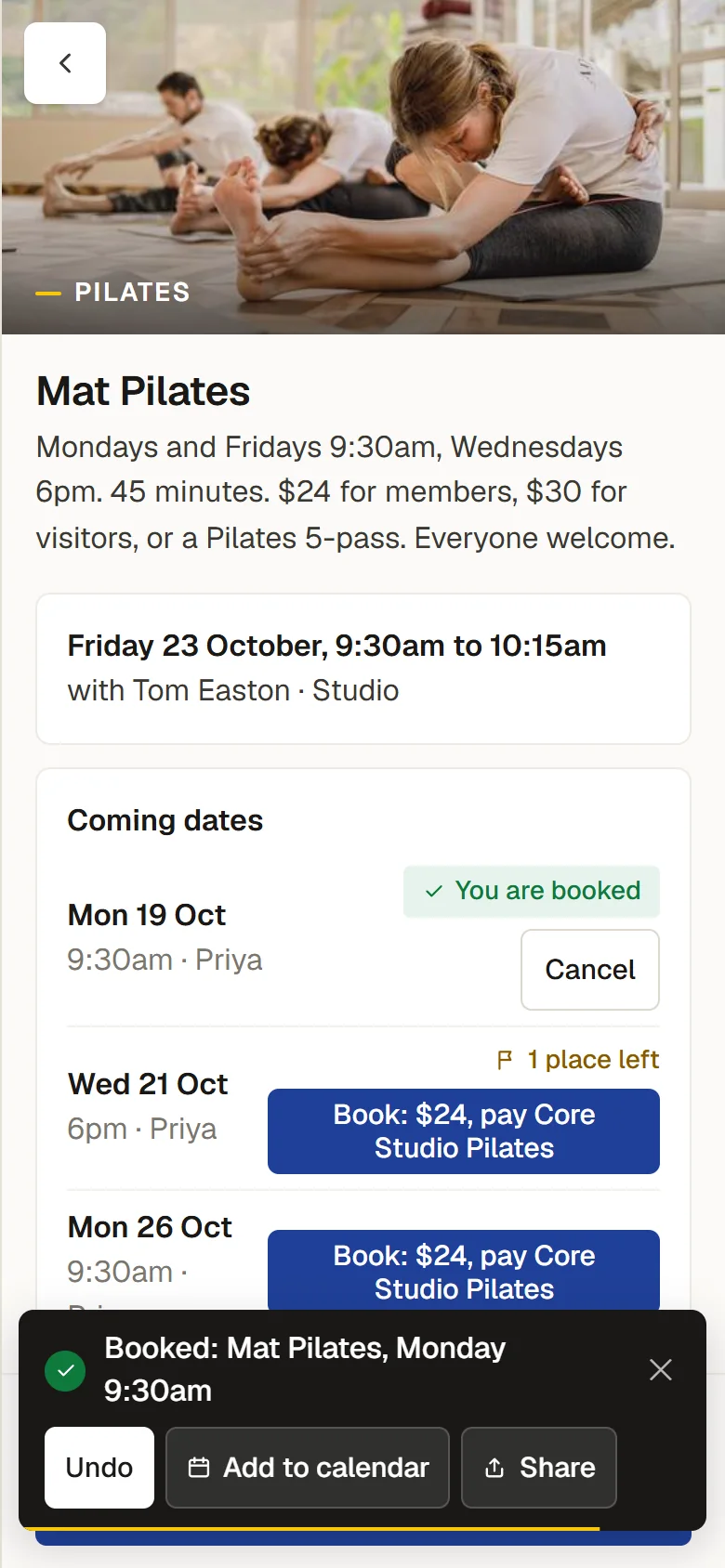
- A parent books themselves and their children in one go.
- Waitlists
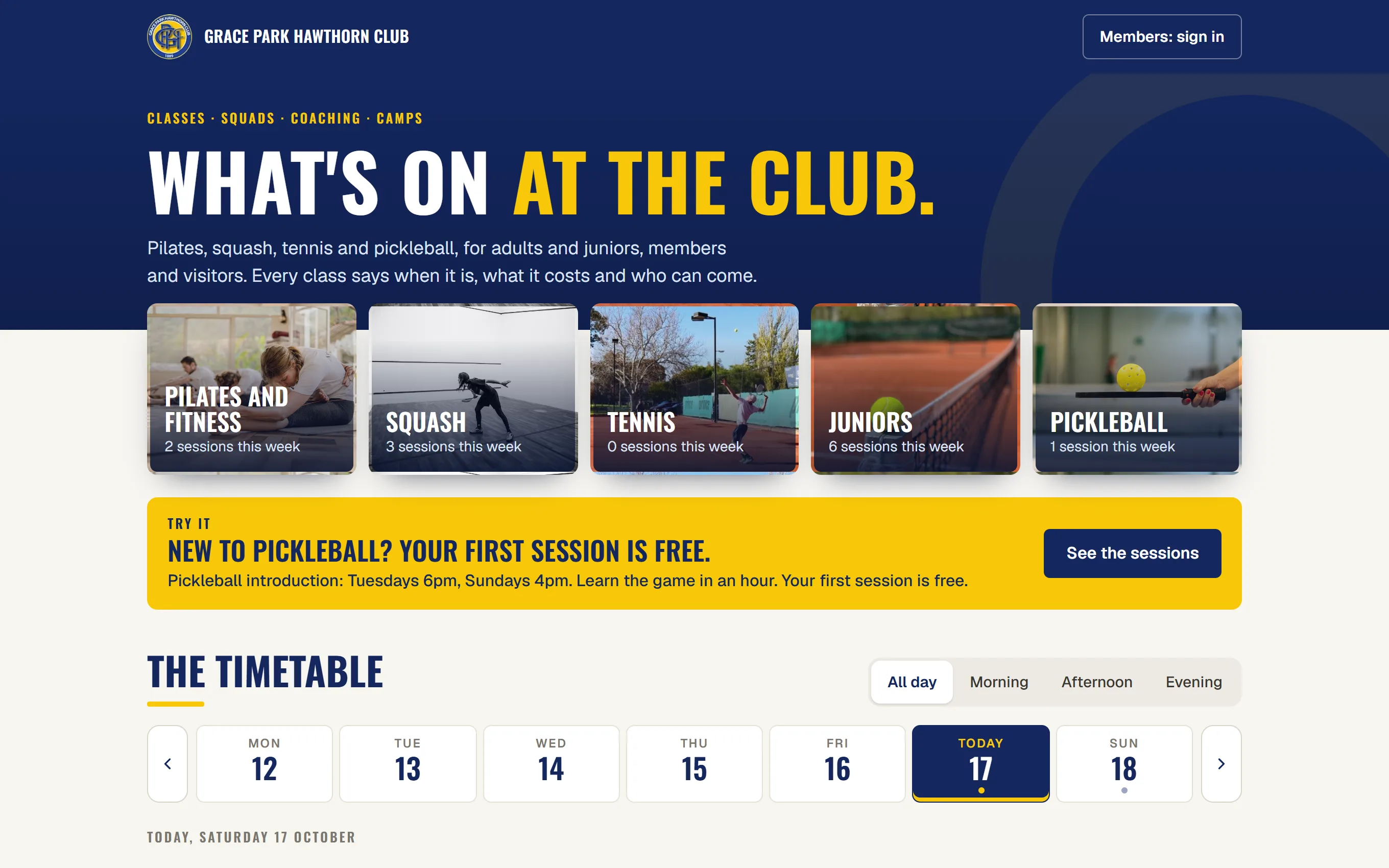
- A full class takes a waitlist, and a place that comes free is offered to the next person.
- Terms and enrolment
- Term programmes with enrolment, and make-ups for a missed session.
- Passes
- Class passes the member uses up.
- Fees
- Fees on the member’s account, one invoice a month for the household, or term fees raised in a batch. Where the coaching business collects its own fees, nothing is invoiced.
- The coach’s roll
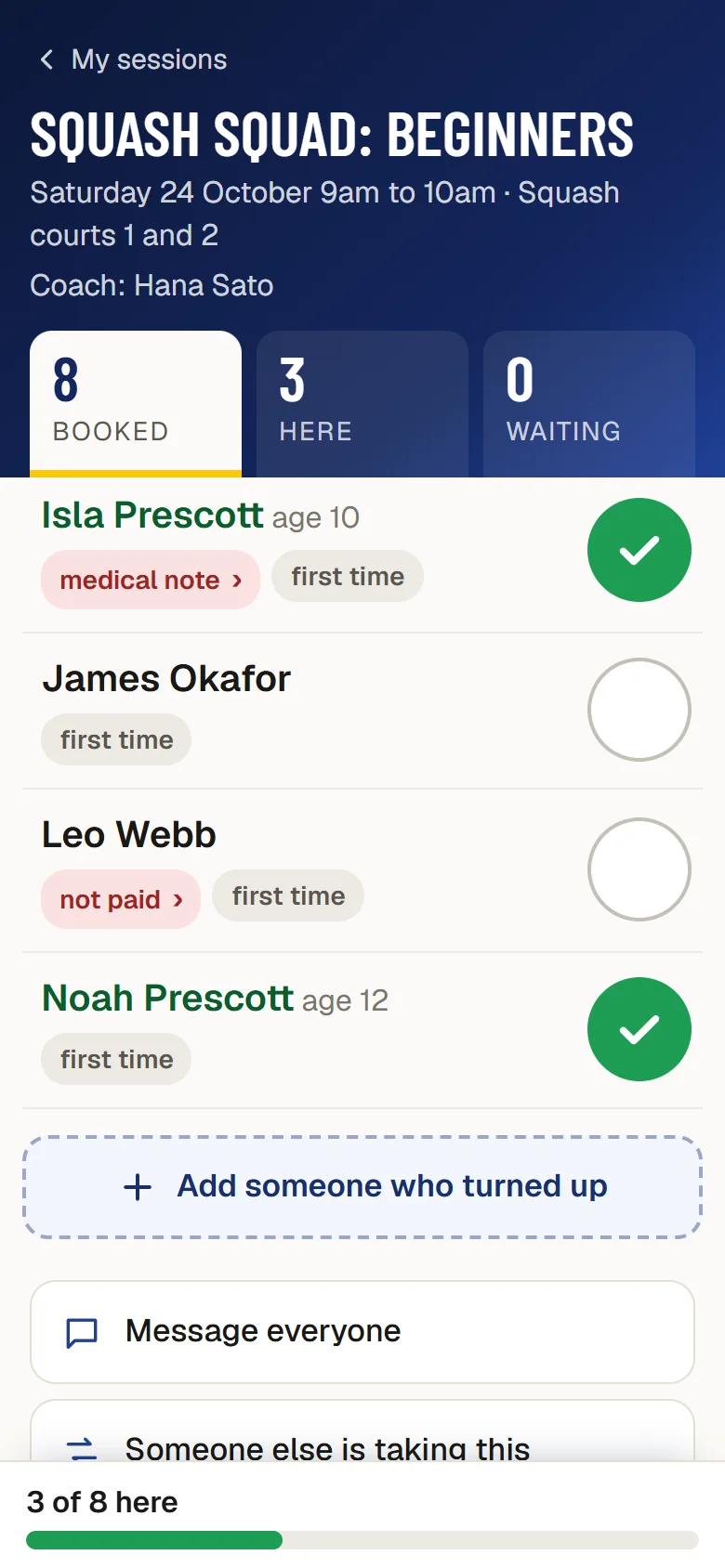
- On a phone, beside the court: who is booked, who is here, with medical notes and tags where needed.
- Courts held for classes
- A session on a court holds it on the booking calendar automatically.
- Pathways
- Stages a player moves through, so the club sees who stays from one term to the next.
- A public What’s on page
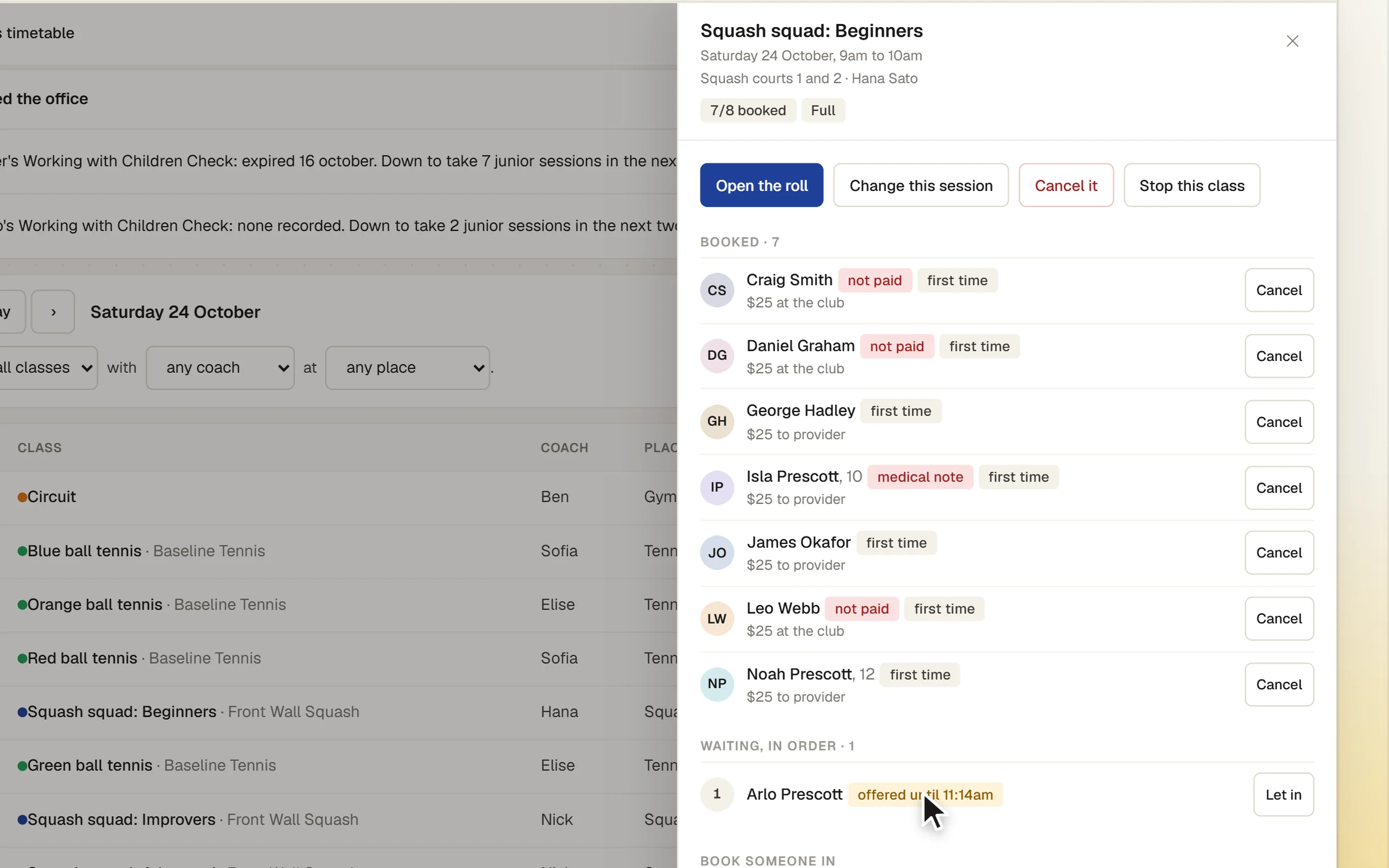
- Every class, for members and visitors, with a request for a place from someone new.
- On the club’s own website
- The live timetable shows on What’s on and on each sport’s page of the club’s website, in the website’s own design. A visitor can ask for a place there; members are sent to book in Sports Club OS.
- A foyer screen
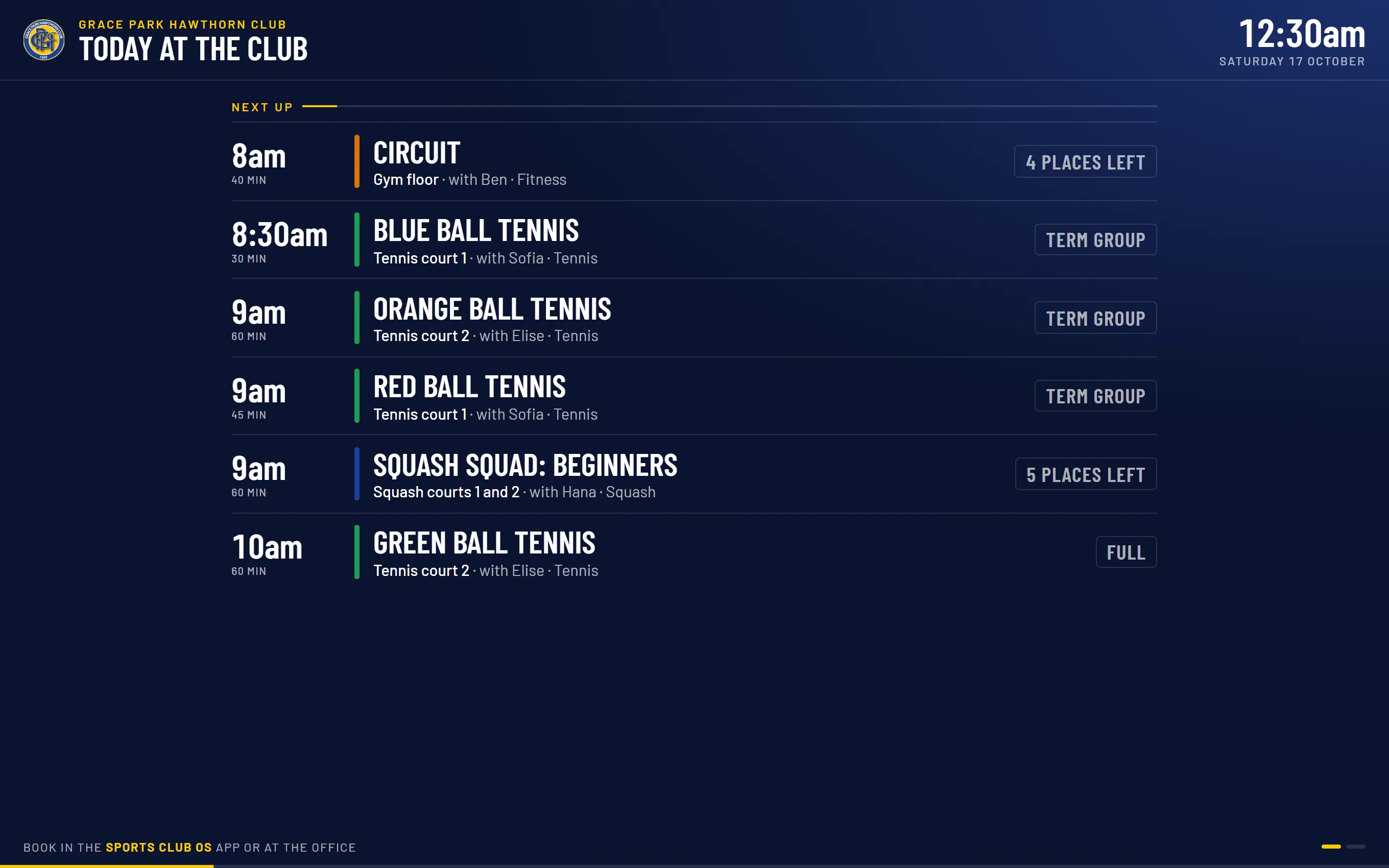
- Today’s classes on the clubhouse TV.
- Messages
- Reminders, place offers and a coach’s note to the class.
- Reports
- Attendance and enrolments for the head coach and the office.
How it works
- Set up the timetable. Activities, coaches, sessions and terms.
- Members book. For themselves and their family, or join the waitlist.
- The coach takes the roll. On a phone, at the court.
- The office keeps it running. Places offered, make-ups, fees and reports.
The screens
Real screens from Sports Club OS, on an invented club.
Settings and options
- Activities and coaches
- What is offered, by whom, at which place.
- Terms and passes
- Term dates, pass types and prices.
- Who collects
- Whether the club invoices fees or the coaching business collects its own.
Who can do what
| Who | What they can do |
|---|---|
| Head Coach | Runs classes: the timetable, terms, coaches, fees and reports. |
| Casual Staff | The class desk: bookings and the waitlist for members. |
| Coach | Their own sessions and the people in them: a name, an age, any medical note. No dates of birth or amounts. |
| Members | Book their household, join waitlists, and see what their family is in. |
These are the starting roles. The club can change what each role may do on its Roles & permissions page, give a person several roles, and take a role away when they step down. The server checks every request against those roles, so a hidden button is never the only protection.
What gets sent
| To | What |
|---|---|
| Members | Reminders, a place offered from the waitlist, and a coach’s note, as each person has chosen. A visitor asking for a place confirms by email. |
| The office | Anything that needs attention shows on the timetable. |
Questions
Can members pay for classes by card?
Not yet. Fees go on the member’s account and are paid as invoices. Card payment is coming.
Does it handle private lessons?
Not yet.
Can coaches who are not members use it?
Yes. A coach has a login for their own sessions.
On its way
Card payment.
Private lessons.
Texts to parents.
Works with
 Sport Booking Management
 Membership Management
 Communications
BOOK A WALKTHROUGH
Get a personalised walkthrough and demo
Book a walkthrough and bring the jobs that take your office the longest.