
The club system / Website
WEBSITE · FULL DETAILS
Everything about your website
A modern club website, changed by editing the page or by asking in plain words, checked by the person the club names, with every version kept. And the clubhouse TV screens.
THE FULL WALKTHROUGH
Every part of Website, start to finish
A longer, slower look at the real pages, in chapters. Press a chapter to jump to it.
What it is
Website gives your club its own website, built for you from what you have now, connected to the club system: the join form, the live classes timetable, and function enquiries with each room’s free days.
Anyone the club allows can change it, in a draft. Nothing reaches the public until the person the club names has looked at it and approved it.
Everything it does
- A club website, built for you
- Your pages, photographs and documents brought across into a modern design that works on a phone.
- Edit the page itself
- Click a paragraph and type. Swap a picture. Move, copy or remove a section, or add one from a set of ready-made sections.
- Or ask
- “Put the winter opening hours on the home page.” A draft is made, and you see what changed.
- Drafts
- Every change is made in a draft at its own private address. The live site does not change.
- Undo
- Step back one change at a time.
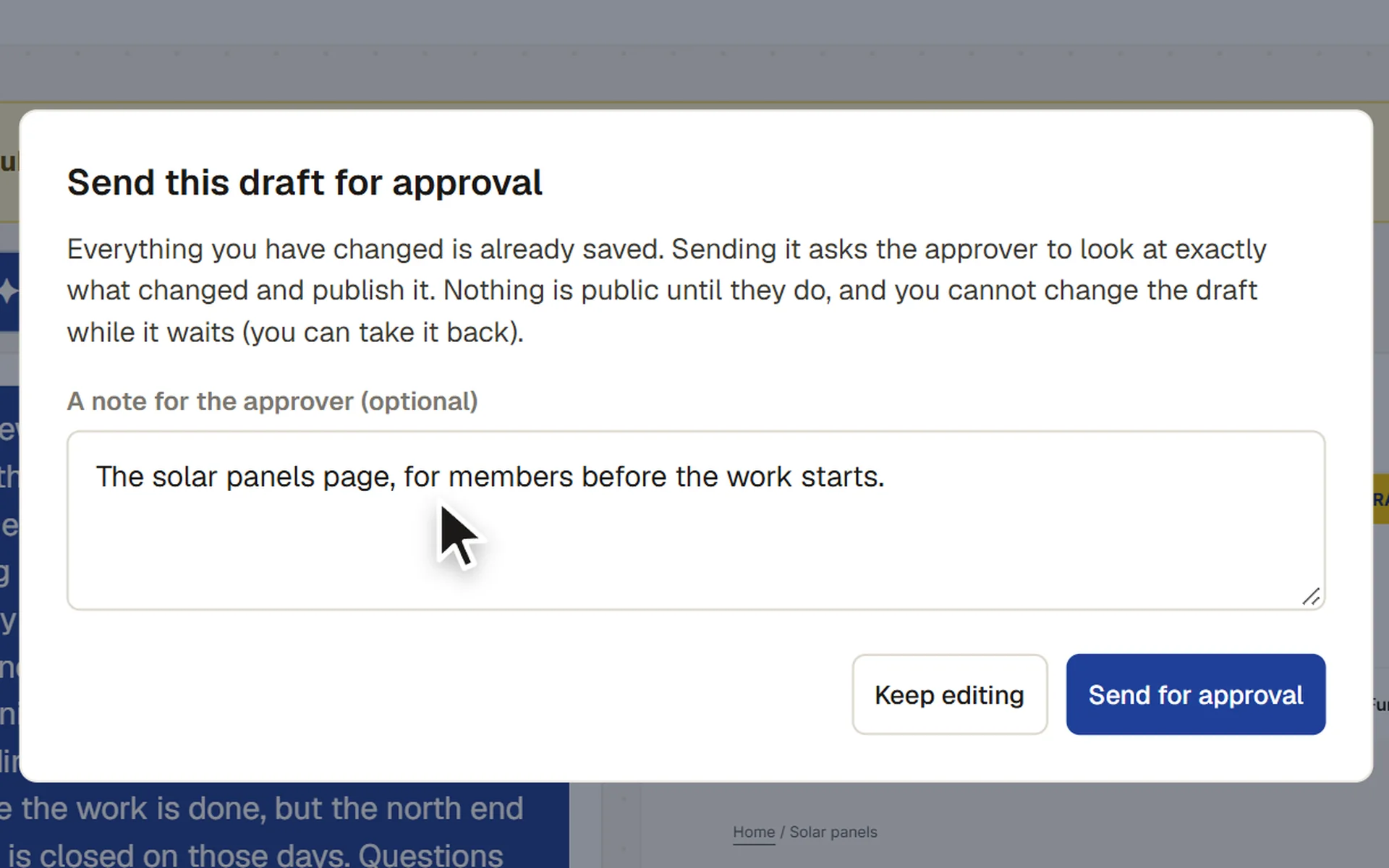
- Sending for approval
- The draft is checked first: anything left to fill in stops it, and new dates, prices, phone numbers and links are listed for the approver.
- Approval
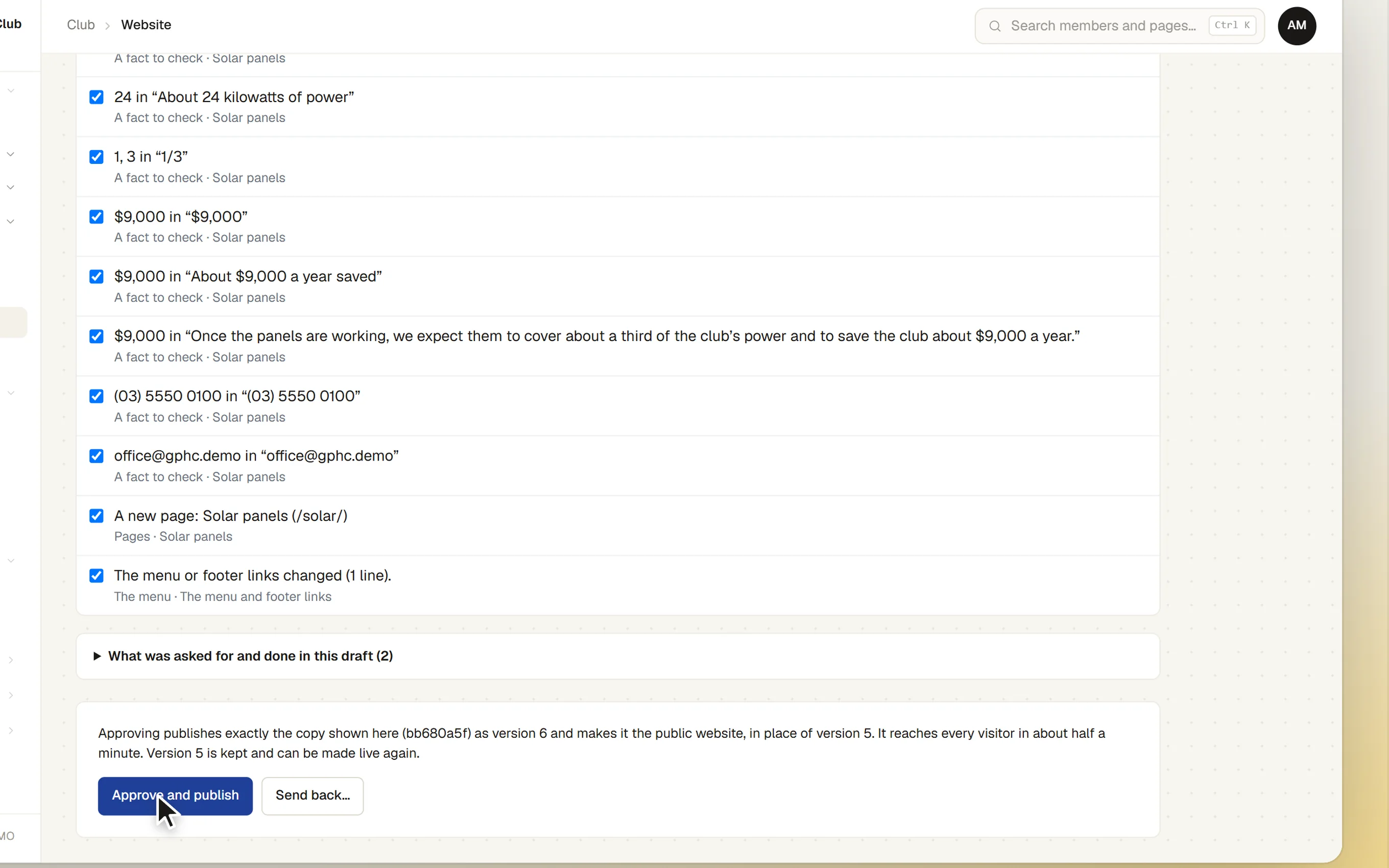
- The approver sees exactly what changed, word by word, pictures before and after, and approves or sends it back with a note.
- Every version kept
- Each published version is kept for good, and an earlier one can be made live again with one press.
- Connected to the club system
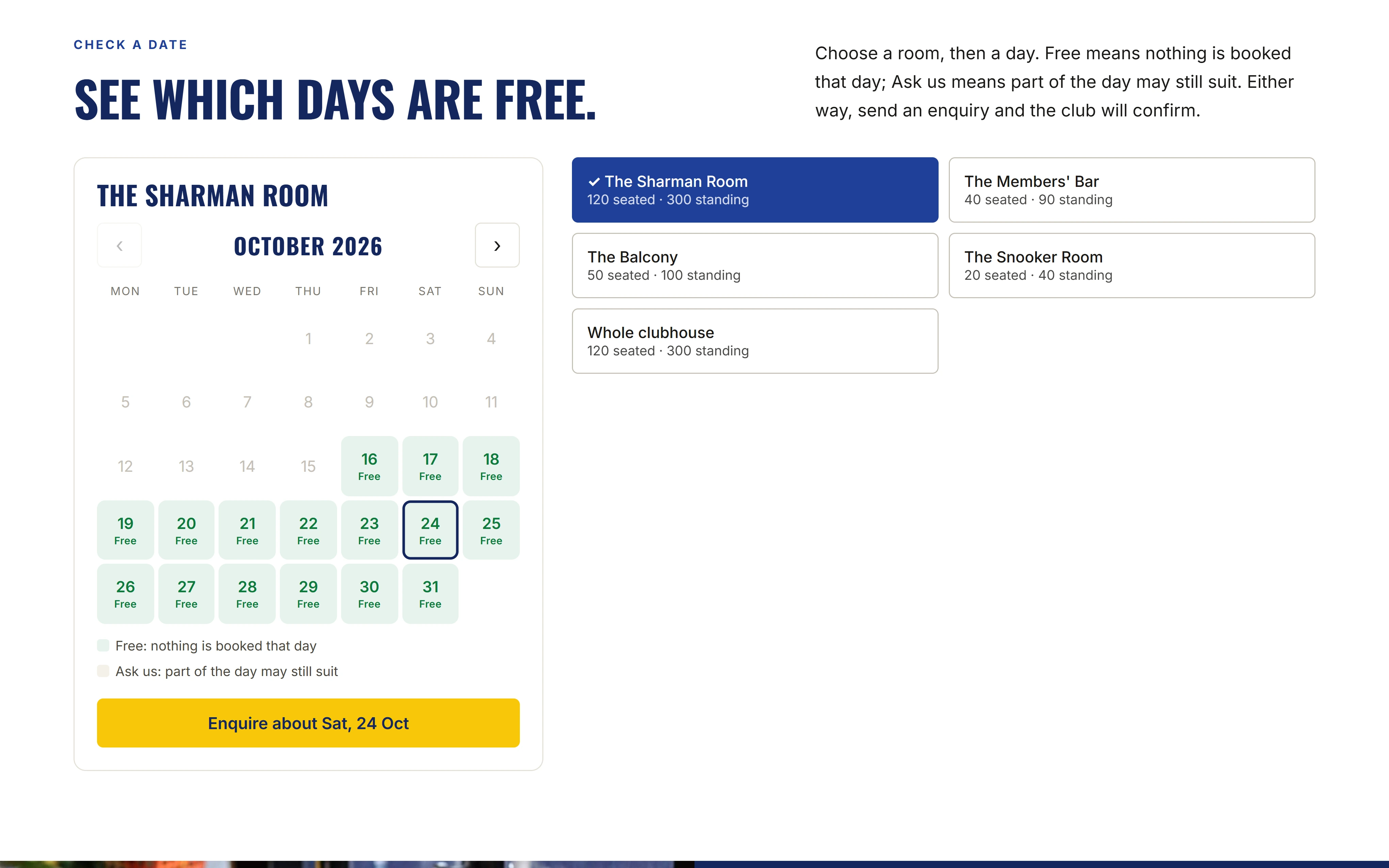
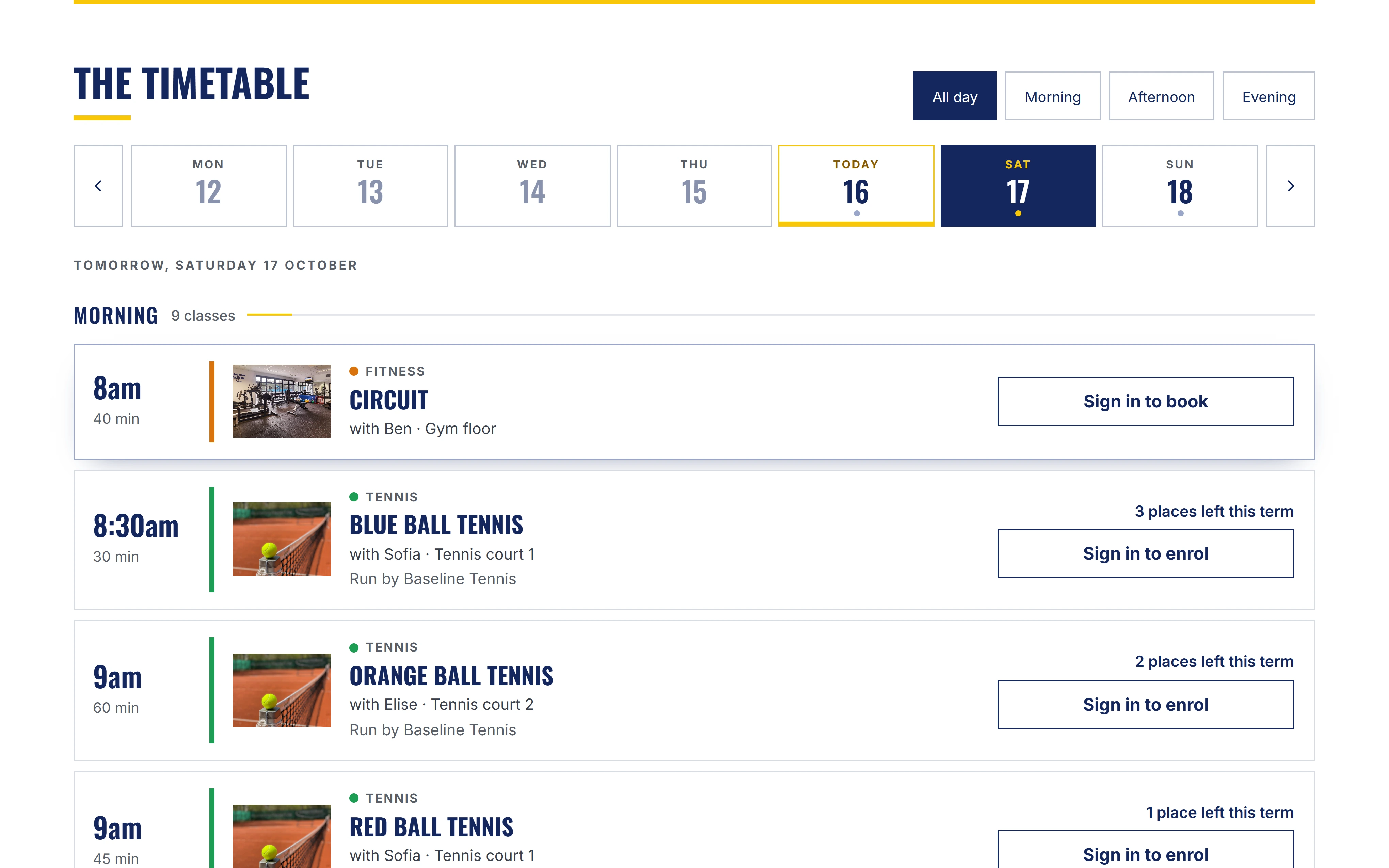
- The membership application form; the functions page, where a visitor chooses a day to see each room as Free or Ask us and sends an enquiry that lands on the functions board; and the live classes timetable on What’s on and each sport’s page, where a visitor can ask for a place. All in the website’s own design, with no function prices shown.
- Clubhouse TV slide shows
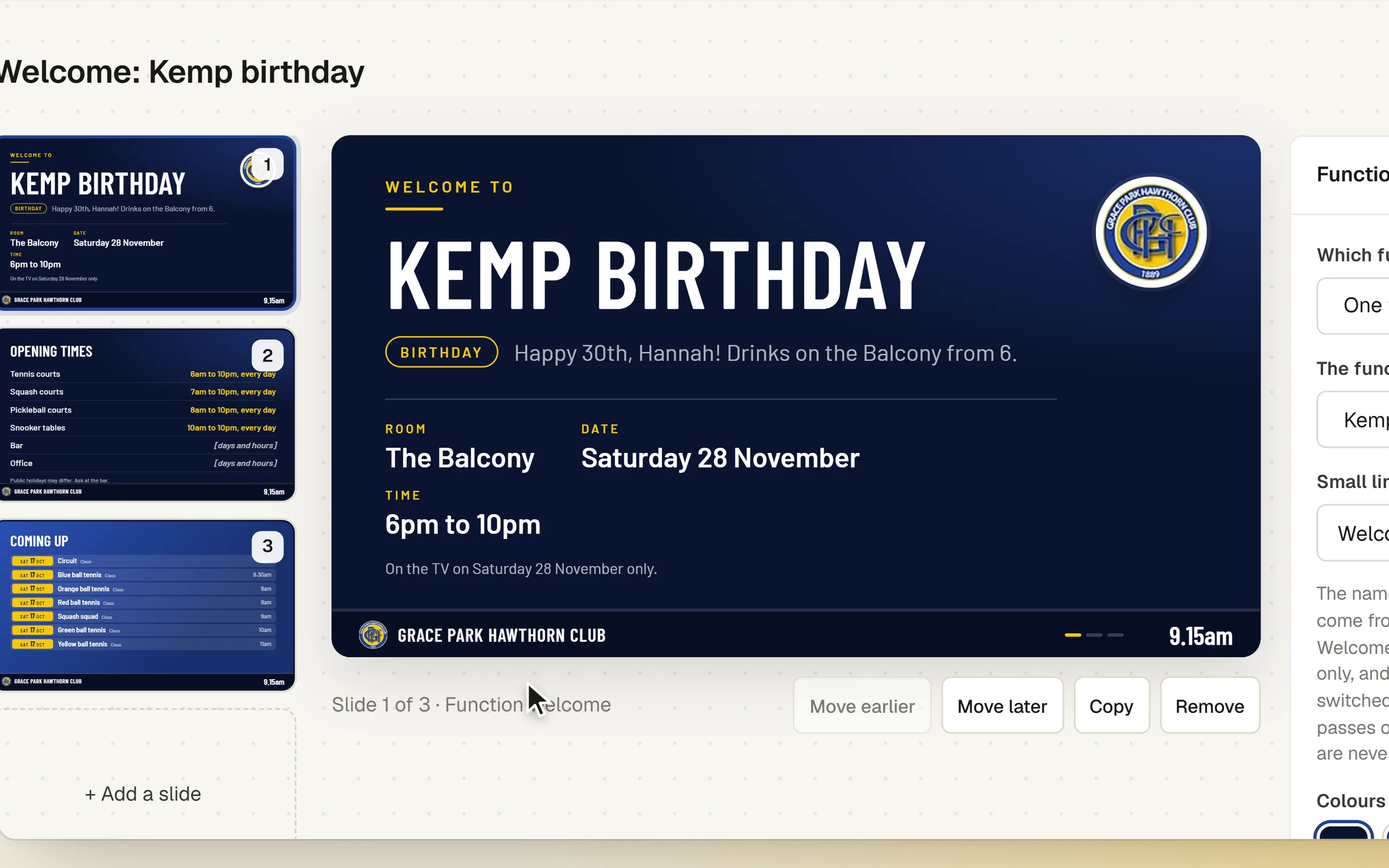
- Slide shows for the club’s TVs: messages, pictures, opening hours, what is coming up, the courts, today’s classes and a welcome for a function. Change one from a phone, and the TV follows within a minute.
- The club’s TVs
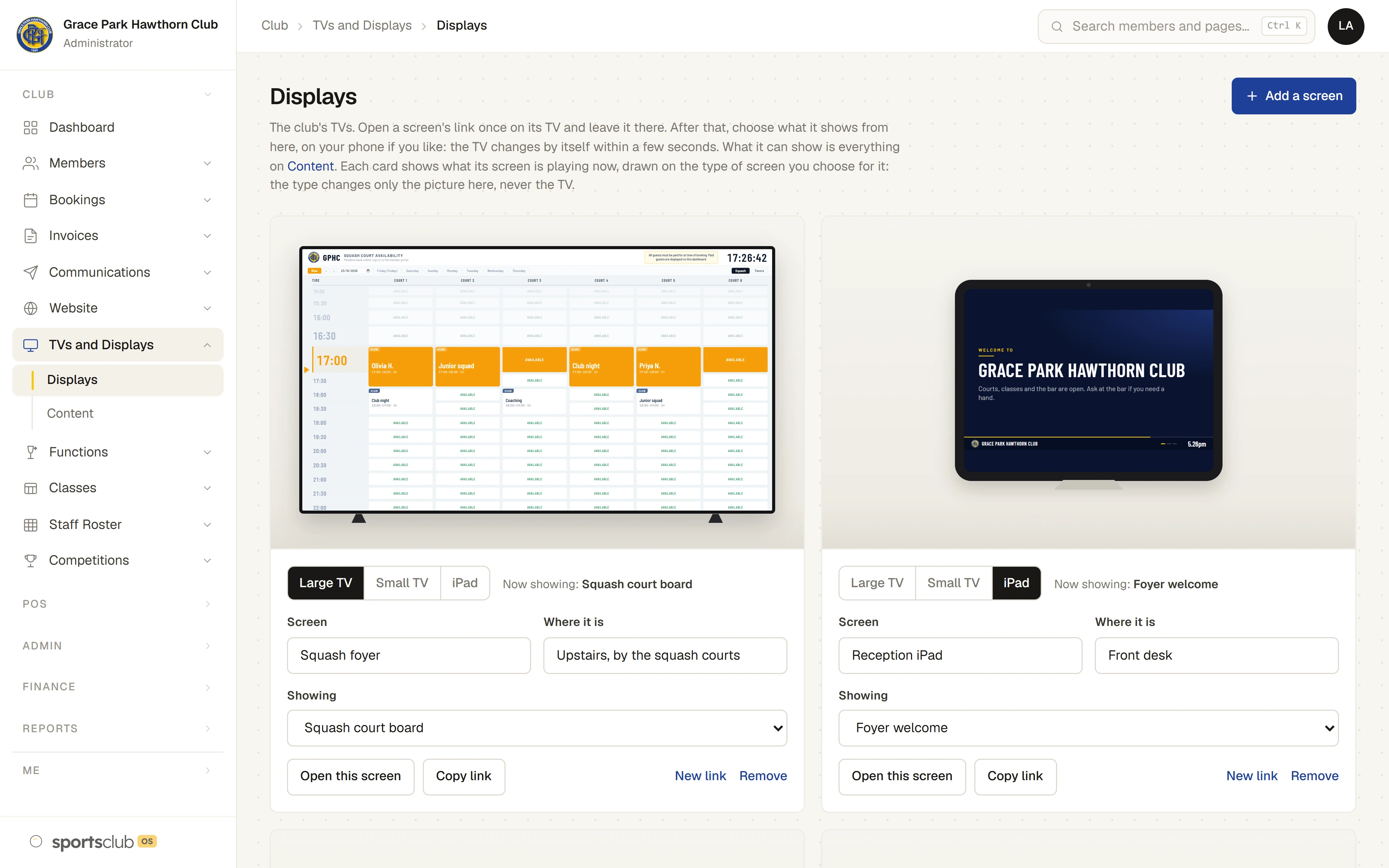
- Add each TV to one list, open its own link on the screen once, and choose what it shows: a slide show, a sport’s court board, today’s classes, today at the club or a competition board, the last in light or dark. Choose something else and the TV changes by itself. Each TV is a card that shows what it is playing now, drawn as a large TV, a small TV or an iPad.
How it works
- Start a draft. From the live site.
- Make the changes. Edit the page, or ask.
- Send it for approval. The checks run, and the approver is emailed.
- The approver decides. Approve, and it is live within a minute. Or send it back with a note.
The screens
Real screens from Sports Club OS, on an invented club.
Settings and options
- Approvers
- The people the club names to approve changes. Approving needs two-factor sign-in.
- Daily limits
- How many requests to the assistant a day.
Who can do what
| Who | What they can do |
|---|---|
| Website Editor and Administrator | Make drafts, edit and ask, and send for approval. |
| Approvers | Only the people the club names. They approve, send back, and make an earlier version live again. |
| Clubhouse screens | Administrator, Head Coach, Casual Staff, Functions and Sports Convener set up the TVs and their slide shows. Putting a competition board on a TV is for whoever runs competitions. |
These are the starting roles. The club can change what each role may do on its Roles & permissions page, give a person several roles, and take a role away when they step down. The server checks every request against those roles, so a hidden button is never the only protection.
What gets sent
| To | What |
|---|---|
| Approvers | An email when a draft is sent for approval. |
| The sender | An email if the draft is sent back, with the approver’s note. |
Questions
Can the assistant break the site?
It can only change the pages, news, events and the look of the site, and every change is a draft that a person approves. Earlier versions can always be put back.
Does the website assistant see our members?
No. It works on the website only, and is sent no member details.
Can we use our own domain?
Yes. The club’s website is on the club’s own domain.
Is the website connected to the club system?
Yes, in three places: the membership application form, function enquiries with each room’s Free or Ask us days, and the classes timetable with requests for a place. The website reads only what the club already shows in public, and cannot reach members’ details. How they are kept apart.
Can we choose what each TV shows?
Yes. Each TV is on one list with its own link. Choose a slide show, a court board, today’s classes, today at the club or a competition board, and the TV changes by itself. Each TV’s card shows what it is playing now. How to set up a TV.
Works with
 Membership Management
 Functions and Events
 Classes & Coaching
BOOK A WALKTHROUGH
Get a personalised walkthrough and demo
Book a walkthrough and bring the jobs that take your office the longest.