
How to
Download all the club's data
Download everything Sports Club OS holds for the club in one .zip file, as spreadsheets and complete copies, whenever you like, and keep it safe.
Who this is for: Anyone with “Download all the club's data” (by default: Administrator).
Export data downloads everything Sports Club OS holds for your club in one file, so the club has its own copy, or can move to another system, without asking anyone. You can do it whenever you like. It changes nothing.
Before you start
- Downloading all the club's data is for the Administrator alone. No other role can be given it, because the file holds every member's personal details.
- Use a computer, not a phone, and somewhere you can keep the file private.
- A large club can take a few minutes. Keep the page open until it finishes.
Download everything
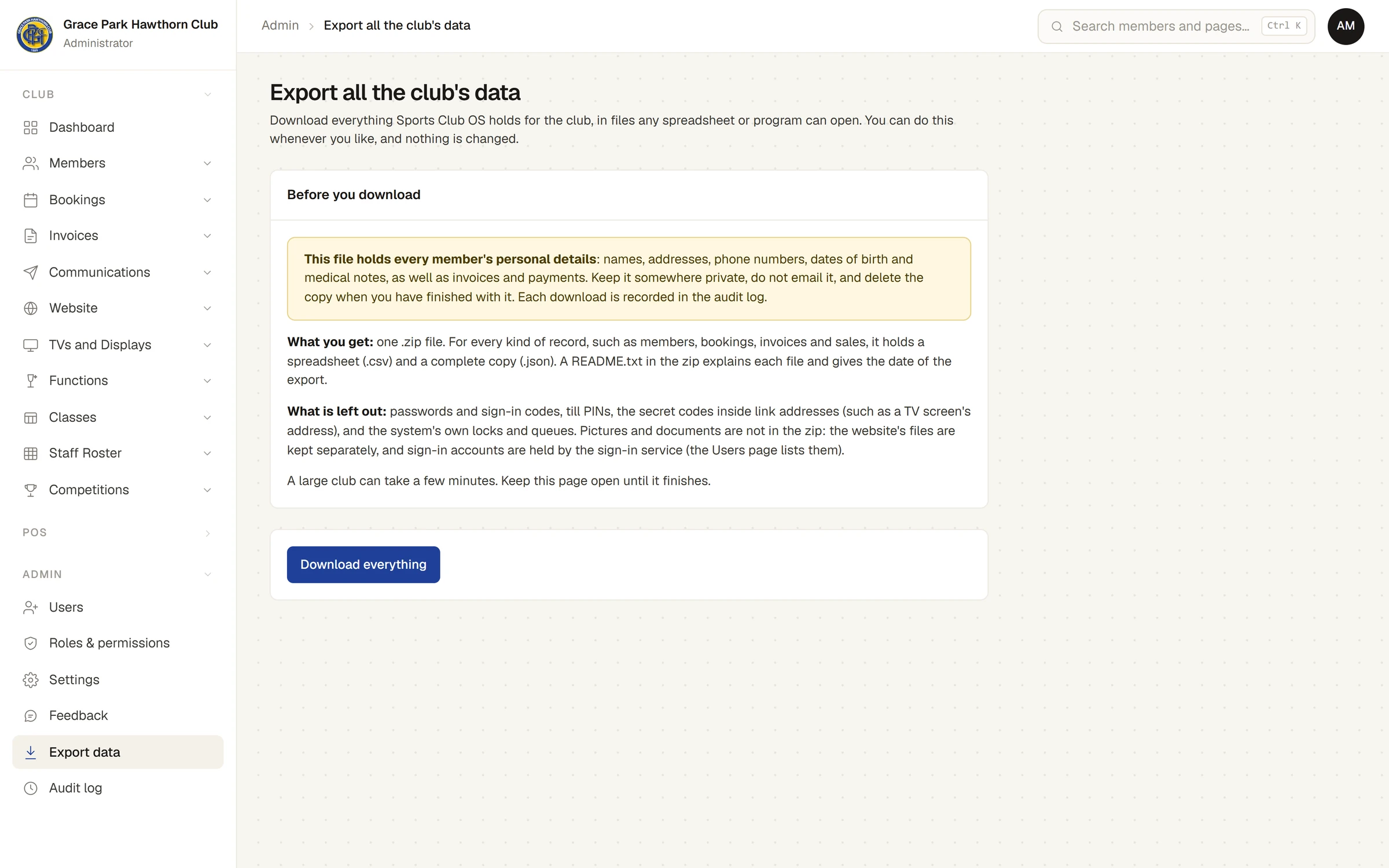
- Open . The page says what you get and what is left out.
- Read Before you download.
- Press Download everything. The button says Working…, and a bar and a line show the progress: which kind of record is being read, and how many kinds and items are done so far. Putting the files together… is the last step.
- When it finishes, the page says, for example, Done. club-data-2026-10-23.zip has been saved to your downloads: 16,161 items in 87 kinds of record. Your browser saves the file to its downloads.
If the file did not appear, check that your browser has not blocked the download. Download everything again makes a new file from the start.
What is in the file
One .zip file named club-data- and the date. It holds a spreadsheet in the csv folder and a complete copy in the json folder for every kind of record, with the same name, a README.txt that says what each file holds, and the whole audit log. Where a record holds a list (the lines of an invoice, for example), its spreadsheet cell holds the list as text in the standard JSON format; the complete copy has nothing flattened. Dates are written year-month-day (2026-10-31). Each record's id column is its own identifier, which other records use to refer to it.
Passwords, sign-in codes, till PINs, the secret codes inside link addresses, Sports Club OS's own working records, the website's pictures and documents, and the sign-in accounts themselves are not in it. Taking all of your club's data out lists what is in and what is left out, and why. What Sports Club OS holds about people, and who can see it, is in What Sports Club OS keeps about people.
Keep it safe
The file holds every member's personal details: names, addresses, phone numbers, dates of birth and medical notes, as well as invoices and payments. Keep it somewhere private, do not email it, and delete your copy when you have finished with it.
Each download is recorded in the audit log: who began it, when, and how many records it held. The log never records what was in it. See The audit log.
If something goes wrong
- "The download stopped: … Nothing has been changed. Please try again." The connection dropped or something failed part-way. Nothing on Sports Club OS changed. Press Download everything again.
- "This page has not finished loading. Wait a moment and try again." Wait a few seconds and press the button again.
Last checked in release 2026.10.23, on 23 October 2026.