
How to
Start from a template or an earlier message
Begin a message from one of the ready-made templates, from a message you sent before, or by copying a sent message with its kind and recipients.
Who this is for: Anyone with “Send communications” (by default: Administrator).
A message does not have to start empty. At the Message step you can start from a template, from a message you sent before, or from a draft written from your description. There is also a way to copy a whole sent message, kind and recipients included.
Before you start
- You need to be able to send communications. The Administrator can by default.
- Start a message and choose its kind and who it goes to: see Write and send a message.
Start from a template
- Go to step 3, Message. An empty message opens on How would you like to start?
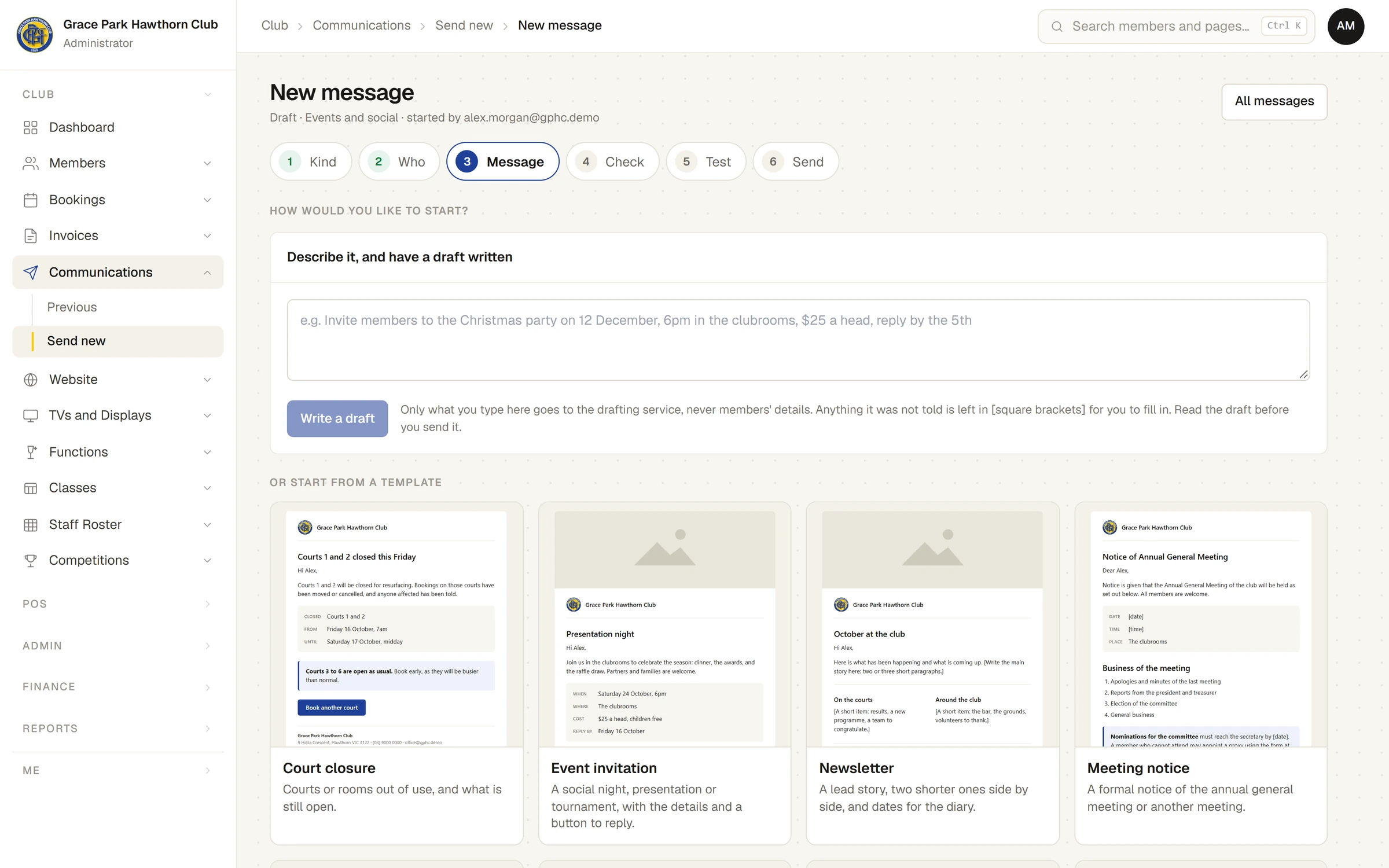
- Under Start from a template, press a template. Each card shows a small picture of the email it makes.
- The template's subject, preview line and sections are put into the message, ready to change.
- Replace every detail in [square brackets] with the real one, and change anything else you need.
The templates are:
| Template | What it is |
|---|---|
| Court closure | Courts or rooms out of use, and what is still open. |
| Event invitation | A social night, presentation or tournament, with the details and a button to reply. |
| Newsletter | A lead story, two shorter ones side by side, and dates for the diary. |
| Meeting notice | A formal notice of the annual general meeting or another meeting. |
| Competition news | Results and what is coming up, side by side. |
| Renewal reminder | A reminder that a membership is about to end, with each person's own date. |
| Call for helpers | A working bee or an event that needs hands. |
| Plain letter | Just words, like an ordinary email. |
| Blank | An empty message to build yourself. |
A template does not change the message's kind. A court closure or a meeting notice is usually an essential notice: choose that at step 1, Kind.
If you leave anything in [square brackets], the Check step warns you and names each one, for example There is a detail still to fill in: [time]. A picture place you did not fill is left out of the email, and Check says so.
Start from a message you sent before
At How would you like to start?, under Or use one you have sent before, press one of the club's latest sent messages (up to eight are listed, whoever sent them). Its subject, preview line and sections are put into this message. Its kind and who it went to are not: this message keeps its own.
Start again
To change your mind after starting, press Start again from a template above the email. If the message already has something in it, the page warns Choosing one of these replaces what is in the message now. Press Back to my message to keep what you have.
Copy a whole sent message
To send something similar to the same people:
- Open .
- Press Copy beside a sent message, or open it and press Copy this message.
A new draft opens with the same kind, subject, sections and choice of who it goes to, including people added or left out by hand. Who it reaches is worked out afresh from the members as they are now. Nothing of the first message's results is copied.
Last checked in release 2026.10.23, on 23 October 2026.