
How to
Change the reports settings
What "this year" means in reports, the smallest group shown, the reasons offered when a member leaves, and the AI Report Assistant's limits.
Who this is for: Anyone with “Club settings” (by default: Administrator).
The Reports tab of Settings holds the choices that apply to every report, widget and report page in the club. It has its own Save report settings button.
Before you start
- You need Club settings. The Administrator has it by default. Your club can give it to other roles on Roles & permissions.
- Each save writes one line in the audit log saying what changed.
Open the Reports settings
Open and press the Reports tab.
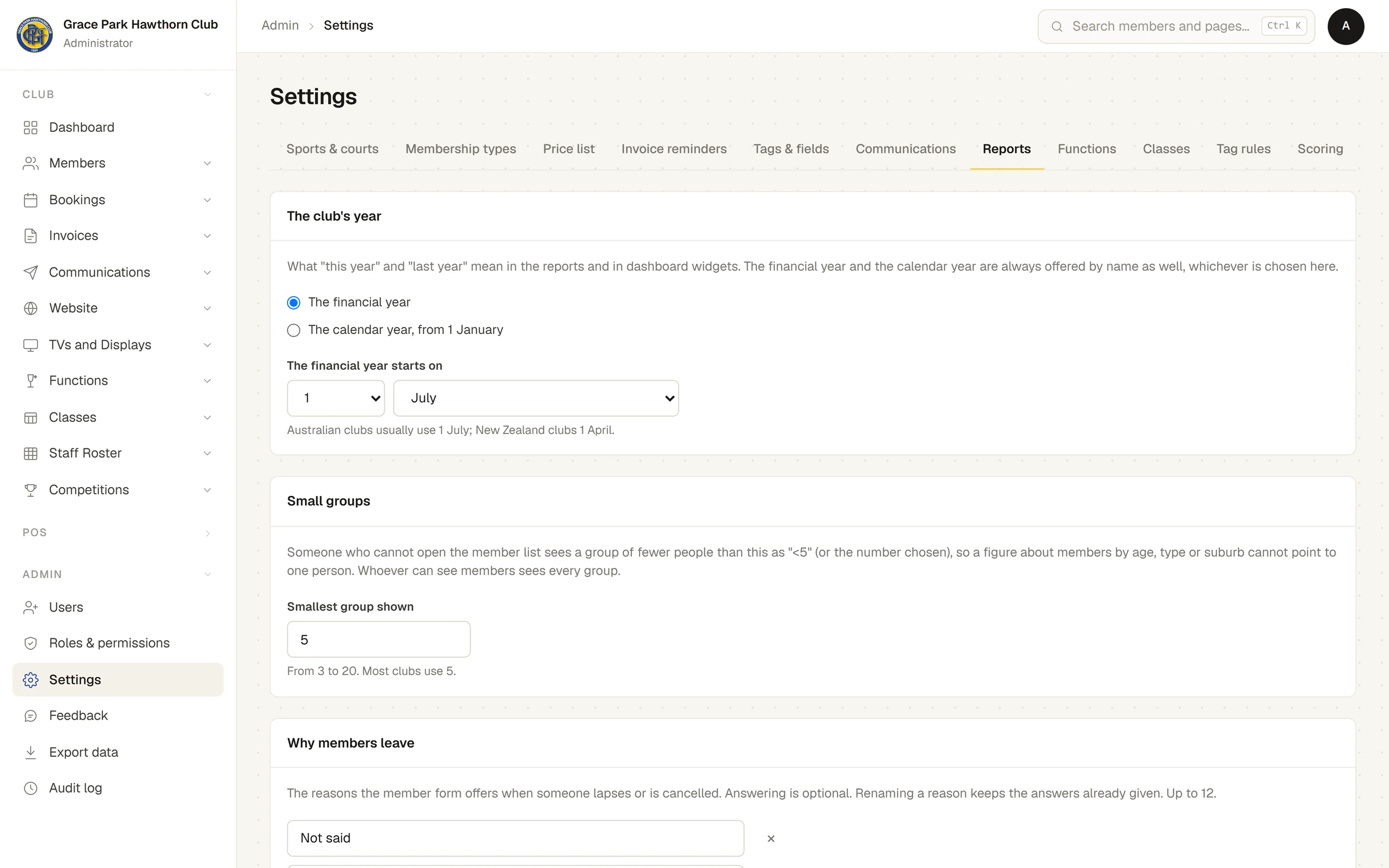
The club's year
What "this year" and "last year" mean in reports and in Dashboard widgets, and in the Year grouping.
- The financial year (the default), starting on the day and month chosen under The financial year starts on: 1 July unless you change it. Australian clubs usually use 1 July; New Zealand clubs 1 April.
- The calendar year, from 1 January.
Whichever is chosen, This financial year and This calendar year are always offered by name in the widget editor as well.
Small groups
Smallest group shown: from 3 to 20, 5 unless you change it. Someone who cannot open the member list sees a group of fewer people than this as "<5" (or "<" and the number chosen), so a figure about members by age, type or suburb cannot point to one person. Whoever can see members sees every group. See Why some figures show "<5".
Why members leave
The reasons offered on the member form, and in the Members list's Set status, when someone becomes Lapsed or Cancelled. Answering is optional. They are counted in the Left figure, grouped by Why they left.
- The standard reasons are Not said, Moved away, Cost, Not playing any more, Injury or health, Joined another club, Time or family, Unhappy with something at the club and Other.
- Type over a reason to rename it. Renaming keeps the answers already given, which then show the new wording.
- × removes a reason (at least one must stay); Add a reason adds one, up to 12; Use the standard reasons puts the standard list back.
AI Report Assistant
This card shows only if your club has an AI model set up for the assistant. Without one it says No AI model is set up for this club, so the assistant is not offered whatever is chosen here.
- Offer the assistant: ticked by default. Untick it to switch the assistant off for everyone.
- Questions a day, for the club: 200 unless you change it (0 to 5,000).
- Spending a month (US$): 20 unless you change it (0 to 1,000). When the month's spending reaches it, the assistant stops until the next month.
- Questions a minute, each person: 6 unless you change it (1 to 30).
Under them it says how many questions have been asked today and about how much has been spent this month. That spending is worked out from what the AI model reports; the club's own cloud bill is the true figure.
See Ask the AI Report Assistant.
Save
Press Save report settings. Unsaved changes shows beside it until you do, and a message says Report settings saved once saved. The other tabs' Save settings button does not save this tab.
Last checked in release 2026.10.23, on 23 October 2026.