
How to
Reconcile to a date, and reopen it
When every bank line up to a day is matched or explained and the balance agrees with the statement, reconcile to that day to lock it. Reopen the latest.
Who this is for: Anyone with “Reconcile the bank account” or “See bank statements and the reconciliation” (by default: Administrator, Reporting, Treasurer).
Reconciling to a day says that everything on the bank statement up to that day is accounted for, and that the balance agrees with the bank's. Sports Club OS checks both before it lets you. Everything up to the day is then locked, so a finished month cannot change by accident.
Before you start
- You need to be able to reconcile the bank account. The Treasurer and Administrator roles can by default.
- Every bank line up to and including the day must be matched or explained: Match and explain bank lines.
- Have the statement's balance at the end of that day.
Reconcile to a day
- Open and press Reconcile to a day…. A panel opens.
- Choose the day under Reconcile to. It must be before today, on or after the day reconciliation starts, and after the day it is reconciled to now.
- Type the Balance on the statement at the end of that day.
- Under it, Sports Club OS says what the lines imported come to: From the lines imported, the balance at the end of that day is …. It should be the same.
- Press Reconcile to and the day, for example Reconcile to Sun 11 Oct.
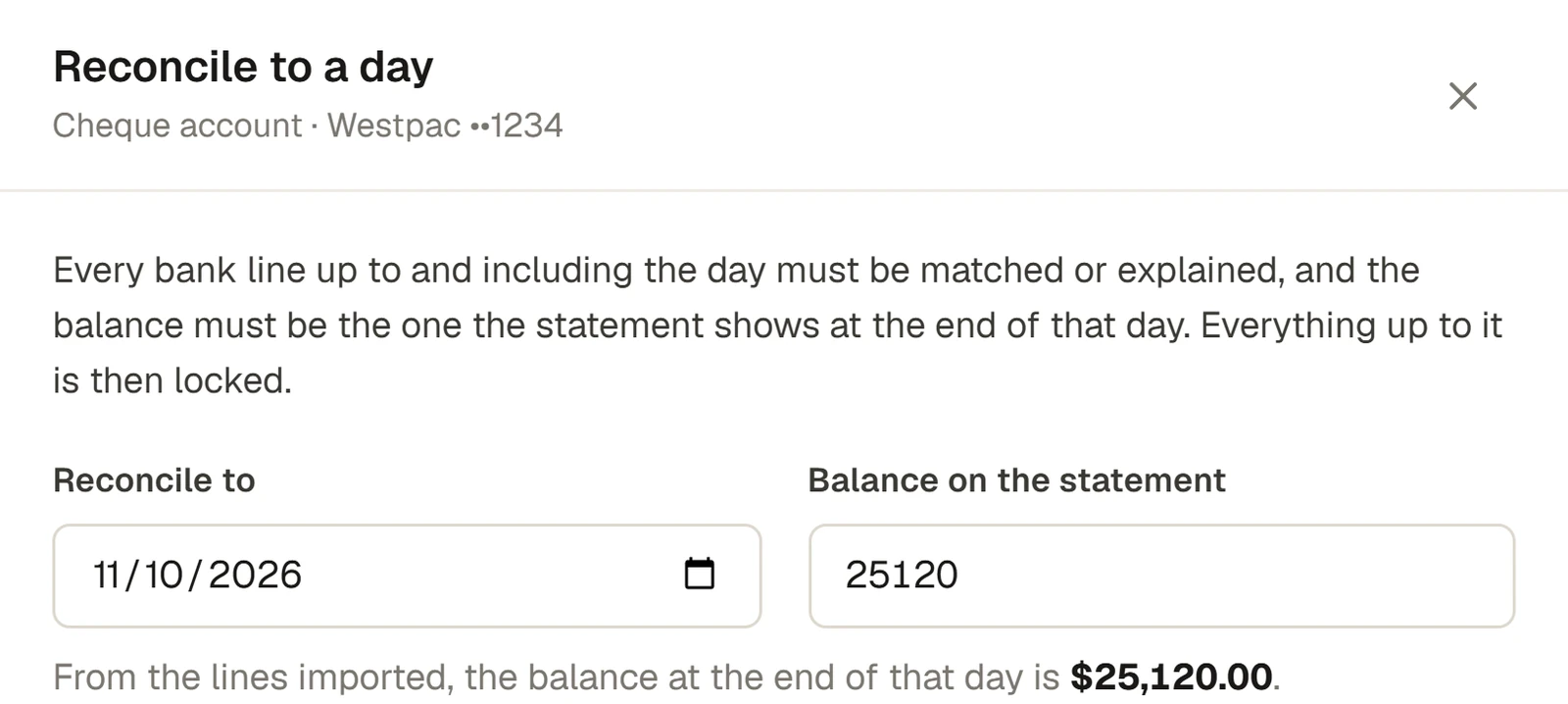
A message says, for example, Reconciled to 11 Oct 2026. The account now says Reconciled to 11 Oct 2026, when the balance was $25,120.00. Everything up to then is locked.
What locked means
Up to the reconciled-to day:
- no line can be matched, unmatched or explained, and matches there say Locked;
- no statement lines can be imported for those days;
- a payment recorded on an invoice afterwards, dated in the locked period, is still recorded, and is marked as recorded after the period was reconciled, so you can see it.
Reopen the last reconciled period
Only the latest reconciled-to day can be reopened.
- Press Reconcile to a day….
- Under Reopen the last reconciled period, it says who reconciled it and which lines reopening unlocks.
- Type why it is being reopened, and press Reopen. A message says Reopened.
If something goes wrong
- "3 lines on or before 13 Oct 2026 are still to be matched or explained." Account for them first, or choose an earlier day.
- "The balance differs by $120.00: the lines imported come to $26,226.90. A line may be missing, or imported twice." The balance you typed is not the opening balance plus the lines imported. Check the statement for a line that is not in Sports Club OS, often one on the first or last day of a file that was left out. Import it, with the tick for complete days if they were.
- "The statement's own balance on … does not agree with the lines imported (…). A line may be missing, or imported twice." The file's own balance column disagrees with the lines. Look for a missing line.
- "Choose a day before today: today's lines may not all be at the bank yet."
- "This account is already reconciled to …. Choose a later day."
- "Reconciliation for this account starts on …." Choose a day on or after it.
- "Type the balance the statement shows at the end of that day."
Last checked in release 2026.10.23, on 23 October 2026.