
Questions
An email address is marked blocked
An address is blocked after an email to it bounced or was marked as spam. Nothing is sent to it until the office checks it and presses send again.
Who this is for: Anyone with “See members and contacts” or “Add and change members” or “Send communications” (by default: Administrator, Head Coach, Casual Staff, Reporting).
Sports Club OS stops sending to an email address when an email to it bounces because the address does not exist, or when the person marks an email from the club as spam. Nothing at all is sent to that address after that, essential notices included, until someone in the office checks it and presses The address is fixed: send again on the member's page. This protects the club's ability to reach everyone else: mail services stop trusting senders who keep writing to dead addresses or to people who said no.
Where it shows
- On the member's page, the Email preferences card says Nothing is being sent to this address: Bounced. or Nothing is being sent to this address: Marked as spam.
- Under Changes on that card: Sending stopped: bounced (or marked as spam), reported by the mail system.
- At a message's Who step, and in a sent message's results, the people at that address are listed under Their address has stopped working.
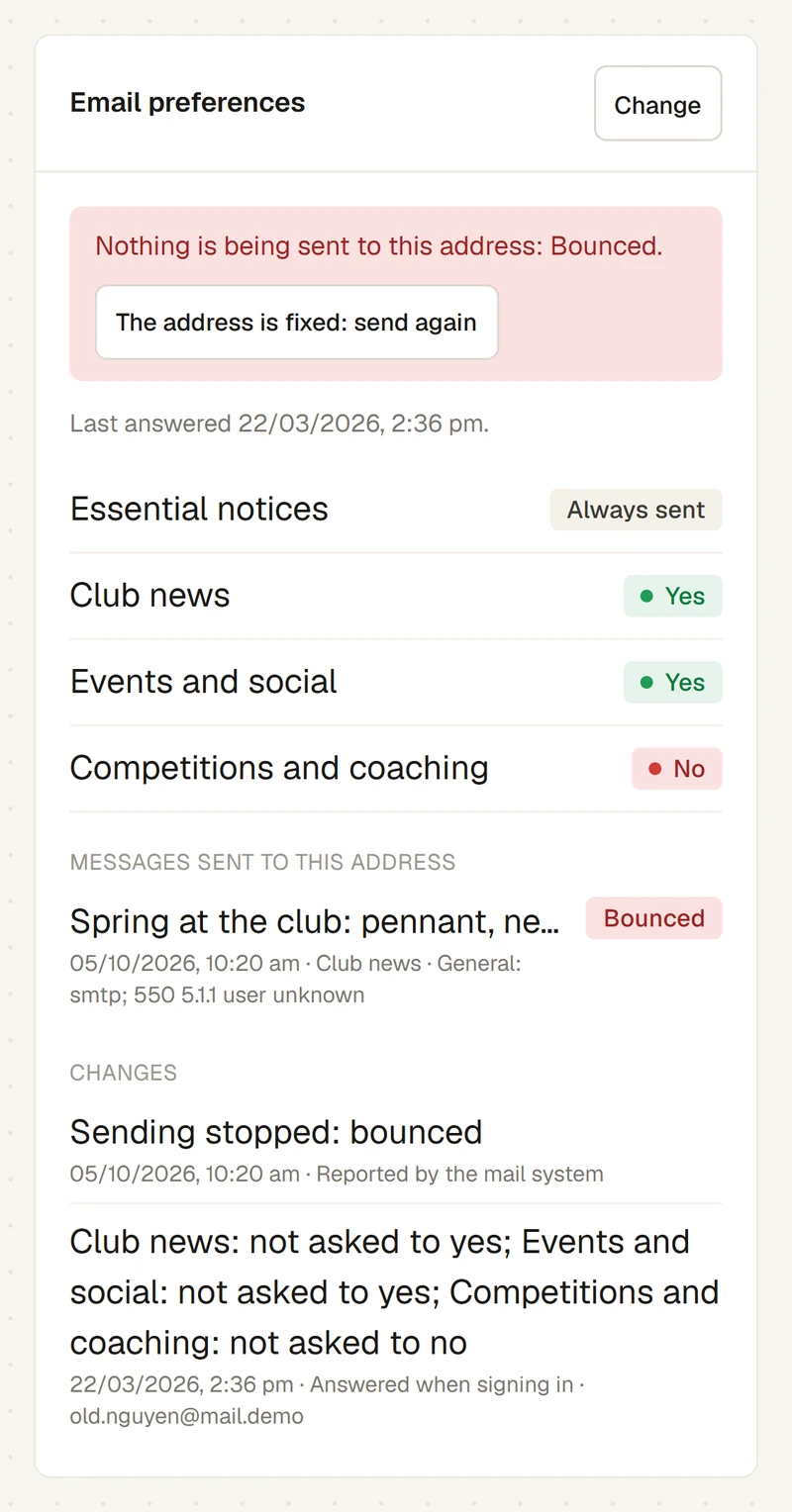
Everyone who shares the address is affected, because preferences, and this stop, belong to the address.
If it bounced
The address probably has a typing mistake, or the member no longer uses it. The message's results show the reason the mail server gave, such as "user unknown".
- Ask the member for their current address.
- If it has changed, put the new address on their record. The new address is not blocked; it starts with its own preferences, as not asked.
- If the address was right after all (for example, their mailbox was closed for a while and is open again), press The address is fixed: send again on the Email preferences card.
A Not delivered result (a full mailbox, a server that was down) does not block an address.
If it was marked as spam
The person told their mail program the club's email was unwanted. Only press The address is fixed: send again if they have asked to get the club's emails again. Otherwise leave it: it stops them being sent anything more. To keep sending them essential notices only, ask them to switch off the optional kinds instead, then clear the block.
Clearing it
Pressing The address is fixed: send again needs the permission to change members. The office roles have it by default.
- Open the member's page.
- On the Email preferences card, press The address is fixed: send again.
- A message says Sending allowed again, and Changes records Sending allowed again (was stopped: Bounced), by the office.
Clearing it does not resend any message that was missed. To send one again, copy it, and at the copy's Who step clear the other choices and add that member alone.
Last checked in release 2026.10.23, on 23 October 2026.