
How to
Export a month's income to your accounts
Print a month's money received by payment method and account to key into MYOB Business, or download the accountant's spreadsheet. Set the club's account codes.
Who this is for: Anyone with “Export income to the accounts” or “GST codes, price entry and accounts” or “See the finance figures” (by default: Administrator, Treasurer).
Once a month, the treasurer puts the club's income into its accounts. Export to the accounts gives a month's money received, grouped the way it is keyed into MYOB Business: for each way the money was paid, the income by the club's own account and MYOB tax code, with and without GST. It also gives a spreadsheet for the accountant.
Before you start
- You need to be able to export income to the accounts. The Treasurer and Administrator can by default. Setting the club's accounts needs the permission to change GST codes, price entry and accounts, which they also hold by default.
- Ask the club's accountant for the chart of accounts: the account code for each kind of income and for each place money is paid into.
Set the club's accounts
Do this once, and again when the chart of accounts changes.
- Open and go down to The club's accounts.
- Under Income, type the Code and Name of the account each kind of income goes to: Membership, Joining fees, court hire and guest fees for each sport, Classes, Functions, Bar, Food, Pro shop and merchandise, Hire, lockers and table time and Other.
- Under Money in, by how it was paid, type the account each kind of payment lands in: Cash, EFTPOS, Card, Bank transfer, Cheque and Other.
- Under Prepaid credit held, type the account that holds money members have put on credit at the till. It is a liability: top-ups go in, credit spent at the till comes out.
- Press Save accounts. A message says Accounts saved.
Codes are letters, digits, full stops and hyphens, 10 at most, for example 4-1000.
Export a month
- Open . It opens on last month. Choose another under Month.
- Read the figures: Income received (with the GST in it), Excluding GST, and Prepaid credit held (topped up less given back: not income).
- Below is a card for each way money was paid, for example EFTPOS, Into 1-1120 Merchant settlements. Each row is an income account and tax code, with Incl. GST, GST and Excl. GST, and the card's total.
- Press Print or save as PDF for the summary to key in, or Download the accountant's spreadsheet.
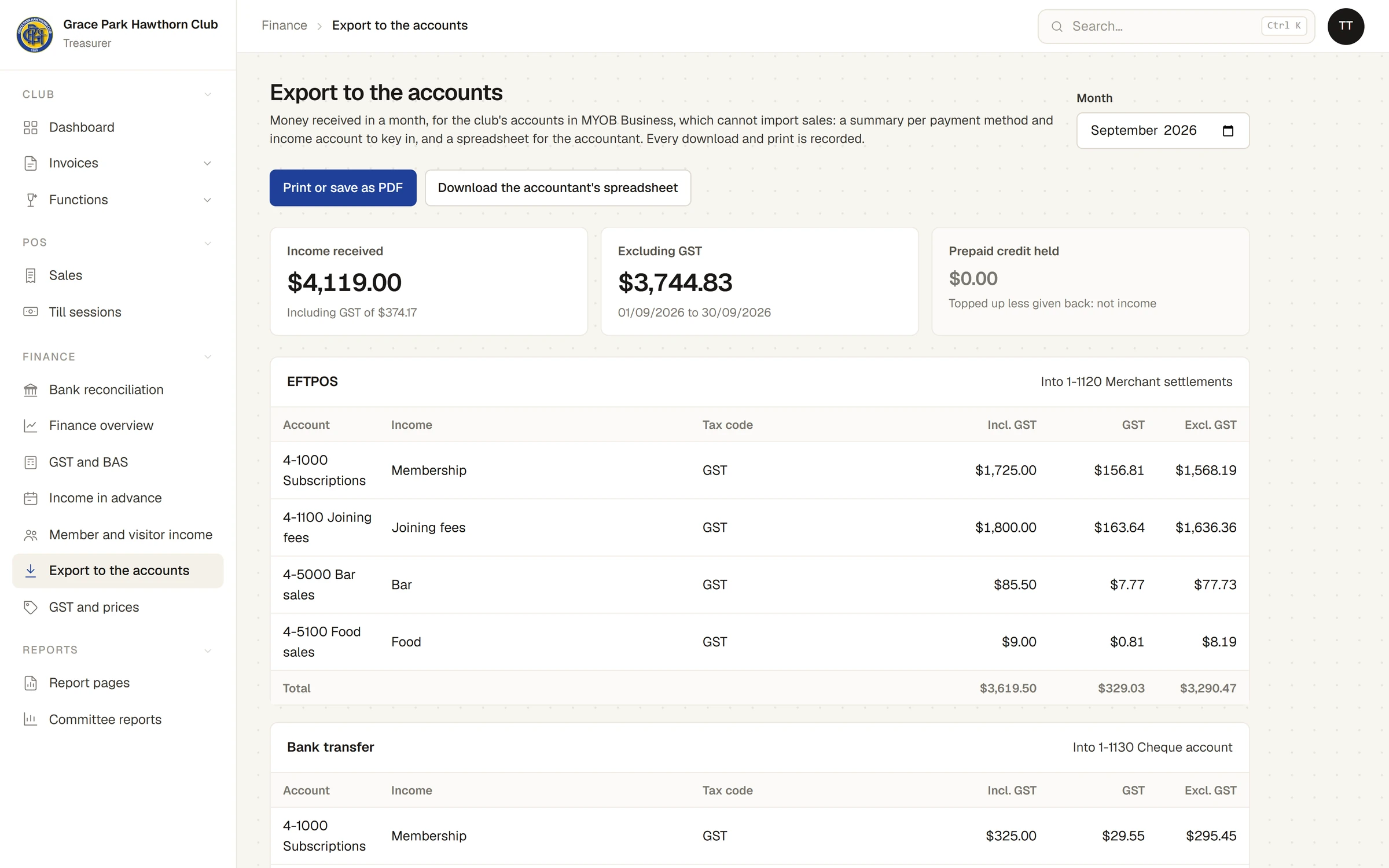
The tax codes are MYOB's: GST (taxable), FRE (GST-free), ITS (input-taxed) and N-T (not a sale, used for prepaid credit held). Prepaid credit as a way of paying comes Out of the prepaid credit account, not into a money account.
Every print and download is recorded, and listed under Exported before with the month, which form, the total, the day and who.
The accountant's spreadsheet
A file for the month, with a row for each day, account, tax code and way of paying, and the columns Date, Account, Account name, Income, MYOB tax code, Payment method, Amount including GST, GST, Amount excluding GST and Source (invoices, the till, or imported with estimated GST).
What is counted
- Money received in the month: payments recorded on invoices and payments taken at the till, by the day they were paid.
- Each payment shared across the kinds of income on its invoice, with its GST.
- Prepaid credit topped up at the till is listed apart, to the credit account: it is not income until it is spent.
- Money imported from the system the club used before, and older till sales, have GST estimated at 1/11. A line under the cards says how much.
If something goes wrong
- "Give these an account below before exporting: …" Some income this month has no account. The two buttons cannot be pressed until each one listed has a code under The club's accounts.
- "No money account is set for: … The summary still shows them." A way of paying has no account. You can still export.
- "September 2026 was already printed on … by …. Export it again?" That month was exported in the same form before. Press OK to export it again; it is recorded as (again).
- "… is not an account code: letters, digits, full stops and hyphens, 10 at most." Change the code and press Save accounts again.
Last checked in release 2026.10.23, on 23 October 2026.