
How to
Change or cancel your booking (members)
Move your booking to another time or court, change how long it is, add guests, or cancel it, on Make booking.
Who this is for: Anyone with “Book courts for yourself” (by default: Member).
You can change your own bookings on Make booking: move one to another time or court, make it longer or shorter, add guests, or cancel it. A change is not made until you press Save in the booking.
Move it, or change its times
- Open and go to the day of the booking.
- Drag your booking to another time, or to another court of the same sport. To change the start or the finish, drag its top or bottom edge. Times move in quarter-hours.
- The booking now says Changed, not saved, with what it was, for example was 10am–11am.
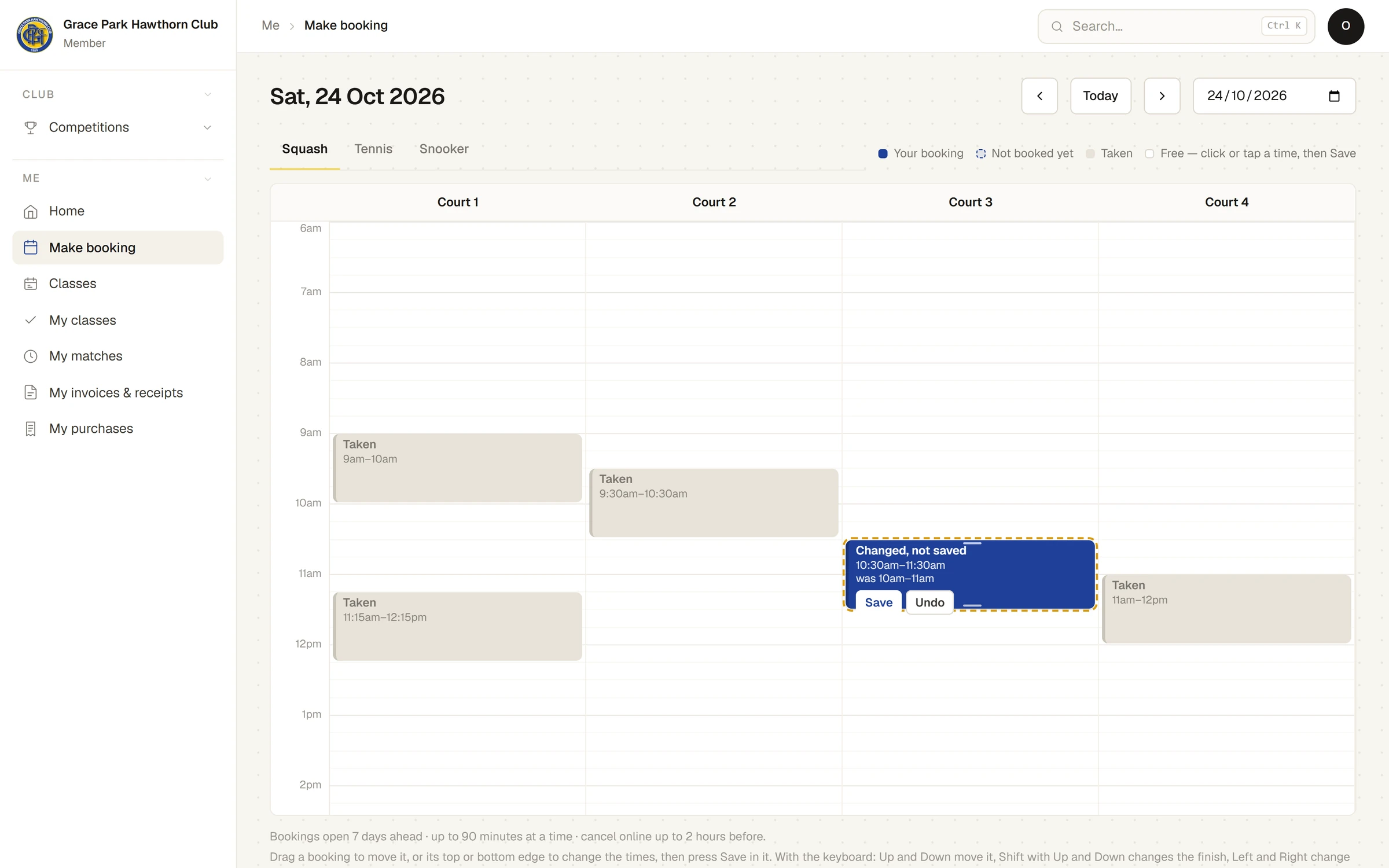
- Press Save in it. A message says, for example, Changed to Court 3, 10:30am–11:30am.
To put it back as it was, press Undo in it instead.
On a phone, press and hold the booking for half a second, then move your finger to drag it. A quick swipe scrolls the page instead.
The same rules apply as when booking: if the new time is not allowed, the booking turns red and says why.
With a keyboard
Select your booking with Tab. Up and Down move it by a quarter-hour, Shift with Up or Down changes the finish, and Left and Right move it to the next court. Enter saves, and Escape undoes.
Add guests, or see the booking's details
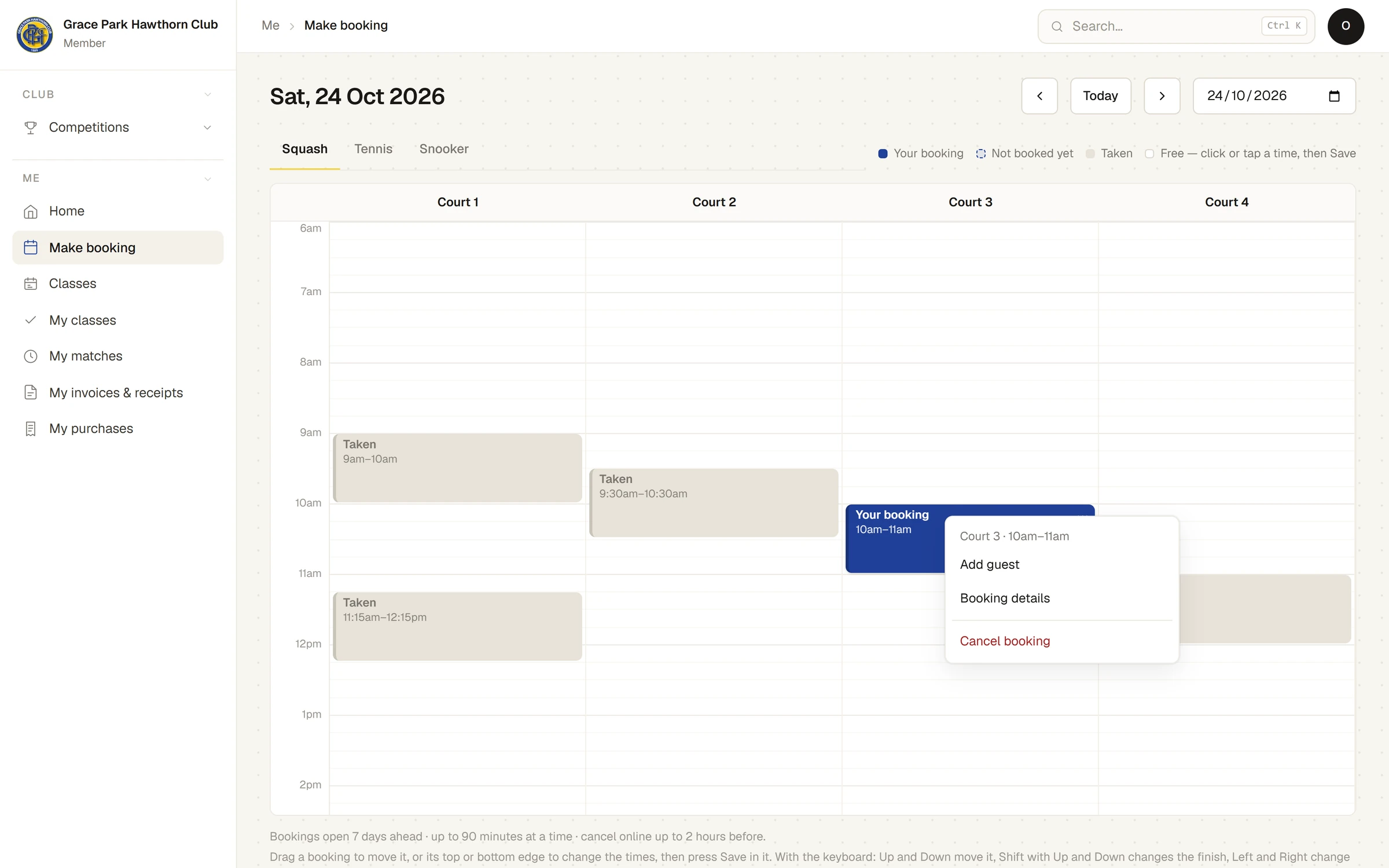
Each of your bookings has a menu. Open it by right-clicking the booking, pressing and holding it on a phone without moving, pressing its … button, or pressing the Menu key or Shift+F10 when it is selected. It holds:
- Add guest: opens the booking's panel with the guests ready to change.
- Booking details: opens the same panel, with the court, the day and the times.
- Cancel booking.
In the panel, set the number of Adult non-member guests and Junior non-member guests, and press Save guests. The fee for each guest is shown. Guest fees are recorded on the booking and paid at the club. See Guests and guest fees.
Cancel it
- Open the booking's menu and choose Cancel booking, or press Cancel this booking in its panel.
- Sports Club OS asks, for example, Cancel your booking on Court 3, 10:30am–11:30am? Confirm it.
A message says Booking cancelled, and the time is free for others.
Your Home page lists your bookings for the coming 60 days, each with a Cancel button, which does the same.
If something goes wrong
- Your booking cannot be changed. It has already started. Contact the club office.
- Cancel booking is refused. It is too close to the start for your club's online cancellation. Contact the club office.
Last checked in release 2026.10.23, on 23 October 2026.