
Reference
Function settings: rooms, items, packages, rules and terms
Every setting on the Functions tab of Admin > Settings, what each does, what a new club starts with, and who can change them.
Who this is for: Anyone with “Function rooms, prices and terms” (by default: Administrator, Functions).
The Functions tab of holds the club's function rooms, what can go on a quote, the deposit and hold rules, and the terms a hirer accepts. It has four parts: Rooms, Items and packages, Deposit and hold rules and Terms.
Who can change them
The Functions role and the Administrator can by default. Your club can change this on Roles & permissions. Someone who holds only this sees just the Functions tab of Settings.
How changes are saved
Changes on this tab are kept together: a bar says You have changes that are not saved., with Discard and Save changes. Press Save changes; a message says Functions settings saved.
Changes apply to new quotes. A quote already sent keeps what it said, including its terms, so a hirer is never held to terms they did not see.
A new club starts with an example set of rooms, items, packages and terms. Replace every room, capacity, price and term with the club's own before quoting.
The text at the top of the tab says the same: check every room, capacity, price and term and replace it with the club's own.
Rooms
Each room has:
| Setting | What it does |
|---|---|
| Room | Its name, on quotes, the calendar and the public page. |
| Seated, Standing | Its capacities, shown on the public page. |
| Set-up, min, Pack-down | Minutes before and after a function that the room is taken. Clashes count them, and the calendar shows them as lighter ends. |
| A sentence for the public page | Shown on the room's card on the venue page. |
| Made up of | Tick the rooms it is made of, for a room such as a whole clubhouse. "Booking this room takes those too, and it is taken when any of them is." |
Add a room adds one; Remove, then Press again to remove, takes one off.
Items and packages
Each item has its Item name, Group (Room hire, Catering, Drinks, Equipment, Staff or Other), Unit (each, per head or per hour), Price and Member price. The price heading says whether prices are typed including or excluding GST, as the club has set for its prices. A member price is used when the host is a member; leave it empty for None. Add an item adds one; ✕ removes one. The bar tab item cannot be removed, because the till and close-out use it.
A package is a name, a line about it, and items. Choose from Add an item to this package…; ✕ takes one out. Add a package adds one. On a quote, adding a package adds its items.
Deposit and hold rules
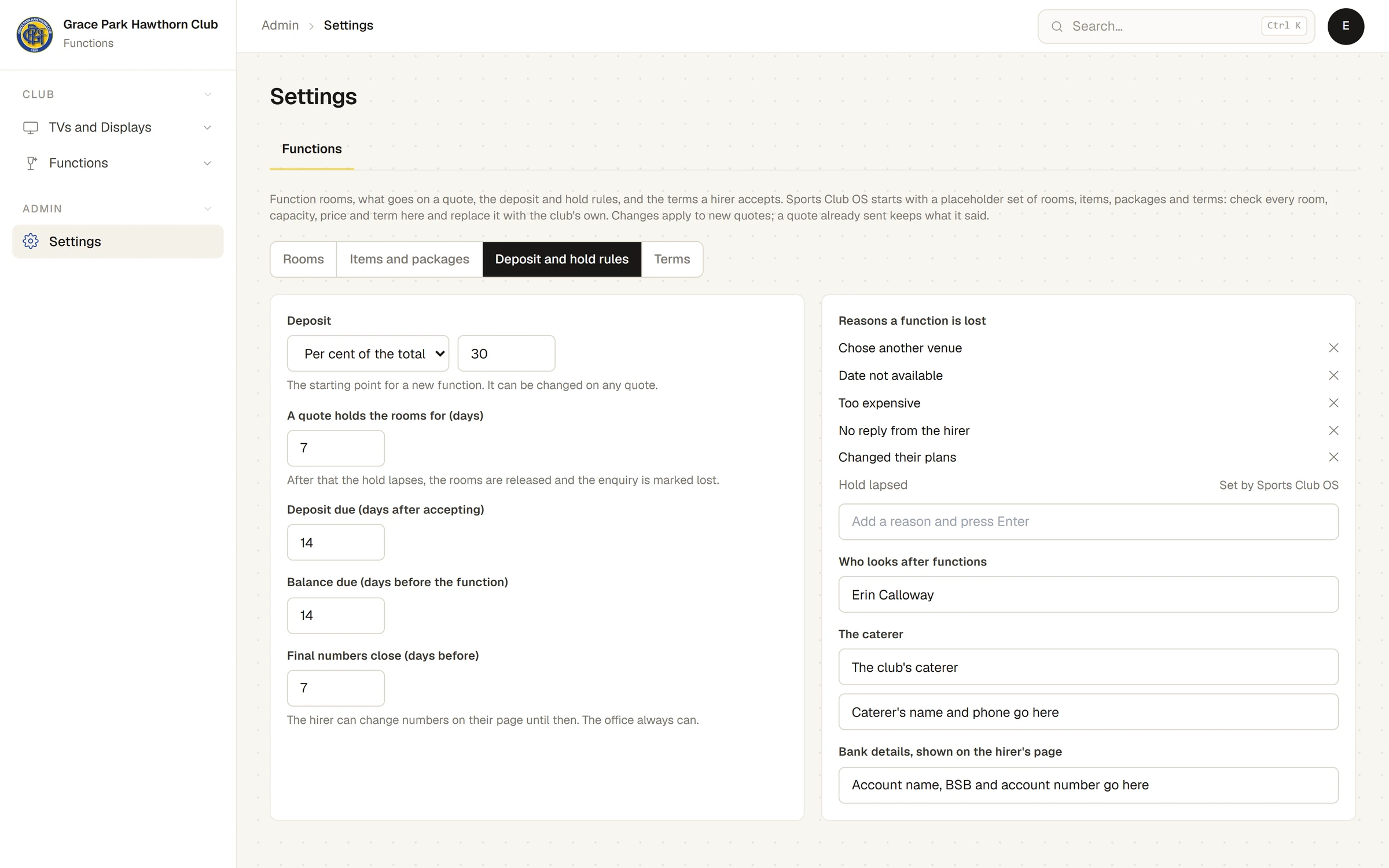
| Setting | What it does | A new club starts with |
|---|---|---|
| Deposit | Per cent of the total or A fixed amount ($). "The starting point for a new function. It can be changed on any quote." | 30 per cent |
| A quote holds the rooms for (days) | "After that the hold lapses, the rooms are released and the enquiry is marked lost." The public venue page says the same length to visitors. | 7 |
| Deposit due (days after accepting) | When the deposit invoice is due. | 14 |
| Balance due (days before the function) | When the balance invoice is due. | 14 |
| Final numbers close (days before) | "The hirer can change numbers on their page until then. The office always can." | 7 |
| Reasons a function is lost | The choices for Mark as lost. Type one and press Enter to add it; ✕ removes one. Hold lapsed is "Set by Sports Club OS" and always there. Keep at least one. | Chose another venue, Date not available, Too expensive, No reply from the hirer, Changed their plans |
| Who looks after functions | The name the hirer sees on messages and on their page. | |
| The caterer | The caterer's name and contact, shown on the function sheet. | |
| Bank details, shown on the hirer's page | How the hirer pays by bank transfer. |
Terms
The sections of terms a hirer agrees to when they accept, each a heading and its text. Add a section adds one; Remove, then Press again, takes one off. "The whole set is copied onto a quote when it is sent, so changing a section here does not change what a hirer has already accepted."
Last checked in release 2026.10.23, on 23 October 2026.