
How to
Read everyone's feedback, and set Help and feedback's limits
Read the feedback people saved through Help and feedback, mark it done or add a note, read or delete conversations, and set the assistant's limits.
Who this is for: Anyone with “Read everyone's feedback” or “Use Help and feedback” (by default: Administrator).
Everyone signed in can press Help and feedback at the top right of any page to ask how to do something, or to tell the club what they noticed. See Ask Help and feedback, or tell the club what you noticed for what they see. When someone's feedback is clear, the assistant offers a summary, and it is kept only when they press Save it. Feedback is where the Administrator reads all of it, works through it, and sets how much the assistant may be used.
Before you start
- Reading everyone's feedback is for the Administrator alone. No other role can be given it.
- Everyone else sees only their own, as My feedback, from the link at the top of the Help and feedback panel. It lists what they saved, newest first, with each whole conversation.
Read the feedback
Open . The page says how many summaries are saved and how many are still to do. Each entry shows:
- What kind it is: Something went wrong, Confusing, Something missing, An idea, Works well or Other.
- What it is about, and the summary the person saved.
- Who saved it, with their roles, when, and the page they sent it from (and "on a phone" if they did).
- Whether the copy to the makers of Sports Club OS was sent.
- Your note, if you added one.
Narrow the list with the lists at the top: the kind (Every kind), To do, Done or All (it starts at To do), a person (Everyone), and Search….
Work through it
- Show the conversation opens the whole conversation the summary came from, with the summary marked in it.
- Mark done moves it out of To do. Not done after all puts it back.
- Add a note asks for a note on what was done about it, or why not. The note shows under the summary. Change the note changes it.
Conversations where nothing was saved
Press Nothing saved to see conversations that ended without a saved summary: help questions that were answered, and feedback left unfinished. Each shows who, their roles, when, how many messages, the pages they were on, and their first words. Show the conversation opens it. Delete removes it, after you confirm; it cannot be brought back.
Each of these is cleared by itself once nobody has added to it for 90 days. Conversations with saved feedback are kept.
Questions Help could not answer
Press Questions Help could not answer to see every answer where the assistant said the Help centre does not say, newest first: the question asked, the role names of the person who asked it, when, the page it was asked from, and the Help centre articles the assistant had. It includes questions about something the person cannot do, which the assistant answers by saying it is not in their menu. Show the conversation opens the conversation it came from.
Each one is a gap in the Help centre, or a question the assistant could not find the answer to. They are not sent anywhere: only feedback someone saves goes to the makers of Sports Club OS.
Download everything
Download all saves one text file with every saved summary (kind, who, when, the page and your note) and then every conversation in full. Use it to hand the list to whoever is working through it.
Set the limits
The assistant is answered by an AI model, which costs the club a little for each message. The limits keep that in hand.
- Press Limits and use. It says whether the assistant is switched on, how many messages it has answered today out of the club's daily limit, and about how much it has cost this month.
- Change any of the four limits:
- Messages a minute, each person: 6 to start with (1 to 30).
- Messages a day, each person: 100 to start with (1 to 1,000).
- Messages a day, the whole club: 400 to start with (0 to 10,000).
- Spending a month (US$): 20 to start with (0 to 1,000).
- Press Save limits. A message says Limits saved. Back to the defaults puts the starting figures back in the boxes, to save.
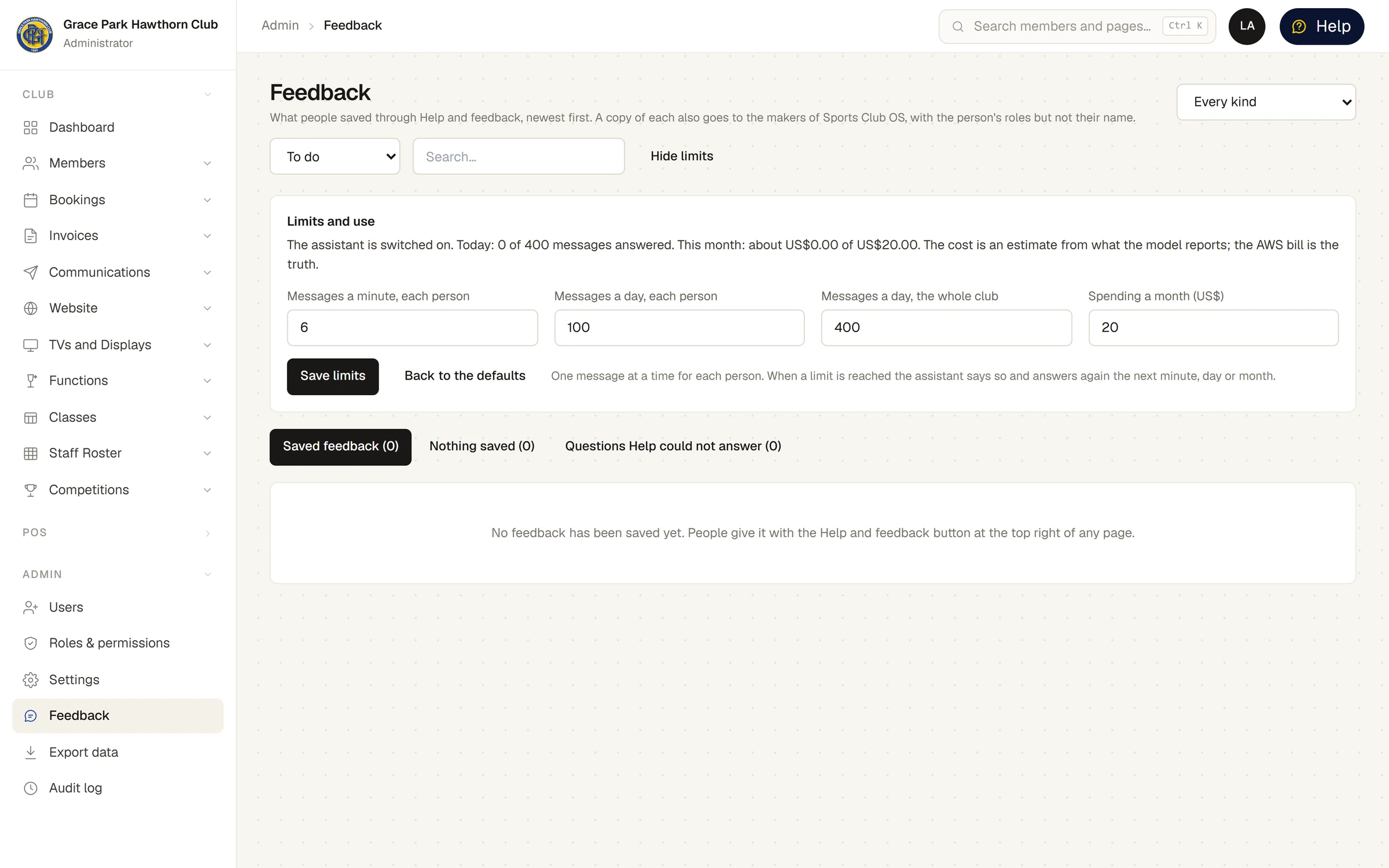
Each person can send one message at a time. When a limit is reached, the assistant says so in plain words and answers again the next minute, day or month. The cost shown is worked out from what the model reports; the club's bill from its cloud provider is the true figure.
Each change of the limits is recorded in the audit log, with the old and new figures. So is saving a piece of feedback (with its kind) and deleting a conversation. What people type, and what the assistant answers, is not written to the audit log: the conversation is the record, and you read it here.
What leaves the club
When someone saves feedback, a copy goes to the makers of Sports Club OS, so it can be acted on. The copy holds the summary, its kind and what it is about, the page, the person's role names, the club, the release of Sports Club OS and the date, with a link to the entry on this page. It never holds the person's name or email address, or the conversation. If the copy cannot be sent, the feedback is still saved here, and the entry says the copy could not be sent.
Last checked in release 2026.10.23, on 23 October 2026.