
How to
Stop a message during its hold
For 30 seconds after you press Send, Stop means nobody receives the message. After that, Stop prevents the emails not yet sent.
Who this is for: Anyone with “Send communications” (by default: Administrator).
Nothing leaves for 30 seconds after you press Send. That is the hold: time to notice a mistake and stop the message before anyone receives it. After the hold, emails go out one address at a time, and you can still stop the ones not yet sent.
Before you start
- You need to be able to send communications. The Administrator can by default.
- Stay on the message's page after pressing Send. If you have left it, open the message from .
Stop during the hold
- After you press Send, the page shows Sending starts in 30 seconds, counting down, and Nothing has left yet. Stop now and nobody receives it.
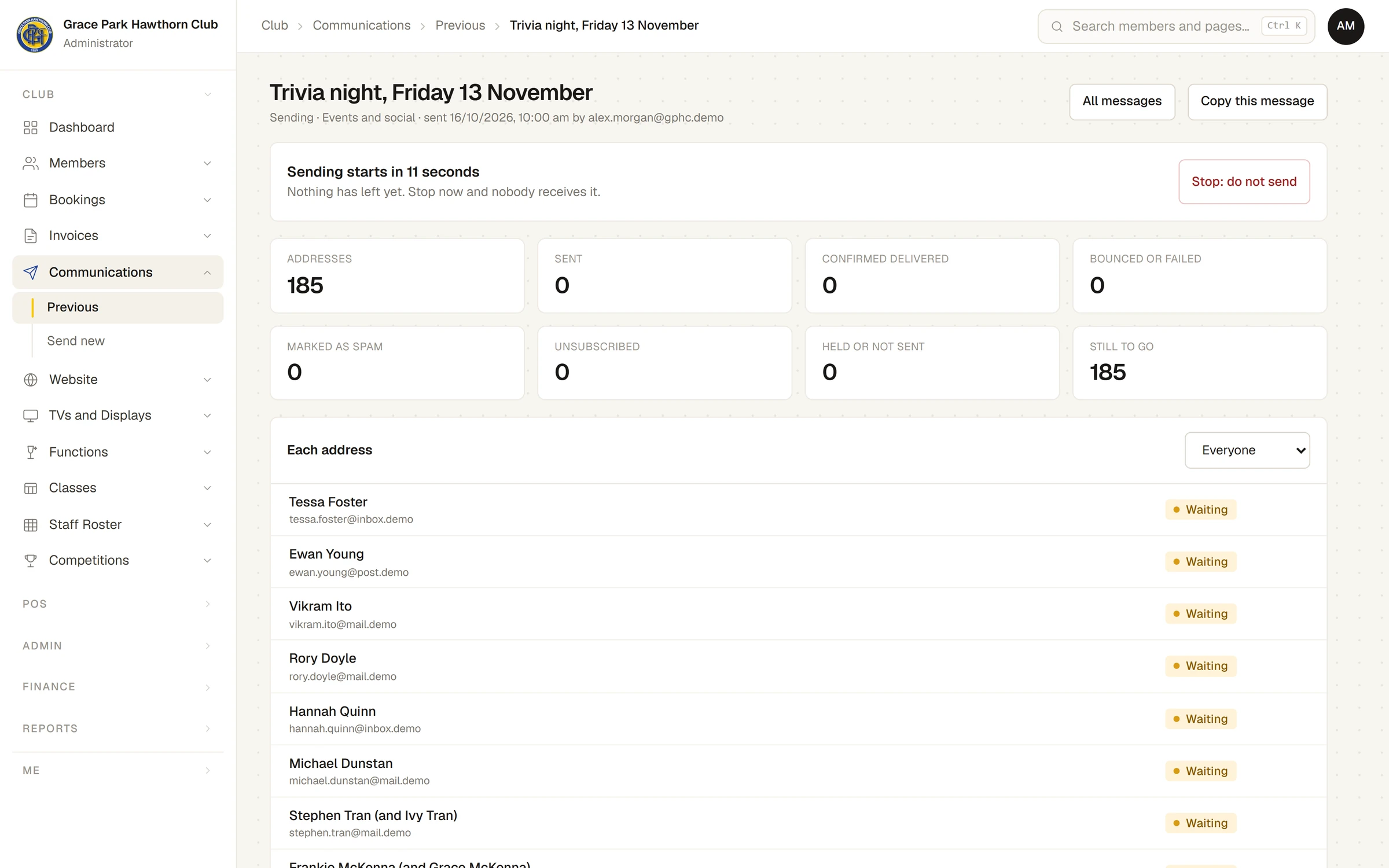
The hold is always 30 seconds. The picture was taken part-way through the count, so it shows fewer seconds.
- Press Stop: do not send.
The message is marked Stopped. Every address shows Stopped, and nobody receives anything.
Stop while it is sending
Once the count reaches nought, the page says Sending… and how many are done, for example 40 of 185 done. You can leave this page; sending carries on.
- Press Stop sending the rest.
- The page says Stopping… for a moment.
Emails already sent cannot be called back. The rest are marked Stopped and are not sent. The message's results show exactly who received it.
After stopping
- A stopped message cannot be restarted or changed. To send it after all, or a corrected version, press Copy this message. The copy is a new draft with the same kind, words and choice of who it goes to; change what you need and send it.
- If you stopped part-way, people who already received the first one would get the copy too. Leave them out of the copy by hand at its Who step (See who, then Leave out), if you can see members.
If something goes wrong
- This message is not being sent. It finished sending, or was already stopped, before your press reached Sports Club OS.
For what each address shows afterwards, see What happened to a message: delivered, bounced, complained.
Last checked in release 2026.10.23, on 23 October 2026.