
Overview
What Bank reconciliation does
Import the club's bank statement and match every line to money Sports Club OS recorded, or explain it, then reconcile to a date so it is locked.
Who this is for: Anyone with “See bank statements and the reconciliation” or “Reconcile the bank account” (by default: Administrator, Reporting, Treasurer).
Bank reconciliation checks that the money Sports Club OS recorded reached the club's bank account, and that every line on the statement is accounted for. The treasurer imports the statement from the bank as a file, matches each line to the invoice payments and till cash it was, explains the lines that are not club income (a bank fee, the club's spending), and then reconciles to a day, which locks everything up to it.
Nothing on this page changes an invoice or a payment. Reconciliation keeps its own records beside them.
Who uses it
- The treasurer sets up the bank accounts, imports statements, matches and explains lines, and reconciles. The Treasurer and Administrator roles can by default.
- People who read the figures see the bank lines, the matches and the reconciled-to dates, with no buttons. The Reporting role can by default. Bank lines can name the people who paid.
Your club can change who does what on Roles & permissions.
The page
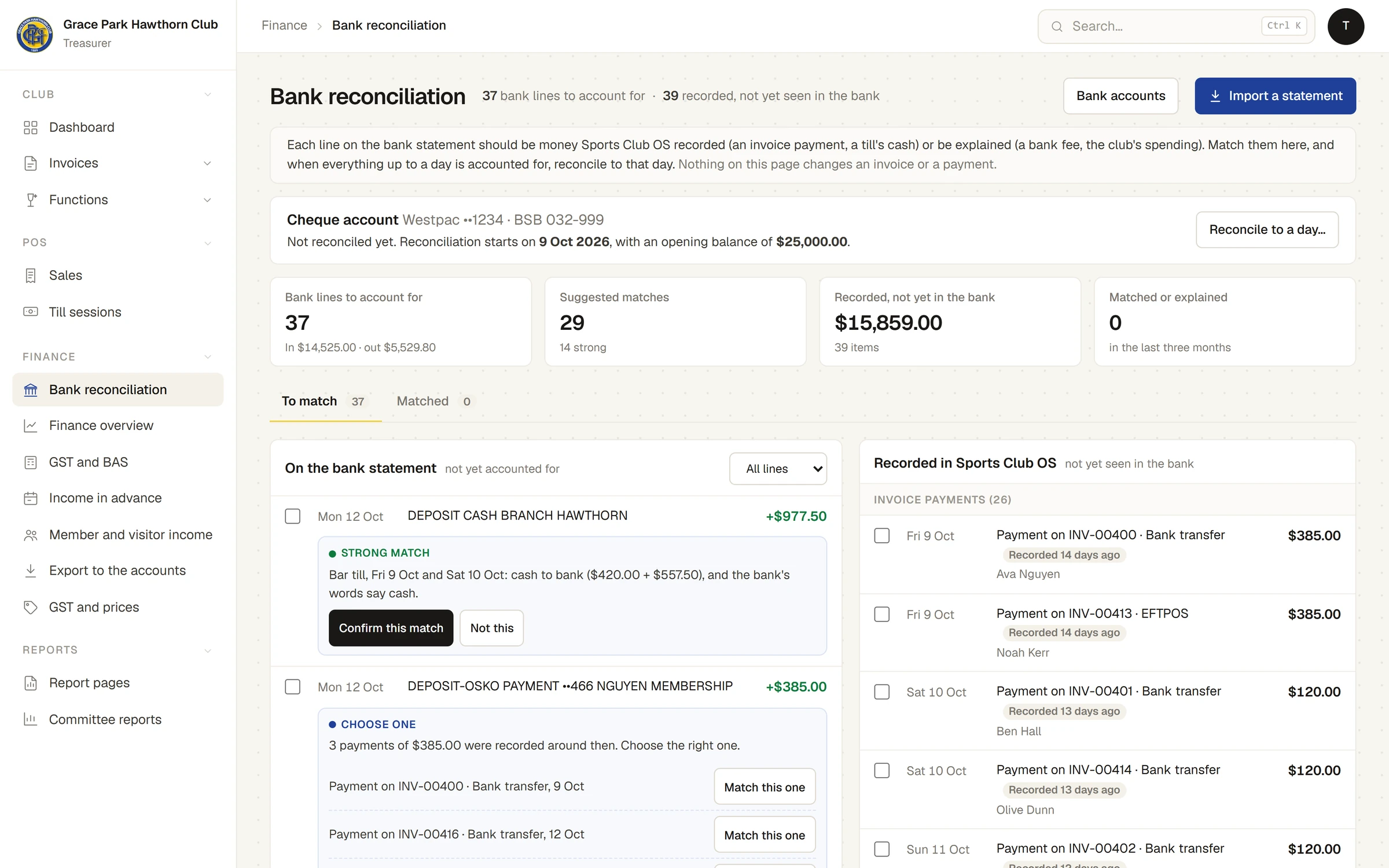
It is . At the top: the account, how far it is reconciled, and four figures: Bank lines to account for, Suggested matches, Recorded, not yet in the bank and Matched or explained (in the last three months).
- To match: the bank lines not yet accounted for on the left (On the bank statement), and the money recorded but not yet seen in the bank on the right (Recorded in Sports Club OS). On a phone the two sides are tabs.
- Matched: what has been matched or explained, with Unmatch.
- Bank accounts, Import a statement and Reconcile to a day… open panels at the side.
The words it uses
- Bank line: one line of the statement: its date, the bank's words and the amount in or out.
- Recorded money: what Sports Club OS recorded that should reach the bank: invoice payments taken as money (bank transfer, cheque, cash, EFTPOS or card), and each closed till session's cash, counted less its float.
- Match: bank lines tied to the recorded money they were. They must come to the same amount, to the cent.
- Explained: a bank line that is not recorded money, given a reason (spending, a bank fee, a transfer, interest and so on). Nothing is added to the club's income.
- Reconciled to: the day up to which every line is accounted for and the balance agrees with the statement. Everything up to then is locked.
What is never offered as recorded money
- Till sales one by one. Till cash goes to the bank by session, so a session's cash is matched as one amount.
- Prepaid credit spent at the till, bar charges to a member's account and a function's bar tab. They are not money until the invoice they end up on is paid, and that payment is matched then.
- Anything before the day reconciliation starts for the account.
What is kept
- Of each account: its name, the bank, the BSB and the last four digits of the account number only.
- Of each statement: its lines. The file itself is not kept. Long numbers in the bank's words (other people's account numbers) are shortened to their last three digits.
What it does not do
- It never records, changes or deletes a payment. Money that reached the bank but was never recorded is recorded on the invoice first, then matched.
- It does not connect to the bank: statements are downloaded from the bank and imported.
Articles
- Tasks: Import a bank statement (setting up the account, and importing), Match and explain bank lines, Reconcile to a date, and reopen it.
- Setup: Set up bank accounts for reconciliation.
- Related: Record a payment, What Finance does, Export a month's income to your accounts, What is not built yet.
Last checked in release 2026.10.23, on 23 October 2026.