
Questions
Why are days that have passed locked on the roster?
Nothing on a day before today can be changed, so the roster stays a true record of who was rostered and nobody is told about shifts that are over.
Who this is for: Anyone with “Run the bar and events roster” (by default: Administrator, Bar Manager).
Days before today are locked so that the roster stays a true record of who was rostered, and so that nobody is sent a message about a shift that is already over. Today stays open, including shifts that have already started or finished today.
What you see
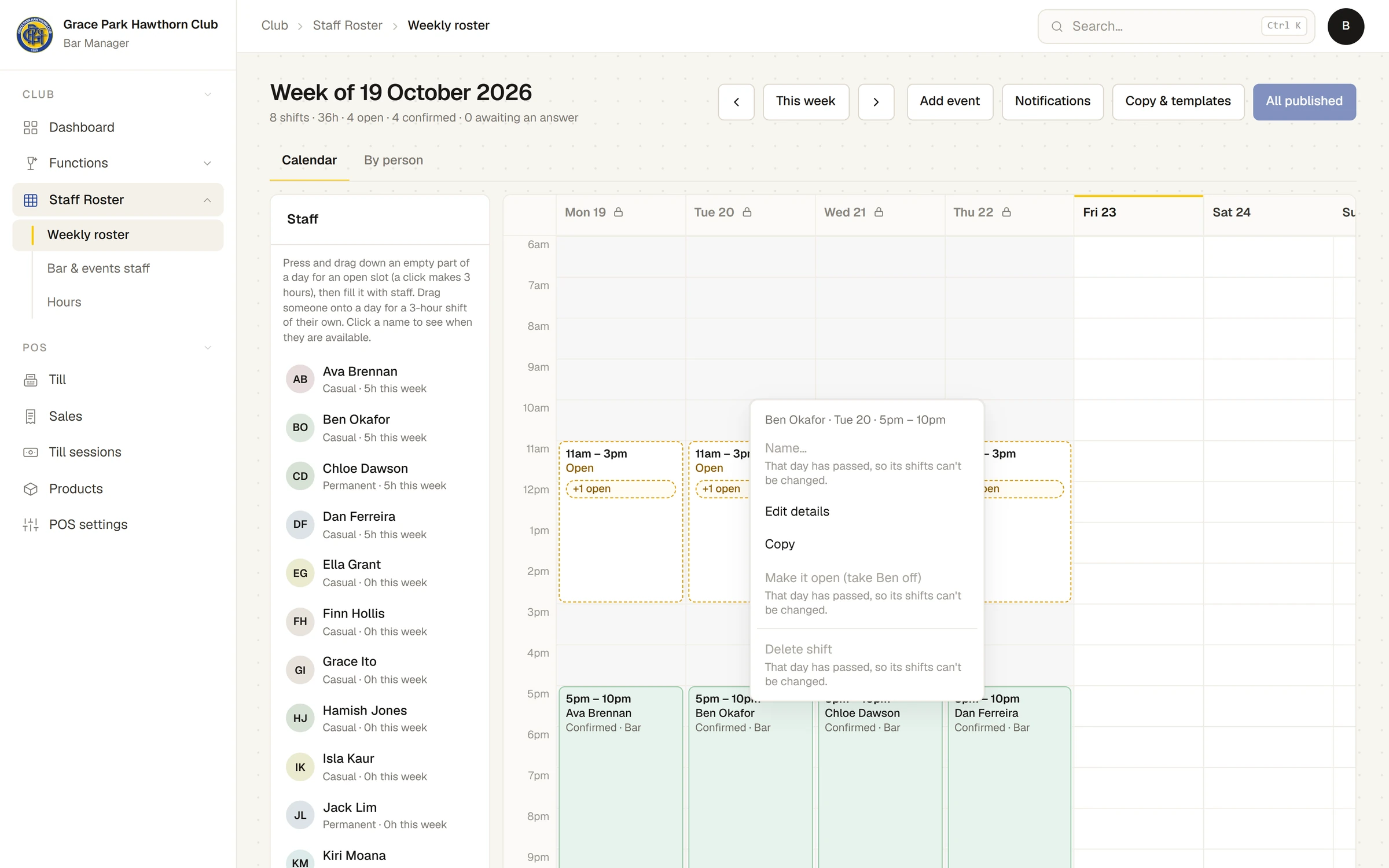
On the Weekly roster, a day that has passed is greyed, with a lock beside its name ("Past: this day can no longer be changed" when you point at it). Its shifts have no edges to drag, its chips have no ×, and nothing can be dropped or pasted onto it.
Its menus offer only what changes nothing: Copy and Edit details. Everything else is greyed with the reason, That day has passed, so its shifts can't be changed. The same message shows if you try to move a shift onto or off a past day, or use the arrow keys on one.
What else leaves past days alone
- Publishing leaves them out. A draft or an edit left on a day that has passed stays as it is, is not counted and sends nothing.
- Copy last week, Use on a template and Discard changes leave them out, and their message names the days skipped.
- Discard changes on this day… is greyed on a past day.
What still works
- Staff answering their shifts, and reporting the hours they worked, are not roster changes, and carry on as usual.
- Hours are corrected on Hours, not on the roster: see Check and approve hours worked.
- You can copy a past shift or slot and paste it on a day still to come.
Last checked in release 2026.10.23, on 23 October 2026.