
How it works
The public venue page and enquiry form
What visitors see on the club's public venue page, how they check a date and send an enquiry in three steps, and what reaches the office.
Who this is for: Anyone: no sign-in needed.
The venue page is the club's public page for function hire. It needs no sign-in. Visitors see each room with its photograph, capacity and features, check whether a date is free, and send an enquiry, which lands on the function board. The office opens it from The public page on the board. The club's own website can show the same rooms, calendar and form on its Functions page.
The rooms
Each room the club has switched on is a card with its photograph, a sentence about it, how many it seats and holds standing, and its features, with Check a date and Enquire about this room. A room switched off stays on the functions that already have it, but is not on the public page. There is no switch for this on the Settings tab yet.
There are no prices on the public page. Amounts first appear on the quote, behind the hirer's own link.
Check a date
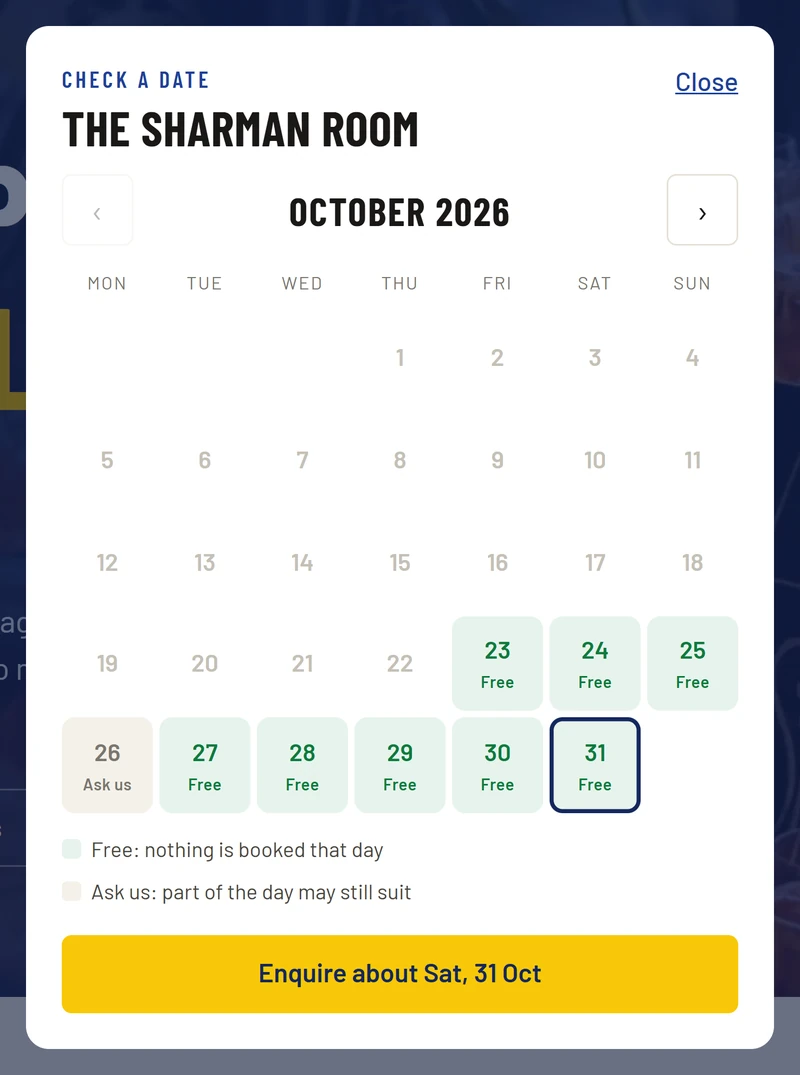
Check a date opens a month for that room. Each day is Free ("nothing is booked that day") or Ask us ("part of the day may still suit"). A visitor never sees who has a room, or whether a hold is tentative. Choosing a day and pressing Enquire about … fills in the form with that room and date.
The enquiry, in three steps
- The occasion: what it is, the date (with My date is flexible), the number of guests, and the start and finish.
- The room and what you need: which room, or Not sure yet; food (Yes, please quote catering, I will talk to the caterer myself or No food); drinks (Guests buy their own, A bar tab or a package or No alcohol); and anything else they will need.
- About you: their name, company or group, email and phone, I am a member of the club, how they heard, and a note.
They press Send enquiry. The page says that an enquiry is not a booking, and afterwards thanks them: someone from the club will reply within one working day, the quote will come by email, and the date is not held until that quote is sent. It then says how long the date is held while they decide ("a week" to start with), from the club's own hold rule.
What reaches the office
- A new function under New on the board, marked as received from the website, with what they typed.
- An email to the people who run functions.
- The visitor is emailed a thank-you.
A hirer is a contact. An enquiry from an email address the club already holds uses that record; otherwise a new contact is made, tagged Function hirer, with no membership. The page says the same to every visitor either way, so it never shows whether someone is already known to the club.
Next: From an enquiry to a quote.
The club's own details
The venue page and the hirer's own quote page take the club's name, and where they say how to reach the club its phone, email and address, from , Club tab. A detail left blank there is left off the pages. How long a quote holds the date comes from A quote holds the rooms for (days) on the Functions tab. Before you give out the venue page's address, read it through, and read a hirer's page with Preview quote. See Enter your club's details.
Last checked in release 2026.10.23, on 23 October 2026.