
How it works
Paying yearly or monthly: how it works
How monthly membership works beside yearly: the fee, one invoice a month per household, when it is raised and due, access, credit and the timeline.
Who this is for: Anyone with “See members and contacts” or “Choose how you pay your membership” or “Club settings” (by default: Administrator, Head Coach, Casual Staff, Reporting, Member).
Every membership type that expires can be paid once a year. Where the club allows it for a type, it can also be paid by the month instead. Monthly is month to month: a member can go back to yearly at any time, and what they paid and have not used becomes a credit.
Which types can be paid monthly
A type can be paid monthly when the club ticks Can be paid monthly on it, in , Membership types tab. A type that never expires cannot be.
The monthly fee is the type's Monthly fee, or, if that is left blank, a twelfth of the yearly fee to the cent. A new monthly fee applies from the next month invoiced. See Membership types and the membership year.
Paying yearly
A yearly member pays one invoice for the membership year. Their renewal invoice is raised by the office on the Renewals page, or automatically for members on Auto renew and invoice. Paying it moves their expiry to the end of the next membership year. See Raise renewal invoices.
Paying monthly
- Months are calendar months. Each month's invoice covers the 1st to the last day of the month.
- One invoice a month for the household. Everyone in a household who pays monthly is on one invoice, addressed to the head of the household, with a line for each person. See Households: who pays for whom.
- When it is raised: Sports Club OS raises each month's invoice 7 days before the month begins, and it is due on the 1st. Nobody has to press anything.
- Who is on it: only people whose status is Active. Someone Suspended, Lapsed or Cancelled is left off.
- Access: a monthly member's membership runs to the end of their last month paid, plus 7 days' grace. Their page shows this as Access until. Paying a month moves it on; nothing ever moves it back. Only an unbroken run of paid months counts: if a month is missed, paying a later one does not carry them past the missed month. See Missed monthly payments: what happens and what does not.
- Part months: someone who starts, stops or changes type during a month pays for the days, worked out to the day. See Change how a member pays.
- Credit: credit held for the household is taken off its next monthly invoices, as a line Credit from your earlier plan. A month covered entirely by credit is marked paid with nothing to pay, and no payment is recorded, because no money changed hands.
Where it shows
On the member page, Overview tab:
- How they pay shows Yearly and Monthly, with the price of each and How they pay now on the one they use. For a monthly member: Paying monthly since, Access until, Next invoice (the month and the day it is raised), Credit held for the household if any, and who is on the household's invoice. Someone who is not the head sees Invoices go to and the head's name.
- Monthly payments shows the last 12 months and the next 3, oldest first, with a count of each kind at the top.
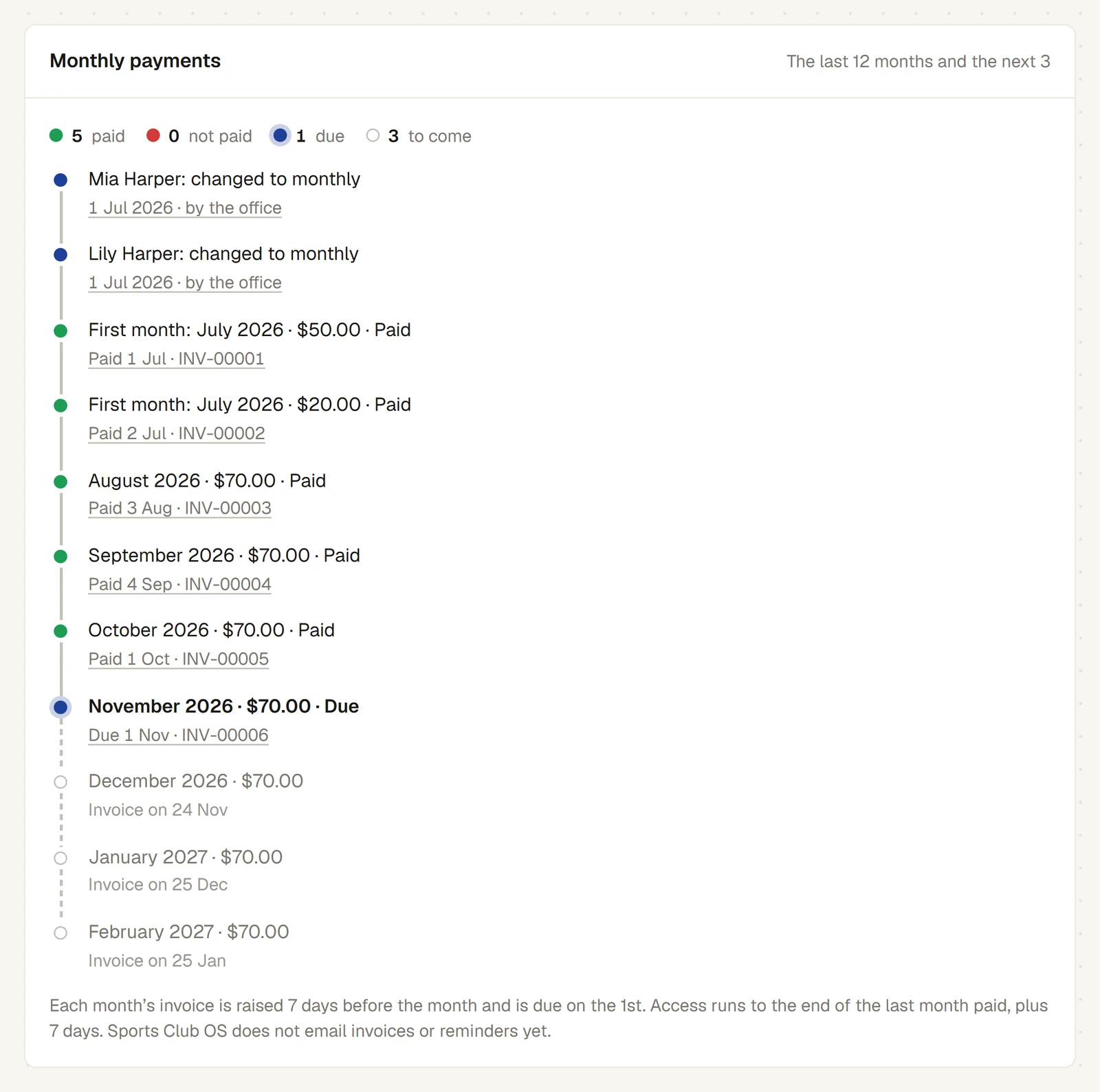
Each month in the timeline says:
- Paid, with the day it was paid and the invoice number, or Covered by credit.
- Not paid, once its due date has passed: Was due 1 Sep · 52 days overdue.
- Due: raised and not yet due.
- To come: the amount at today's prices, less any credit, and Invoice on the day it will be raised.
Changes of plan are in the timeline too, with who made them (by the office or online). Press an invoice number to open the invoice.
The Members list has a Frequency column and a Payment frequency filter, Yearly or Monthly.
Who chooses
- The office changes how anyone pays, from their page. Changing it needs the permissions to add and change members and to raise invoices, because it raises and voids invoices. The Administrator, Head Coach and Casual Staff roles have both by default.
- The head of a household chooses yearly or monthly for each person in it on their own Home page. Their change takes effect that day, and they cannot change anyone's membership type. Anyone else in a household sees their own plan.
What it does not do
- There is no quarterly payment.
- A missed month is flagged, never acted on.
- The join form does not offer monthly payment; change how a new member pays after they are elected.
Last checked in release 2026.10.23, on 23 October 2026.