
How to
Your member home page
What your Home page shows as a member: your membership, your coming bookings, how you pay, and anything to pay.
Who this is for: Anyone with “Book courts for yourself” or “Own invoices and receipts” or “Own contact details” or “Choose how you pay your membership” (by default: Member).
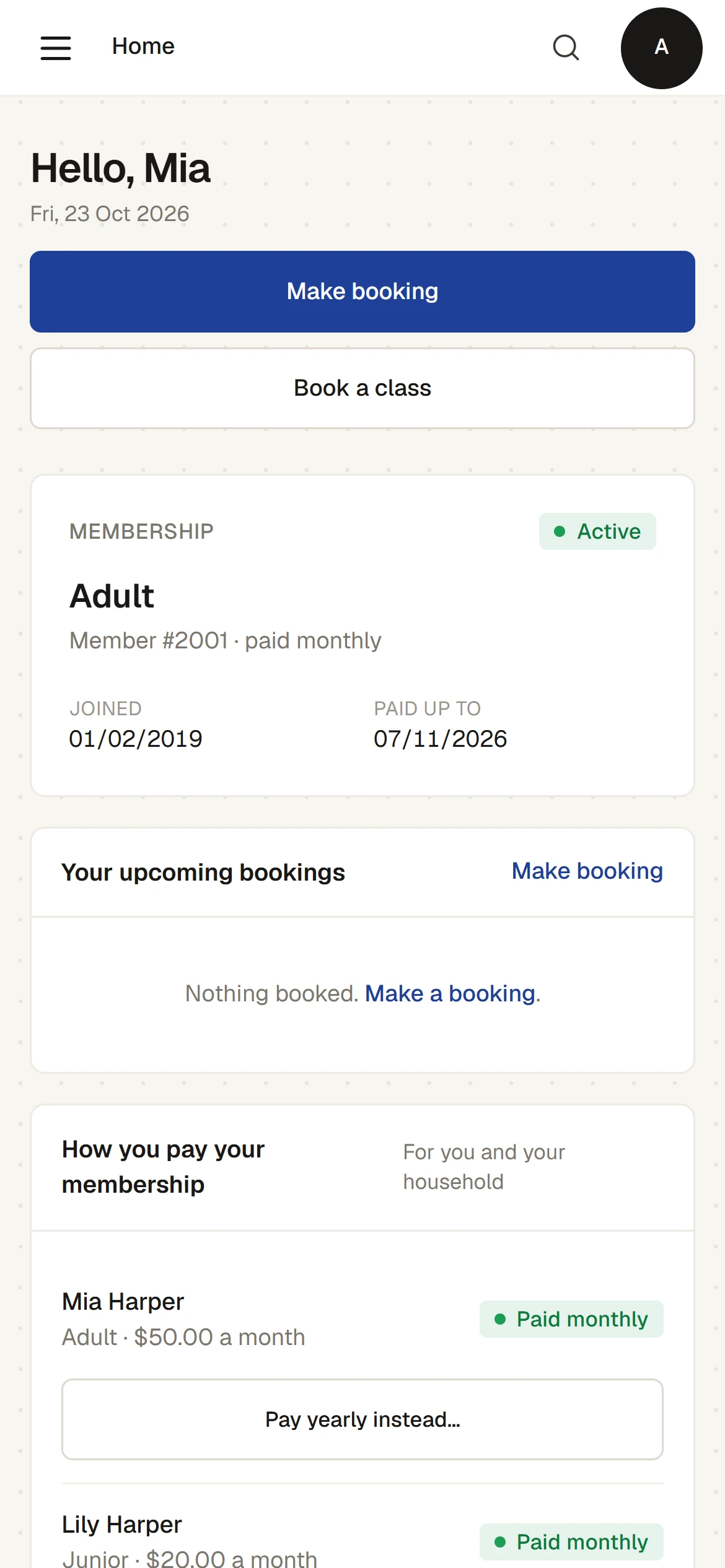
When a member signs in, Sports Club OS opens Home: . It shows your membership, your coming bookings, how your membership is paid and anything you have to pay, on one page that works on a phone.
What is on it
- Make booking and Book a class, at the top.
- Membership: your membership type, your member number, its status (for example Active), when you joined, and the date it renews or is paid up to. A warning shows when your renewal is due within 30 days or has passed, with a link to the renewal invoice if one is waiting.
- Your upcoming bookings: your bookings for the next 60 days, each with a Cancel button. If you have none, it says Nothing booked.
- How you pay your membership: whether each person pays yearly or monthly, and what each pays.
- Invoices: anything you have to pay, with the amount and the due date, and All invoices & receipts. If there is nothing, it says Nothing to pay.
Paying yearly or monthly
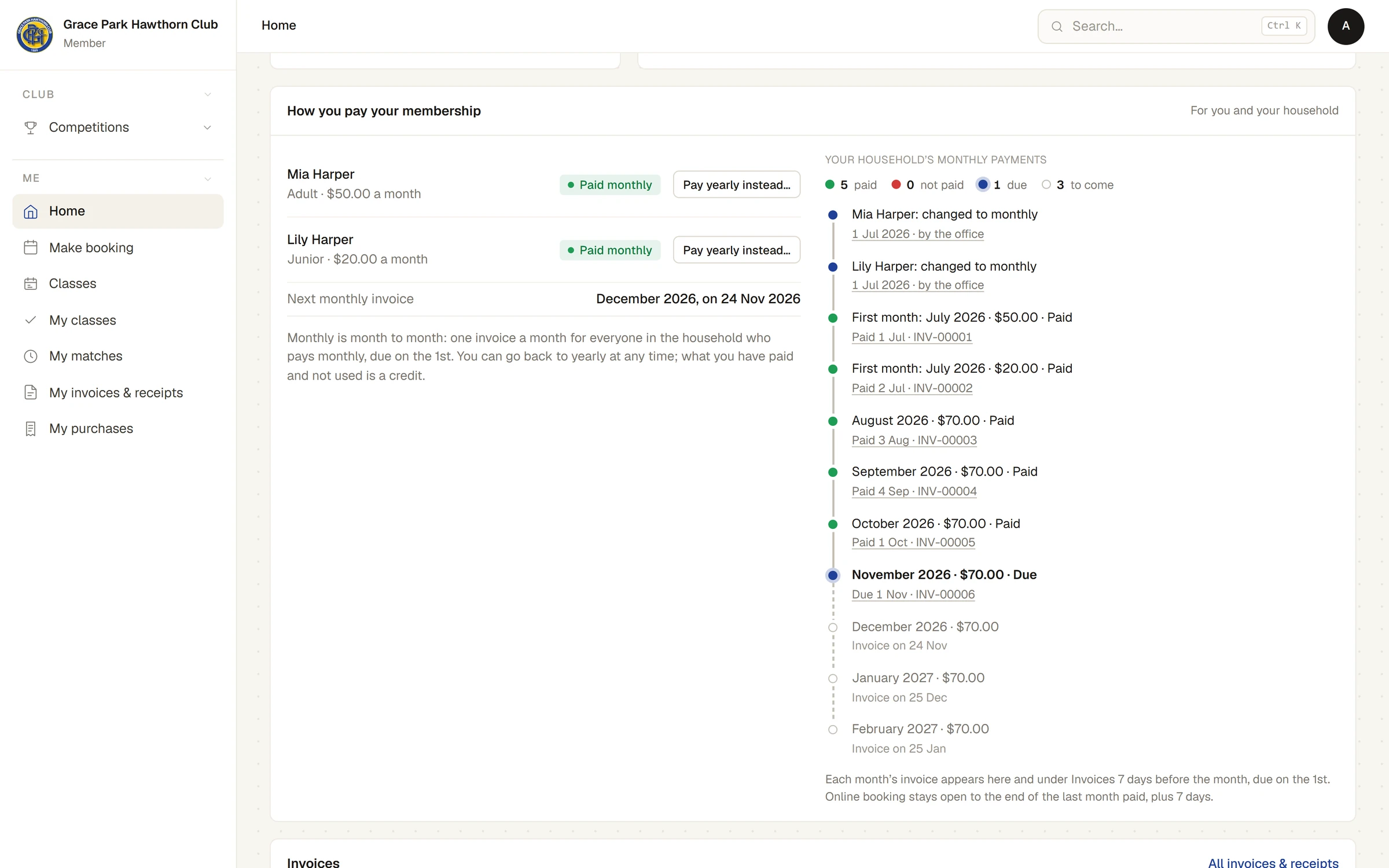
Where your club lets a membership be paid monthly, How you pay your membership shows each person in your household with their plan, for example Paid yearly or Paid monthly.
If you are the head of your household, you can change how anyone in it pays: press Pay monthly instead… or Pay yearly instead… beside them. Before anything changes, Sports Club OS shows what would be invoiced and what would be credited for the time already paid, and you confirm it. You cannot change your membership type here.
Anyone else in a household sees their own plan and is told the head of the household chooses.
If you pay monthly, the page shows each month as paid, not paid, due or to come, with its invoice. Each month's invoice appears a few days before the month, due on the 1st. Monthly is month to month, and you can go back to yearly at any time: what you have paid and not used becomes a credit.
If your account is waiting for approval
A login you made yourself is approved by the club before bookings open. Until then, Home says Your account is waiting for approval. Press Check again to see whether it has been approved. If the club did not approve it, the page says Portal access was not approved; contact the club office. See I signed up but can't see my membership.
If your membership has expired
Online booking is paused until the membership is renewed. Pay the renewal invoice, using the bank details on it, and booking opens again once the club records the payment.
Last checked in release 2026.10.23, on 23 October 2026.