
How to
Book a court (members)
Book a court or table for yourself on Make booking, with guests if you are bringing any. Nothing is booked until you press Save.
Who this is for: Anyone with “Book courts for yourself” (by default: Member).
Members book their own courts and tables on Make booking, which covers every sport the club has. You choose a free time, adjust it if you need to, then save it. Nothing is booked until you press Save and confirm who is playing.
Before you start
- Your membership must be current. If it has expired or is not active, a notice at the top of the page says so and online booking is paused until it is renewed.
- You see the sports your membership includes.
Book a court
- Open , or press Make booking on your Home page.
- Choose the day with the arrows, Today, or the date box. Only days your club has opened for booking can be chosen.
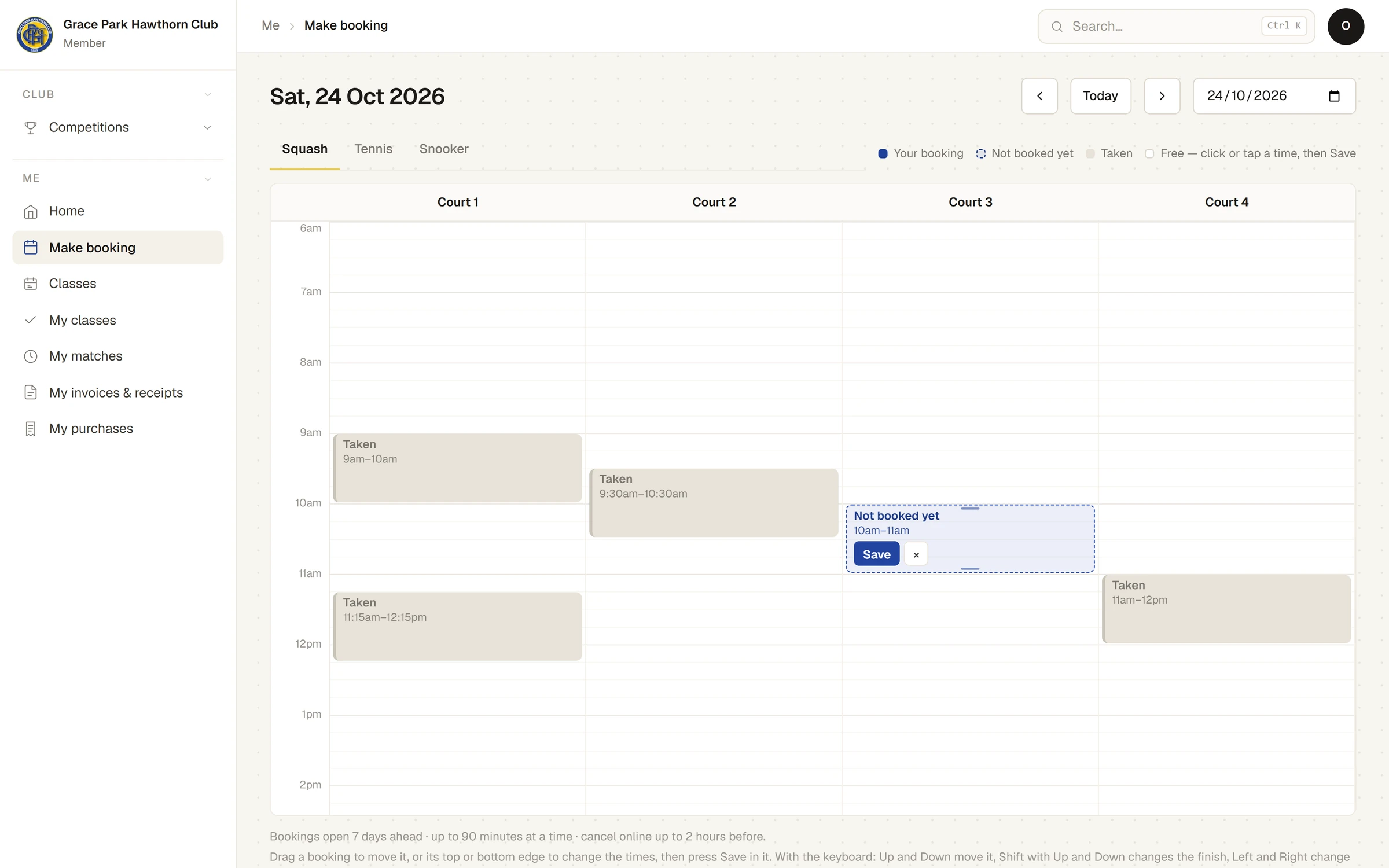
- Choose the sport, for example Squash or Tennis. Each court or table is a column, with the times down the side. Your own bookings say Your booking, other people's say Taken, and closed times show the reason.
- Click or tap a free time. A dashed box appears that says Not booked yet: an hour long, or less where an hour does not fit.
- If you need to, change it:
- Drag the box to another time, or to another court of the same sport.
- Drag its top or bottom edge to change the start or the finish. Times move in quarter-hours.
- If the box cannot go where you put it, it turns red and says why: too long, clashing with another booking, in peak time for an off-peak membership, or outside opening hours. Dropped there, it goes back.
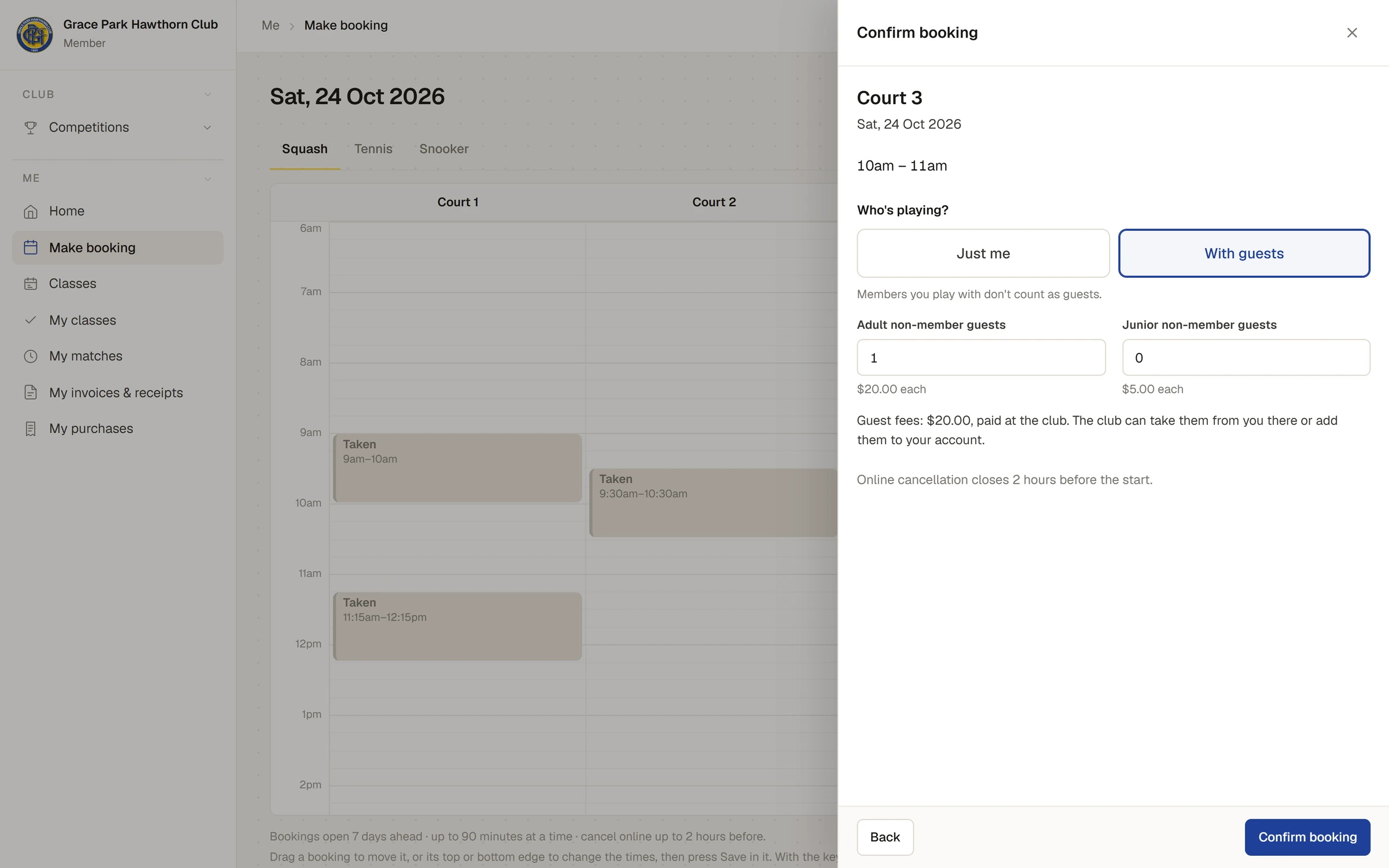
- Press Save in the box. A panel opens headed Confirm booking, with the court, the day and the times.
- Under Who's playing?, choose Just me, or With guests if you are bringing people who are not members. Members you play with don't count as guests.
- Press Confirm booking.
A message says, for example, Booked Court 3, 10am–11am, and the box now says Your booking.
Bringing guests
With With guests, the panel shows Adult non-member guests and Junior non-member guests, up to 3 of each, with the fee for each and the total, for example Guest fees: $20.00, paid at the club. The club can take them from you there or add them to your account. Nothing is charged when you book. You pay the fees at the club on the day you play, or the staff put them on your account then. See Guests and guest fees.
Afterwards, the booking's details say whether its guest fees are still owing (Guest fees of $20.00: owing.) or have been paid (Guest fees of $20.00: paid. Thank you.).
You can also add guests later, from the booking's menu. See Change or cancel your booking.
Changing your mind before you save
- Press × in the box to throw it away.
- Clicking another free time moves the box there. You have one unsaved booking at a time.
- If you leave the page, change the day or the sport, or sign out with a booking not saved, Sports Club OS asks first.
With a keyboard
Press Tab until a court's column is selected. Up and Down choose a time, and Enter places the box there. Then press Save in it.
If something goes wrong
- The box stays after Confirm booking, with a reason in it. The club refused the booking, for example because someone else booked that time a moment before, or because you have reached your bookings for the week. The reason says which. Choose another time, or press ×.
- A sport is missing. Your membership does not include it. Ask the club office.
- No days ahead can be chosen. Bookings open a set number of days ahead; the line under the grid says how many.
Last checked in release 2026.10.23, on 23 October 2026.